
Generate captions, optimize content, and enhance with custom images for maximum engagement.
46M visits/mo-10%#3 Image & Design
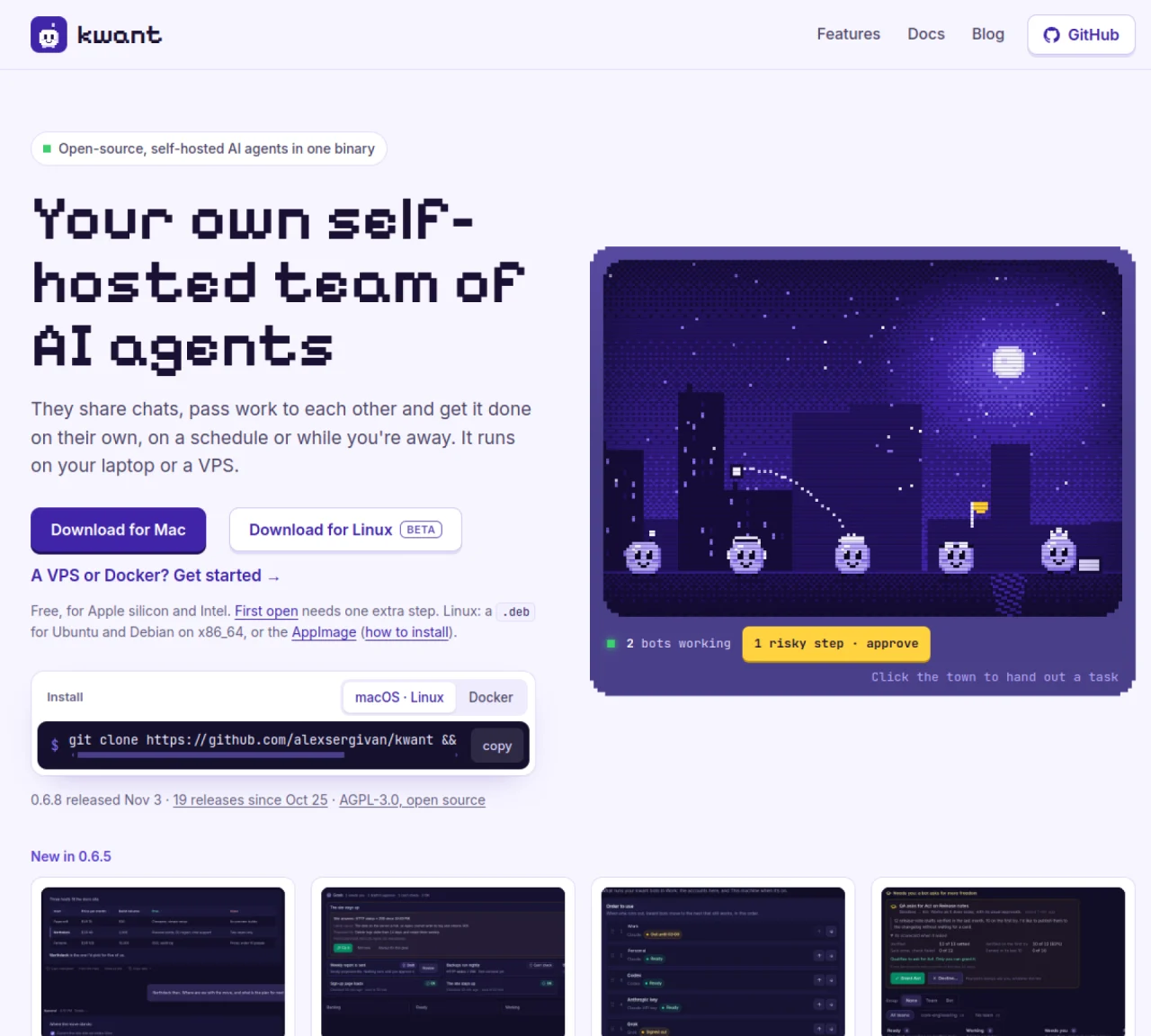
kwant is a self-hosted platform that runs a team of AI agents on a local machine or VPS. Agents share chats, pass tasks to each other using @mentions, and complete work autonomously on a schedule or while the user is away. The application bundles the agent runtime, database, and user interface into a single binary, reducing setup complexity. Each agent has a defined role, voice, and model preference, and can operate within separate workspaces called spaces to isolate projects or personal tasks. Agents can perform routine checks, generate reports, and handle follow-ups without manual intervention. The system supports model failover across multiple providers including Claude, Codex, Grok, and custom APIs, moving to the next available account when usage limits are reached. Approval workflows allow users to review risky actions before execution, with options to allow once, always allow, or deny. Smart Results feature converts tables or lists in replies into interactive comparisons, charts, or checklists.
kwant is a self-hosted platform that runs a team of AI agents on a local machine or VPS. Agents share chats, pass tasks to each other using @mentions, and complete work autonomously on a schedule or while the user is away. The application bundles the agent runtime, database, and user interface into a single binary.
kwant is designed for users who want to automate routine tasks, coordinate multiple AI agents, or maintain privacy by self-hosting. It suits individuals or teams managing projects, research, or follow-ups without manual intervention.
Approval workflows in kwant allow users to review risky actions before execution, with options to allow once, always allow, or deny. Ordinary tasks run automatically, while risky actions like network calls or file changes prompt user approval.
Yes, kwant supports model failover across multiple providers including Claude, Codex, Grok, and custom APIs. When one account reaches usage limits, the system automatically moves to the next available account.
Spaces in kwant isolate projects or personal tasks by creating separate workspaces for bots, chats, routines, and accounts. Each space has its own settings, ensuring nothing leaks between them.
To get started, download the binary for your operating system (Mac or Linux) or use Docker. Follow the installation instructions provided on the GitHub repository or the official website to set up the application.
We use essential cookies to run aitoolnavio™, and optional cookies to analyze traffic and measure our marketing. You choose what we use — optional cookies stay off unless you turn them on. See our Privacy Policy.
One short email a week: fresh tools worth trying, honest takes and the updates that actually matter. No spam, unsubscribe any time.
Generate captions, optimize content, and enhance with custom images for maximum engagement.
Build conversational forms, capture rich responses, and automate follow-ups with AI-powered surveys and workflows.
Automate code, research, and documents using agents.
AI-powered IDE for autonomous coding tasks and agentic development workflows
Source, match, and manage talent with predictive analytics for effortless recruiting.
Automate workflow, optimize operations, and detect potential issues with this efficient AI-driven solution.
Transforms thoughts into actions, enhancing productivity and efficiency.
AI Recruitment engine to hire top global talent
All-in-one team productivity platform combining chat, docs, video meetings, workflows, and AI tools in one place.
Personal assistant that coordinates tasks across apps and devices via text or call
AI automation and agent-building platform with 3,000+ app integrations
AI job search copilot that matches roles to skills, optimizes resumes for ATS, generates cover letters, and autofills applications with real-time insights.
Matched on what this tool does — grouped by the job you would be replacing.
matches Self-hosted AI agent team in one binary · Agent collaboration and task handoffs · Model failover across providers
Open-source agent orchestration platform for managing teams of AI agents with org charts, goals, and governance in a self-hosted deployment.
Open-source AI workforce OS for autonomous agents performing business functions
Hosted AI workspaces for teams with agents, approvals, and usage tracking
Modular workbench for designing and running agent workflows with model selection and cost tracking
matches Scheduled routines and follow-ups · Approval workflows for risky actions
matches Agent collaboration and task handoffs · Model failover across providers · Approval workflows for risky actions
Open-source workflow automation platform that connects apps and automates tasks with AI, no coding required.
A visual low-code backend builder for creating AI workflows, APIs, automations, and cloud functions with full code access.
Cloud-hosted AI agent with shell, files and app integrations
Coordinate always-on AI agents to automate workflows.
Autonomous AI agent that executes multi-step tasks across thousands of apps and services
Enforce hard, pre-execution limits on AI agent spend, risk, and actions to prevent runaway costs and ensure predictable deployment.