
Generate captions, optimize content, and enhance with custom images for maximum engagement.
46M visits/mo-10%#3 Image & Design
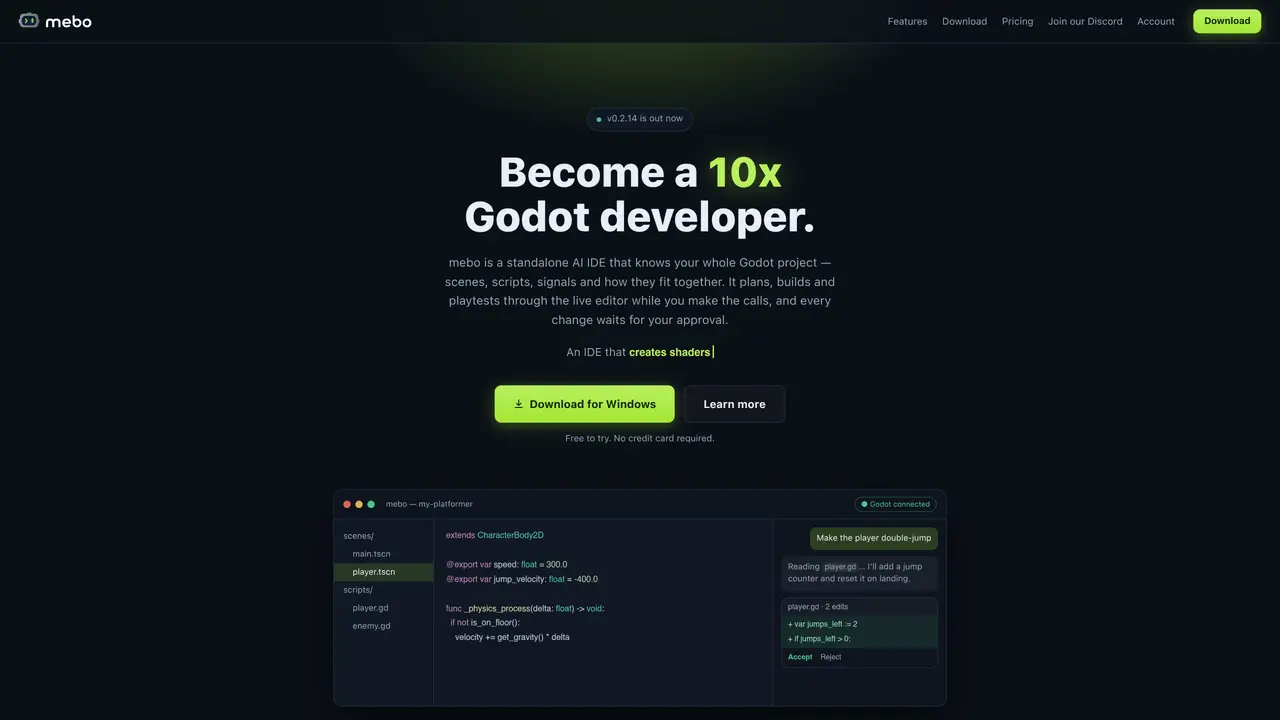
mebo is a standalone AI IDE designed for Godot projects. It integrates with the Godot editor to understand scenes, scripts, nodes and signals, building an internal map of the project’s structure. The tool plans and implements changes directly within the live editor, including shaders, while requiring user approval for every modification. It supports GDScript and C# and references the official Godot documentation to ensure accuracy. mebo maintains a memory of the project’s conventions and past decisions, allowing it to adapt to a developer’s workflow over time. The IDE can inspect the running scene tree, edit nodes, wire signals and execute playtests, verifying changes with Godot’s language server and build tools before finalizing them. Users remain in control, reviewing and accepting or rejecting each proposed edit as a diff.
mebo is a standalone AI IDE designed specifically for Godot projects. It integrates with the Godot editor to understand and map the project's structure, including scenes, scripts, nodes, and signals, enabling it to plan, implement, and playtest changes directly within the live editor.
mebo is built for game developers working with Godot, particularly those who want to prototype ideas quickly, automate boilerplate tasks, and receive AI assistance that understands the nuances of Godot's engine and workflow.
mebo offers a free trial with 100 credits and no credit card required. Paid plans start at $20 per month for individuals, with higher tiers offering more credits, projects, and access to advanced AI models. Studio and enterprise plans are also available.
mebo works directly within the Godot editor through a tiny addon, allowing it to inspect the running scene tree, edit nodes, wire signals, and execute playtests. It also references the official Godot documentation for accuracy.
mebo requires Godot 4.2 or later for full live editor features. It does not write changes to disk or the scene tree without user approval, ensuring all edits are reviewed as diffs before finalization.
Download mebo from the official website for macOS, Windows, or Linux. Install it alongside the Godot editor, open your project in mebo, and begin receiving AI assistance for planning, implementing, and testing changes within the live editor.
We use essential cookies to run aitoolnavio™, and optional cookies to analyze traffic and measure our marketing. You choose what we use — optional cookies stay off unless you turn them on. See our Privacy Policy.
One short email a week: fresh tools worth trying, honest takes and the updates that actually matter. No spam, unsubscribe any time.
Generate captions, optimize content, and enhance with custom images for maximum engagement.
Build conversational forms, capture rich responses, and automate follow-ups with AI-powered surveys and workflows.
Automate code, research, and documents using agents.
AI-powered IDE for autonomous coding tasks and agentic development workflows
Source, match, and manage talent with predictive analytics for effortless recruiting.
Automate workflow, optimize operations, and detect potential issues with this efficient AI-driven solution.
Transforms thoughts into actions, enhancing productivity and efficiency.
AI Recruitment engine to hire top global talent
All-in-one team productivity platform combining chat, docs, video meetings, workflows, and AI tools in one place.
Personal assistant that coordinates tasks across apps and devices via text or call
AI automation and agent-building platform with 3,000+ app integrations
AI job search copilot that matches roles to skills, optimizes resumes for ATS, generates cover letters, and autofills applications with real-time insights.
Matched on what this tool does — grouped by the job you would be replacing.
matches AI agent that understands scenes, nodes and signals · Live editor integration for real-time changes · Project memory for consistent behavior across sessions
Unreal Engine 5 plugin that adds AI assistance for C++, Blueprints, and level creation directly inside the editor.
Local AI integration for Godot game development with image tools and MCP support
AI coding agent for Xcode that generates Swift code and fixes errors locally