Generate captions, optimize content, and enhance with custom images for maximum engagement.
46M visits/mo-10%#3 Image & Design

No-code AI platform to automate voice calls, web chat, SMS, and messaging support with human handoff and real-time analytics.
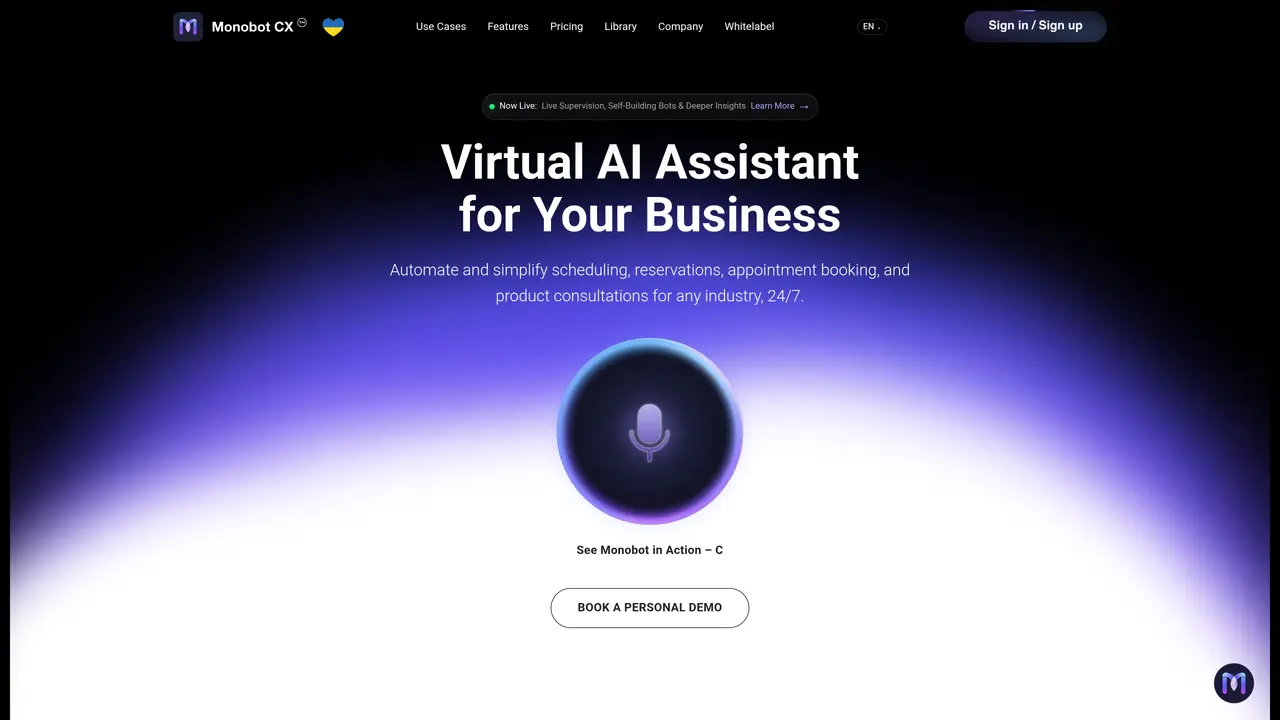
Monobot CX is a web-based AI platform designed for businesses and contact centers to build and manage voice and chat agents that automate customer interactions across multiple channels. The platform provides a no-code agent builder with pre-built templates for common workflows such as appointment scheduling, order status checks, identity verification, and lead qualification. It supports omnichannel deployment including voice calls, web chat, SMS, and messaging apps like Instagram and Telegram, with features for call transfer and seamless human handoff. Monobot CX includes an AI Workspace for human agents that offers real-time suggestions, customer sentiment visibility, call summaries, and knowledge base search during live conversations. The platform delivers analytics and conversation insights through real-time dashboards, detailed interaction records, transcripts, and sentiment analysis. It integrates with CRM tools and Google Calendar via connectors and an open API, enabling businesses to streamline customer operations and improve support efficiency. The tool supports over 20 languages and is designed for 24/7 customer service operations, helping organizations reduce support costs while maintaining high first-call resolution rates.
Monobot CX is a web-based AI platform that enables businesses and contact centers to build, deploy, and manage voice and chat agents for automating customer interactions across multiple channels such as voice calls, web chat, SMS, and messaging apps.
The platform is designed for businesses, contact centers, BPOs, sales teams, HR departments, IT helpdesks, and organizations seeking to automate routine customer interactions and improve support efficiency.
Monobot CX uses AI agents to automate tasks like appointment scheduling, order status checks, identity verification, and lead qualification, while providing human agents with real-time suggestions, call summaries, and knowledge base access during live conversations.
The platform supports omnichannel deployment including voice calls, web chat, SMS, and messaging apps such as Instagram and Telegram, with features for seamless call transfer and human handoff.
Yes, Monobot CX integrates with CRM tools and Google Calendar via connectors and an open API, allowing businesses to streamline customer operations and connect with existing workflows.
Users can start by signing up on the platform, accessing the AI Agent Builder to design and customize agents, and deploying them across supported channels with no coding required.
We use essential cookies to run aitoolnavio™, and optional cookies to analyze traffic and measure our marketing. You choose what we use — optional cookies stay off unless you turn them on. See our Privacy Policy.
One short email a week: fresh tools worth trying, honest takes and the updates that actually matter. No spam, unsubscribe any time.
Generate captions, optimize content, and enhance with custom images for maximum engagement.
Build conversational forms, capture rich responses, and automate follow-ups with AI-powered surveys and workflows.
Automate code, research, and documents using agents.
AI-powered IDE for autonomous coding tasks and agentic development workflows
Source, match, and manage talent with predictive analytics for effortless recruiting.
Automate workflow, optimize operations, and detect potential issues with this efficient AI-driven solution.
Transforms thoughts into actions, enhancing productivity and efficiency.
AI Recruitment engine to hire top global talent
All-in-one team productivity platform combining chat, docs, video meetings, workflows, and AI tools in one place.
Personal assistant that coordinates tasks across apps and devices via text or call
AI automation and agent-building platform with 3,000+ app integrations
AI job search copilot that matches roles to skills, optimizes resumes for ATS, generates cover letters, and autofills applications with real-time insights.
Matched on what this tool does — grouped by the job you would be replacing.
matches No-code agent builder with workflow templates · Omnichannel support for voice, web chat, SMS, and messaging apps · Human handoff and call transfer capabilities
Unified workspace for WhatsApp and omnichannel customer conversations with AI agents and CRM
Build GPT-based support agents trained on internal data for 24/7 customer service, HR assistance, and lead capture with seamless human handoff.
AI system handling voice calls and chat across multiple channels 24/7
Unified AI customer service platform handling chat, voice, email and social in one queue
matches No-code agent builder with workflow templates · Omnichannel support for voice, web chat, SMS, and messaging apps · Human handoff and call transfer capabilities
No-code AI voice agent platform that automates inbound and outbound calls, books appointments, and syncs with CRMs via integrations.
AI-powered call agent that answers calls, books appointments, and captures leads 24/7
A no-code voice AI agent platform for agencies and businesses to automate calls, lead qualification, and customer service.
AI voice agents that handle inbound and outbound calls for businesses