

Generate captions, optimize content, and enhance with custom images for maximum engagement.
46M visits/mo-10%#3 Image & Design
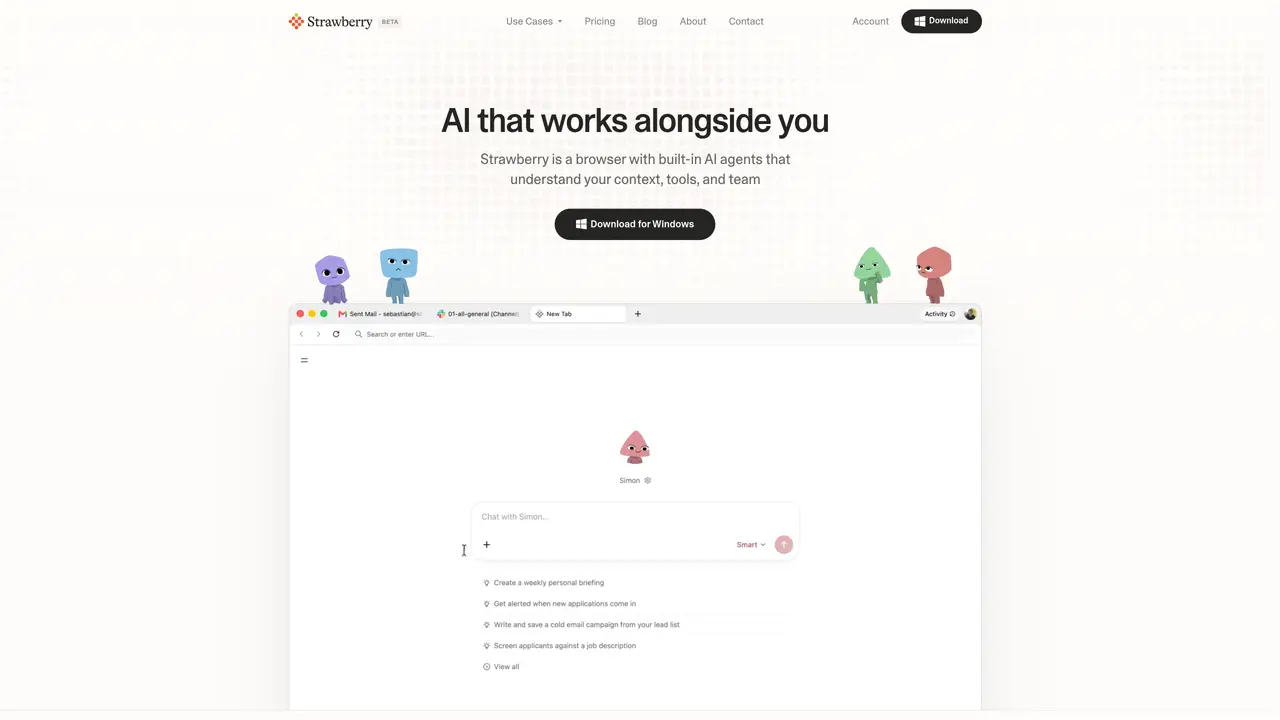
Strawberry is an innovative AI-powered browser designed to streamline your daily workflows by automating routine tasks. By integrating AI directly into your browsing experience, Strawberry offers intelligent assistants that learn your preferences and execute tasks just like you would. This unique browser is tailored for professionals who seek to enhance efficiency, minimize mundane work, and maintain focus on more critical tasks. Whether you’re managing leads, sending emails, or organizing data, Strawberry simplifies these processes with its smart automation features. Key Features: AI-Driven Automation: Strawberry’s AI assistants automate tasks within the browser, learning your workflows and preferences over time for personalized assistance. User Control and Approval: Before taking any action, Strawberry seeks user approval, ensuring you maintain control over your tasks and data. Local Data Storage: All data, including messages and browsing logs, is stored locally on your device, enhancing privacy and security. Customizable AI Companions: Users can build and tailor AI companions to specific workflows, or use pre-built assistants for common tasks.
Strawberry is available as a desktop application for macOS and Windows.
Yes. Strawberry can transcribe meetings, take notes, extract action items, and follow-up tasks without requiring a meeting bot.
As a browser, Strawberry has access to your active context and can take actions on your behalf within websites, unlike general chatbots.
Any task that can be completed within a browser, such as research, lead sourcing, CRM updates, slide deck creation, or data extraction.
Yes. All data, including messages and browsing logs, is stored locally on your device for privacy and security.
Yes. Companions request approval before performing irreversible actions to maintain user control.
strawberrybrowser.com · third-party estimates from Similarweb
Last 4 months · grows by one month every month
Share of visits · estimated visits
Other countries: 38.4%
How people reach this site from other AI tools
104 a month · 0.1% of all visits
Automation & Agents · Sep 2026
Traffic figures are third-party estimates, good for scale and trends; they can differ from a company's own numbers. Updated monthly.
We use essential cookies to run aitoolnavio™, and optional cookies to analyze traffic and measure our marketing. You choose what we use — optional cookies stay off unless you turn them on. See our Privacy Policy.
One short email a week: fresh tools worth trying, honest takes and the updates that actually matter. No spam, unsubscribe any time.
Generate captions, optimize content, and enhance with custom images for maximum engagement.
Build conversational forms, capture rich responses, and automate follow-ups with AI-powered surveys and workflows.
Automate code, research, and documents using agents.
AI-powered IDE for autonomous coding tasks and agentic development workflows
Source, match, and manage talent with predictive analytics for effortless recruiting.
Automate workflow, optimize operations, and detect potential issues with this efficient AI-driven solution.
Transforms thoughts into actions, enhancing productivity and efficiency.
AI Recruitment engine to hire top global talent
All-in-one team productivity platform combining chat, docs, video meetings, workflows, and AI tools in one place.
Personal assistant that coordinates tasks across apps and devices via text or call
AI automation and agent-building platform with 3,000+ app integrations
AI job search copilot that matches roles to skills, optimizes resumes for ATS, generates cover letters, and autofills applications with real-time insights.
Matched on what this tool does — grouped by the job you would be replacing.
matches AI-Driven Automation · Seamless Automation · Integration Flexibility
An AI browser for macOS that automates research, sales, and operations tasks via plain-language instructions.
An AI-native browser that merges browsing, search, chat, and task automation into one workspace for streamlined productivity.
Automate workflows, enhance productivity, reduce manual tasks with AI-driven automation.
AI agent that automates browser-based tasks by controlling the browser and executing atomic commands for developers and researchers.
matches User Control and Approval · Local Data Storage · Enhanced Privacy
Transforms thoughts into actions, enhancing productivity and efficiency.
Skywork automates tasks, enhances productivity, and enables real-time collaboration.
Automates tasks via AI agents on chat platforms.
Automate routine tasks, streamline workflows, and monitor operations with real-time analytics to reduce overhead and boost productivity.