Turn messy team ideas into actionable plans with Miro's visual workspace.
30M visits/mo+11.8%#8 Productivity & Office

An AI-native browser that merges browsing, search, chat, and task automation into one workspace for streamlined productivity.
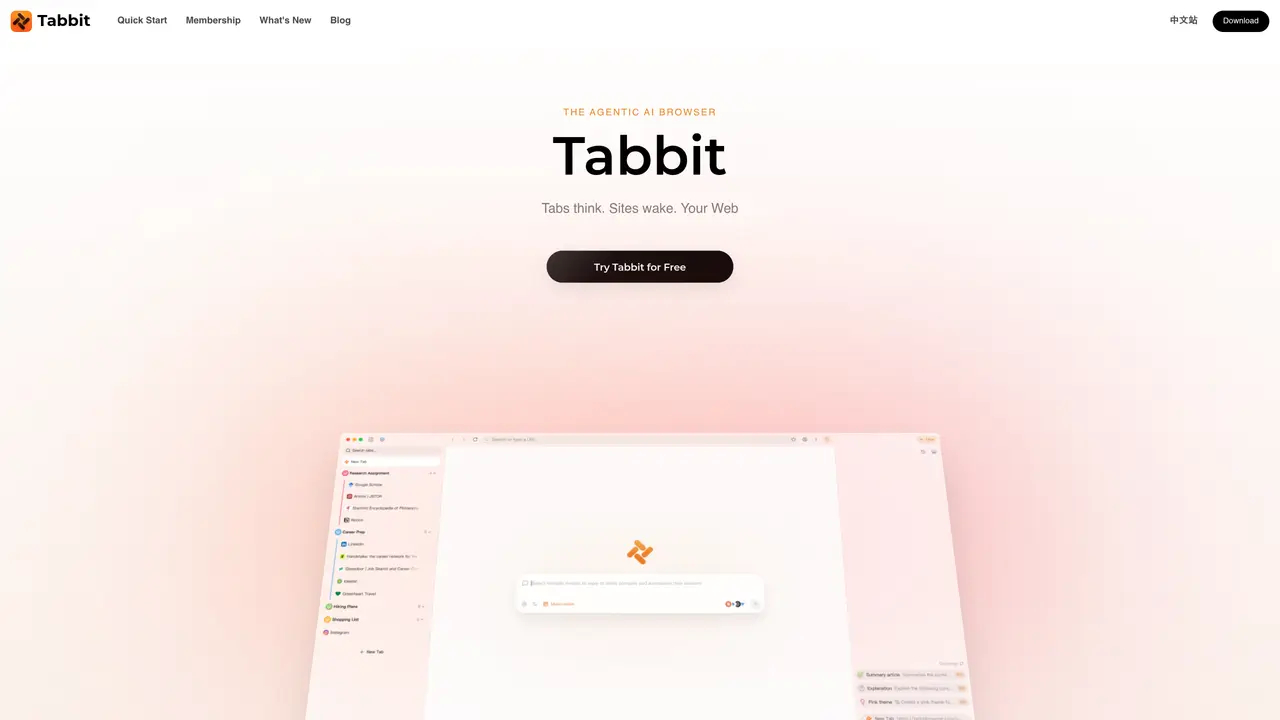
Tabbit reimagines the browser as an intelligent workspace where users can interact with content directly using AI. Instead of manually searching, copying, and switching between tools, the browser understands what you’re viewing and can generate insights, summarize information, and complete multi-step tasks automatically. It combines browsing, search, and chat into a single seamless workflow, allowing users to delegate complex tasks to built-in AI agents that execute actions across tabs and files. The platform is designed for researchers, developers, content creators, and productivity-focused users who want to streamline repetitive tasks and work more efficiently. Tabbit’s interface includes an AI chat sidebar, contextual browsing, and automated agent workflows, enabling users to organize tabs intelligently, create reusable workflows, and reduce manual work by automating routine processes. Tabbit supports multiple AI models within one interface, allowing users to switch between different models for varied needs. It also offers context-aware responses by using tabs, files, and screenshots as input, ensuring smarter and more relevant AI interactions. The browser is built to replace traditional browsing workflows with an agent-driven experience, making it ideal for tasks like deep research, data extraction, document summarization, and workflow automation. Users can start by downloading and installing Tabbit, importing browser data, and then using the omnibox to browse, chat, or automate tasks directly.
Tabbit is an agentic AI browser that reimagines browsing as an intelligent workspace, combining browsing, search, and chat into a single workflow. It is designed for researchers, developers, content creators, and productivity-focused users who want to automate repetitive tasks and work more efficiently.
Tabbit uses AI agents to read, plan, and execute tasks across tabs, files, and screenshots. Users can drop content into the agent, which then performs multi-step actions, generates insights, summarizes information, or automates workflows based on the provided context.
Tabbit supports multiple AI models within one interface, including leading models like GPT-5.6, Claude Sonnet 5, and others. New models are added within hours of release, allowing users to switch between models for different needs.
Tabbit can automate tasks such as deep research, data extraction, document summarization, workflow automation, and organizing tabs intelligently. It also offers skills for specific platforms like YouTube, GitHub, and Gmail.
Tabbit prioritizes user privacy by keeping highlights, chats, and saved pages on the user's machine. It undergoes independent SOC 2 Type I security examinations, and user data is not sold or used for training without consent.
Users can start by downloading and installing Tabbit, importing browser data, and then using the omnibox to browse, chat, or automate tasks directly. The interface includes an AI chat sidebar and contextual browsing features to streamline the process.
tabbitbrowser.com · third-party estimates from Similarweb
Last 4 months · grows by one month every month
Share of visits by channel
No measurable traffic from Paid Referrals.
Share of visits · estimated visits
Productivity & Office · Sep 2026
Traffic figures are third-party estimates, good for scale and trends; they can differ from a company's own numbers. Updated monthly.
We use essential cookies to run aitoolnavio™, and optional cookies to analyze traffic and measure our marketing. You choose what we use — optional cookies stay off unless you turn them on. See our Privacy Policy.
One short email a week: fresh tools worth trying, honest takes and the updates that actually matter. No spam, unsubscribe any time.
Turn messy team ideas into actionable plans with Miro's visual workspace.
Leverage analytics, automate tasks, share documents, and coordinate projects.
All-in-one project management platform for task management, team collaboration, and workflow visualization with time tracking and reporting.
Organize and track projects, set deadlines, and gain insights with customizable boards and advanced analytics.
Create customizable tables, databases, and spreadsheets, share data securely with team members.
Optimize project management with custom workflows, real-time task assignment, and easy navigation of complex projects.
Cloud-based unified communications platform for secure call, video, messaging, file sharing, and automated call routing.
All-in-one team productivity platform combining chat, docs, video meetings, workflows, and AI tools in one place.
Capture, organize, and share ideas, notes, and documents effortlessly.
Real-time customer support with personalized service, accessible through a mobile app.
Engage audience with interactive polls, quizzes, and surveys, and monitor responses with powerful analytics.
Access files, collaborate, and secure your data with unbeatable customizable system.
Matched on what this tool does — grouped by the job you would be replacing.
matches Automate complex tasks using built-in AI agents · Replace manual browsing tasks with AI-driven automation · Delegate multi-step workflows to AI agents for execution
Delegate browsing, coding, and file work to agents.
AI agentic browser that automates complex workflows, deep research, and multi-step digital tasks across public and private platforms.
AI-powered browser that turns tabs, files and screenshots into actionable agents
An AI-powered browser that summarizes pages, answers questions, and automates online tasks through natural language commands.
matches Conduct deep research and generate structured reports automatically · Summarize articles, papers, and documents instantly
matches Create reusable workflows as one-click skills for repeated tasks · Use multiple AI models in one interface for different needs
Efficiently answer research queries, translate natural language to SQL, and utilize OpenAI WebGPT and larger language models.
Real-time AI search and crawling API for developers and AI teams to extract and summarize web data for agents and research workflows.
An agentic AI coworker that analyzes documents, spreadsheets, and websites to deliver contextual answers and generate structured outputs.
Loopa is an advanced, multi-model AI workspace platform designed to automate complex research, content creation, and business workflows.
Build teams of AI agents that collaborate, automate workflows, and complete complex tasks together.
Automate tasks, find answers, track prices & stock with a hybrid AI engine.
AI-powered workspace that learns your habits to automate repetitive tasks for solo business owners.
Windows-only AI agent platform that lets users create and manage specialized AI teams for task automation and project management via natural language.