

AI chatbot for conversation, work, research, coding, and content creation.
5.9B visits/mo+5%#1 Chatbots & Assistants
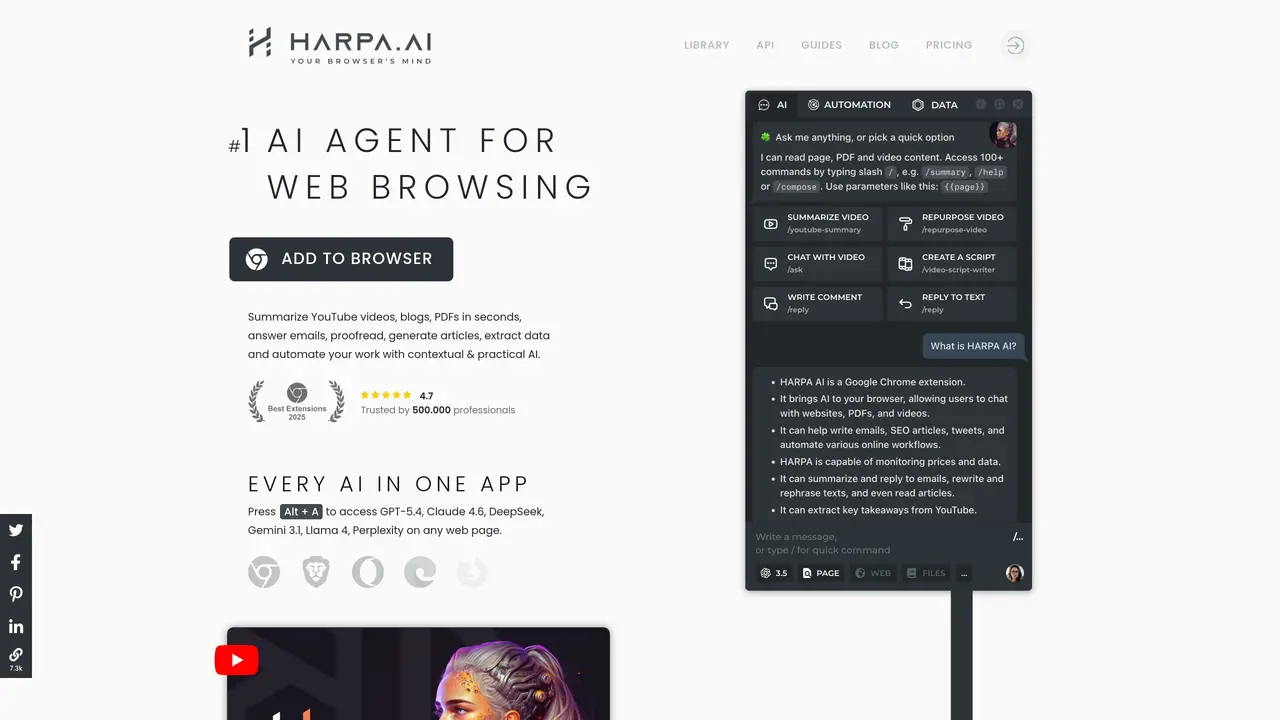
Harpa.ai is an AI-powered NoCode RPA platform integrated as a Chrome Extension, designed to automate repetitive and time-consuming web tasks without requiring coding expertise. The tool enables users to streamline workflows by automating searches, extracting structured data from web pages, summarizing content, and monitoring changes across websites such as competitor sites, product prices, and stock availability. It also tracks updates to articles and legislation, making it useful for research, competitive analysis, and compliance monitoring. Harpa.ai operates through a hybrid AI engine that combines ChatGPT’s capabilities with proprietary machine learning algorithms to deliver accurate and context-aware results. The platform is particularly suited for professionals, researchers, and businesses seeking to enhance productivity by reducing manual web interactions. Users can set up automated workflows to run in the background, ensuring continuous monitoring and data collection without constant oversight. The tool is accessible directly within the Chrome browser, eliminating the need for complex software installations or integrations. Harpa.ai is ideal for tasks that require real-time data processing, such as market research, content aggregation, and automated reporting.
HARPA AI is a browser extension powered by a hybrid AI engine that combines multiple large language models, including ChatGPT, Claude, Gemini, Perplexity, and DeepSeek, with web automation capabilities.
HARPA automates tasks such as copywriting, email management, web search, online data extraction, and web monitoring. It is used to write emails, summarize web pages, extract data, track prices, generate content, and more.
HARPA can read, understand, and act upon web page content, navigate websites, click buttons, extract data, and integrate with automation tools like Zapier or Make.com, functioning as an AI agent within the browser.
Yes, HARPA supports local models, does not log conversations or actions, is GDPR compliant, and allows users to pair it with any LLM of their choice while maintaining privacy.
Yes, HARPA can trigger automation chains with platforms like Zapier, Make.com, and n8n, and can extract data from virtually any website for further processing.
Users can add HARPA AI to their browser via the provided extension link, then access its features by pressing Alt + A or using quick shortcuts like // for various tasks.
harpa.ai · third-party estimates from Similarweb
Last 4 months · grows by one month every month
Share of visits · estimated visits
Other countries: 49.9%
How people reach this site from other AI tools
586 a month · 0.2% of all visits
Chatbots & Assistants · Sep 2026
Traffic figures are third-party estimates, good for scale and trends; they can differ from a company's own numbers. Updated monthly.
We use essential cookies to run aitoolnavio™, and optional cookies to analyze traffic and measure our marketing. You choose what we use — optional cookies stay off unless you turn them on. See our Privacy Policy.
One short email a week: fresh tools worth trying, honest takes and the updates that actually matter. No spam, unsubscribe any time.
AI chatbot for conversation, work, research, coding, and content creation.
Efficiently answer research queries, translate natural language to SQL, and utilize OpenAI WebGPT and larger language models.
Search privately, customize interface, track search history, and stay in control of online activities.
Transforms queries into real-time, customized pages with expert insights.
Search scientific papers, discover relevant publications, and enhance understanding of academic literature.
Access research, sort data, and get insights with predictive analytics.
Access hundreds of millions of answers powered by AI technology.
Create research report with references
Search a large knowledge base for verified articles, facts, opinions, and multimedia to answer questions across any topic.
Chat with many top models for everyday tasks.
Centralized AI industry news aggregator with curated daily selections, model rankings, and trending topics.
A free AI platform that answers questions, searches across languages, and generates slides, mind maps, docs, images, and webpages.
Matched on what this tool does — grouped by the job you would be replacing.
matches Automate tedious web tasks with NoCode RPA platform · Use a Chrome Extension for easy access
Create automated web crawlers and automate web scraping tasks without coding.
A Chrome extension that automates repetitive browser tasks like data entry, copying, pasting, and web scraping without coding.
AI web agent that automates browser tasks like scraping, form filling, and multi-step workflows using natural language commands.
Automate tasks, create/manage processes, and monitor them visually.
matches Get answers quickly to search queries with hybrid AI engine · Summarize web pages and extract important structural data · Monitor articles and legislations
Efficiently answer research queries, translate natural language to SQL, and utilize OpenAI WebGPT and larger language models.
Browser extension AI assistant for in-page summarization, translation, drafting, and cited web search.
Find relevant search results, get summaries without reading entire pages, and filter with AI-powered 'Glarify' feature.
AI email assistant that summarizes web pages, PDFs, and YouTube videos and answers follow-up questions via email.