

Generate captions, optimize content, and enhance with custom images for maximum engagement.
46M visits/mo-10%#3 Image & Design
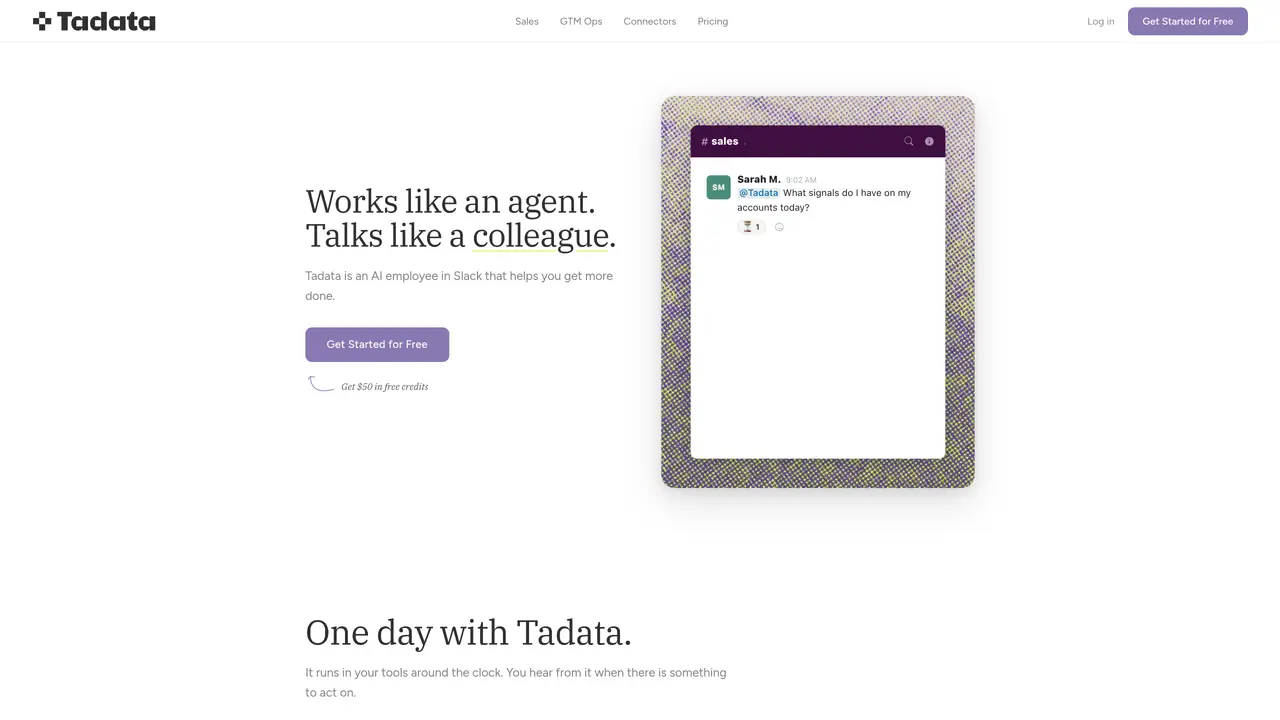
Tadata operates as an AI agent within Slack, monitoring connected tools and surfacing actionable updates before they are needed. It briefs users on daily meetings, tracks recurring tasks, and offers to automate work that follows consistent patterns. The tool drafts follow-up emails, updates CRM fields, and records next steps only after receiving approval. It integrates with platforms such as HubSpot, Attio, Notion, Linear, GitHub, Google Sheets, Monday.com, Gmail, Hunter.io, Google Calendar, and external sources like company websites, LinkedIn, and job boards. Tadata provides pre-built agents for sales tasks including personalized outreach, warm intro finding, call preparation, LinkedIn monitoring, new hire identification, and conference preparation. Users can also request custom agents tailored to specific workflows.
Tadata is an AI agent that operates within Slack, monitoring connected tools and surfacing actionable updates before they are needed. It briefs users on daily meetings, tracks recurring tasks, and offers to automate work that follows consistent patterns, such as drafting follow-up emails or updating CRM fields, but only after receiving approval.
Tadata is designed for sales teams and go-to-market operations professionals who want to streamline workflows and reduce manual tasks. It is particularly useful for those who rely on tools like HubSpot, Attio, Notion, Linear, GitHub, and Google Sheets, as well as external sources like company websites and LinkedIn.
Tadata integrates with a wide range of platforms, including HubSpot, Attio, Notion, Linear, GitHub, Google Sheets, Monday.com, Gmail, Hunter.io, Google Calendar, and external sources like company websites, LinkedIn, Google Maps, job boards, and filings & reviews.
No, Tadata only automates tasks after receiving explicit approval from the user. It drafts follow-up emails, updates CRM fields, and records next steps, but nothing is executed or sent without the user's consent.
Yes, Tadata provides pre-built agents tailored for sales tasks, such as personalized outreach, warm intro finding, call preparation, LinkedIn monitoring, new hire identification, and conference preparation. Users can also request custom agents for specific workflows.
Tadata prioritizes data privacy and security by using scoped access and credential isolation. Users retain ownership of their data, processes, and automations, which can be exported and versioned. The tool is designed to be model-agnostic, ensuring no lock-in to a specific AI provider.
tadata.com · third-party estimates from Similarweb
Last 4 months · grows by one month every month
Share of visits by channel
Share of visits · estimated visits
Automation & Agents · Sep 2026
Traffic figures are third-party estimates, good for scale and trends; they can differ from a company's own numbers. Updated monthly.
We use essential cookies to run aitoolnavio™, and optional cookies to analyze traffic and measure our marketing. You choose what we use — optional cookies stay off unless you turn them on. See our Privacy Policy.
One short email a week: fresh tools worth trying, honest takes and the updates that actually matter. No spam, unsubscribe any time.
Generate captions, optimize content, and enhance with custom images for maximum engagement.
Build conversational forms, capture rich responses, and automate follow-ups with AI-powered surveys and workflows.
Automate code, research, and documents using agents.
AI-powered IDE for autonomous coding tasks and agentic development workflows
Source, match, and manage talent with predictive analytics for effortless recruiting.
Automate workflow, optimize operations, and detect potential issues with this efficient AI-driven solution.
Transforms thoughts into actions, enhancing productivity and efficiency.
AI Recruitment engine to hire top global talent
All-in-one team productivity platform combining chat, docs, video meetings, workflows, and AI tools in one place.
Personal assistant that coordinates tasks across apps and devices via text or call
AI automation and agent-building platform with 3,000+ app integrations
AI job search copilot that matches roles to skills, optimizes resumes for ATS, generates cover letters, and autofills applications with real-time insights.
Matched on what this tool does — grouped by the job you would be replacing.
matches Slack-based AI agent · Automated task identification and suggestions · Integration with CRM, productivity, and development tools
AI assistant that automates routine work across email, calendar, Slack, files and other tools with human oversight.
AI assistant that joins meetings, drafts follow-ups, schedules tasks, and updates CRM records automatically.
AI-powered workspace that unifies email, CRM, Slack, calendar and 30+ integrations to automate workflows and tasks for founders and GTM teams.
matches Pre-built agents for sales and GTM operations · CRM field updates · Follow-up email drafting
matches CRM field updates · Follow-up email drafting
AI agent platform for automating GTM workflows with CRM and email tools
AI-powered sales automation platform that uses virtual agents to handle lead research, email campaigns, follow-ups, and scheduling.
AI agents that automate calls, emails and texts for sales, recruiting and operations
Automate CRM field population, draft personalized follow-up emails, and integrate with popular tools for maximum efficiency.
AI agents handling voice calls, WhatsApp chats and emails 24/7