Generate captions, optimize content, and enhance with custom images for maximum engagement.
46M visits/mo-10%#3 Image & Design

No-code AI agent platform for operations, support, and compliance teams to automate inbox triage, document extraction, and ERP/helpdesk workflows.
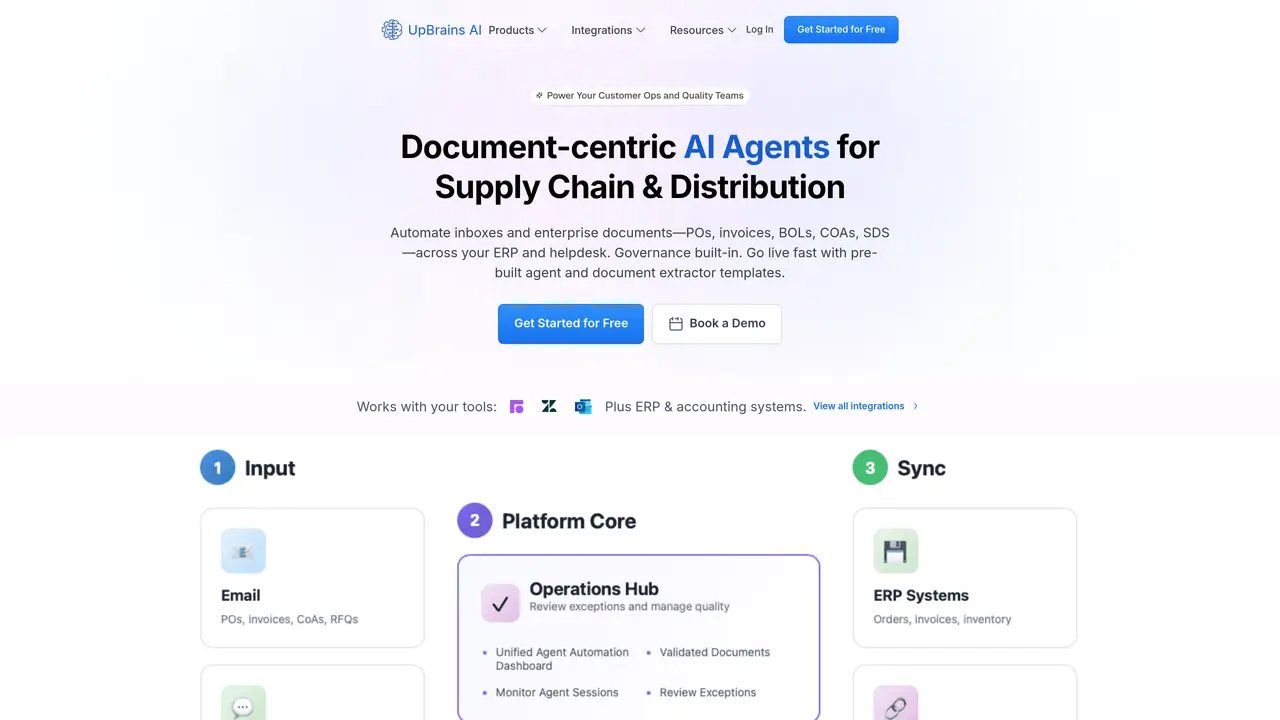
UpBrains AI is a web-based, no-code platform designed for B2B operations, customer support, quality, and compliance teams that need to automate high-volume inbox and document workflows. The platform combines agent-driven automation with a human-in-the-loop review portal, enabling teams to classify, tag, summarize, and route conversations and tickets while extracting structured data from emails, attachments, PDFs, and images. It supports operational documents such as purchase orders, invoices, bills of lading, certificates of analysis, and safety data sheets, and automates document-centric processes like order processing, RFQ responses, invoice handling, and customs workflows. UpBrains AI integrates with existing tools through prebuilt connections to platforms like Zendesk, Front, Help Scout, and Microsoft apps, as well as APIs for linking to ERPs, CRMs, and other back-office systems. Governance features include audit trails and role-based access, making it suitable for regulated environments. The platform emphasizes document-first automation, pairing AI agents with structured data capture and validation workflows to streamline operations and reduce manual effort.
UpBrains AI automates document-centric workflows for operations, quality, and customer support teams by classifying, tagging, summarizing, and routing conversations and tickets while extracting structured data from emails, attachments, PDFs, and images.
The platform is designed for B2B operations, customer support, quality, and compliance teams that handle high-volume inbox and document workflows, particularly in supply chain, distribution, and regulated environments.
UpBrains AI offers prebuilt connections to platforms like Zendesk, Front, Help Scout, and Microsoft apps, as well as APIs for linking to ERPs, CRMs, and other back-office systems.
Yes, the platform includes governance features such as audit trails, role-based access, and a dedicated quality document portal called QualiNex for compliance and vendor quality sharing.
Yes, users can configure custom automation agents to handle workflows involving emails, team inboxes, or helpdesk apps, or create custom document extractors in minutes.
The platform emphasizes fast time-to-value with prebuilt extractors, templates, an AI builder assistant, and done-for-you onboarding to help teams automate workflows quickly.
upbrains.ai · third-party estimates from Similarweb
Last 3 months · grows by one month every month
Automation & Agents · Sep 2026
Traffic figures are third-party estimates, good for scale and trends; they can differ from a company's own numbers. Updated monthly.
We use essential cookies to run aitoolnavio™, and optional cookies to analyze traffic and measure our marketing. You choose what we use — optional cookies stay off unless you turn them on. See our Privacy Policy.
One short email a week: fresh tools worth trying, honest takes and the updates that actually matter. No spam, unsubscribe any time.
Generate captions, optimize content, and enhance with custom images for maximum engagement.
Build conversational forms, capture rich responses, and automate follow-ups with AI-powered surveys and workflows.
Automate code, research, and documents using agents.
AI-powered IDE for autonomous coding tasks and agentic development workflows
Source, match, and manage talent with predictive analytics for effortless recruiting.
Automate workflow, optimize operations, and detect potential issues with this efficient AI-driven solution.
Transforms thoughts into actions, enhancing productivity and efficiency.
AI Recruitment engine to hire top global talent
All-in-one team productivity platform combining chat, docs, video meetings, workflows, and AI tools in one place.
Personal assistant that coordinates tasks across apps and devices via text or call
AI automation and agent-building platform with 3,000+ app integrations
AI job search copilot that matches roles to skills, optimizes resumes for ATS, generates cover letters, and autofills applications with real-time insights.
Matched on what this tool does — grouped by the job you would be replacing.
matches Document extraction with OCR and structured data capture from emails, PDFs, and images · Workflow automation for order processing, RFQ responses, invoice handling, and customs workflows · Prebuilt integrations with Zendesk, Front, Help Scout, and Microsoft apps
Automate document workflows with AI by extracting, validating, and routing data across teams.
AI document processing and workflow automation for invoice, contract, and form data extraction with ERP integrations.
AI-powered document scanning and OCR for finance and operations teams to extract, validate, and structure data from invoices and business documents.
Web-based Document AI that automates PDF and image data extraction, turning unstructured files into structured data via API, CSV, or JSON exports.
matches No-code AI agent automation for inbox triage and document workflows · Agent-driven classification, tagging, summarization, and routing of conversations · Automated response generation for faster ticket handling
matches Workflow automation for order processing, RFQ responses, invoice handling, and customs workflows · Prebuilt integrations with Zendesk, Front, Help Scout, and Microsoft apps · API access for connecting to ERPs, CRMs, and other back-office tools
No-code voice AI agent platform for enterprises to automate customer support, lead qualification, scheduling, and collections with analytics and CRM integrations.
A no-code AI automation platform for building secure AI chat, autonomous agents, and workflow automations with 100+ integrations and governance controls.
Omnichannel customer platform with AI agents for sales, support and CX
No-code AI platform to automate voice calls, web chat, SMS, and messaging support with human handoff and real-time analytics.
No-code workflow automation platform that lets teams visually design, automate, and track business processes with AI-powered templates and integrations.
AI-powered analytics automation platform for finance, tax, and accounting teams to build no-code data workflows and automated reporting pipelines.
Automate business workflows with reusable AI agents that integrate with CRMs, ERPs, and cloud systems.