Generate captions, optimize content, and enhance with custom images for maximum engagement.
46M visits/mo-10%#3 Image & Design

AI video agents that answer and place FaceTime calls with camera context
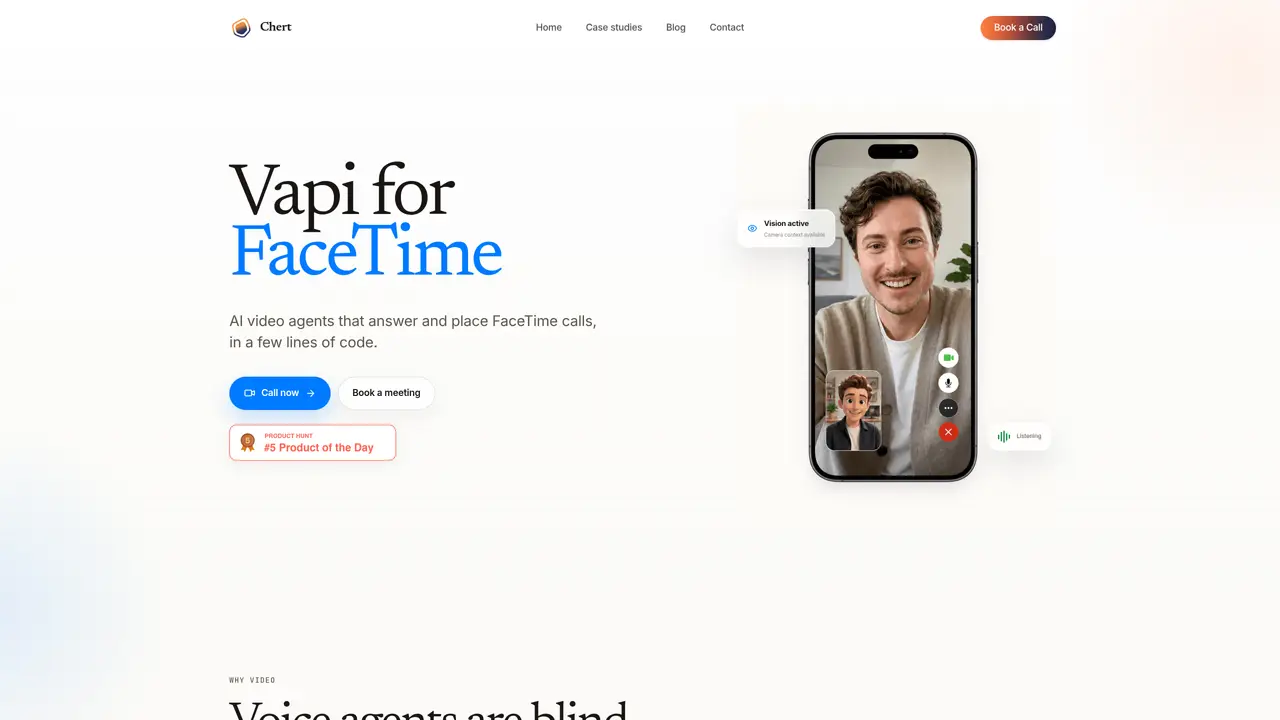
Vapi for FaceTime enables AI agents to handle FaceTime calls by processing visual context from the caller’s camera. The tool is designed for scenarios where seeing the caller’s environment or objects is essential to solving a problem. It allows users to configure an agent with specific instructions, voice, avatar, and framing before deployment. The system operates through a controlled private preview, requiring provisioned FaceTime lines and explicit authorization for live calls. A browser-based preview is available for testing agent behavior, including prompt responses, voice, microphone handling, and avatar rendering, without placing actual calls. The tool is positioned for use cases such as remote support, field service, telehealth intake, guided onboarding, visual inspections, and customer success workflows.
Vapi for FaceTime enables AI agents to answer and place FaceTime calls, using the caller’s camera context to understand visual information. It is designed for scenarios where seeing the caller’s environment or objects is essential to solving a problem.
The tool is positioned for use cases such as remote support, field service, telehealth intake, guided onboarding, visual inspections, and customer success workflows where visual context is critical.
Yes, a browser-based preview is available to test agent behavior, including prompt responses, voice, microphone handling, and avatar rendering, without placing actual calls.
The control plane supports bounded inbound and outbound test workflows, while live execution requires provisioned FaceTime lines and explicit authorization.
Users can configure assistant instructions, realtime model, voice, avatar, framing, publishing state, and managed line assignment before deployment.
No, Chert is onboarding the FaceTime product through a controlled private preview while production media and line readiness are validated.
We use essential cookies to run aitoolnavio™, and optional cookies to analyze traffic and measure our marketing. You choose what we use — optional cookies stay off unless you turn them on. See our Privacy Policy.
One short email a week: fresh tools worth trying, honest takes and the updates that actually matter. No spam, unsubscribe any time.
Generate captions, optimize content, and enhance with custom images for maximum engagement.
Build conversational forms, capture rich responses, and automate follow-ups with AI-powered surveys and workflows.
Automate code, research, and documents using agents.
AI-powered IDE for autonomous coding tasks and agentic development workflows
Source, match, and manage talent with predictive analytics for effortless recruiting.
Automate workflow, optimize operations, and detect potential issues with this efficient AI-driven solution.
Transforms thoughts into actions, enhancing productivity and efficiency.
AI Recruitment engine to hire top global talent
All-in-one team productivity platform combining chat, docs, video meetings, workflows, and AI tools in one place.
Personal assistant that coordinates tasks across apps and devices via text or call
AI automation and agent-building platform with 3,000+ app integrations
AI job search copilot that matches roles to skills, optimizes resumes for ATS, generates cover letters, and autofills applications with real-time insights.
Matched on what this tool does — grouped by the job you would be replacing.
matches AI video agents that answer and place FaceTime calls with camera context · Agent configuration (instructions, voice, avatar, framing) · Browser-based preview for testing
Open-source framework for building real-time multimodal conversational AI agents with voice, vision, and animated avatars.
Adds conversational voice and video AI to applications
Build software by orchestrating AI agents in a visual interface
matches AI video agents that answer and place FaceTime calls with camera context · Agent configuration (instructions, voice, avatar, framing) · Prompt and behavior customization
No-code AI voice agent platform that automates inbound and outbound calls, books appointments, and syncs with CRMs via integrations.
AI voice agents that handle inbound and outbound calls for businesses
AI voice agent platform for inbound and outbound customer conversations
AI voice agents that automate inbound and outbound phone calls for businesses