Generate captions, optimize content, and enhance with custom images for maximum engagement.
46M visits/mo-10%#3 Image & Design

Generates structured parametric CAD models from text prompts or reference images
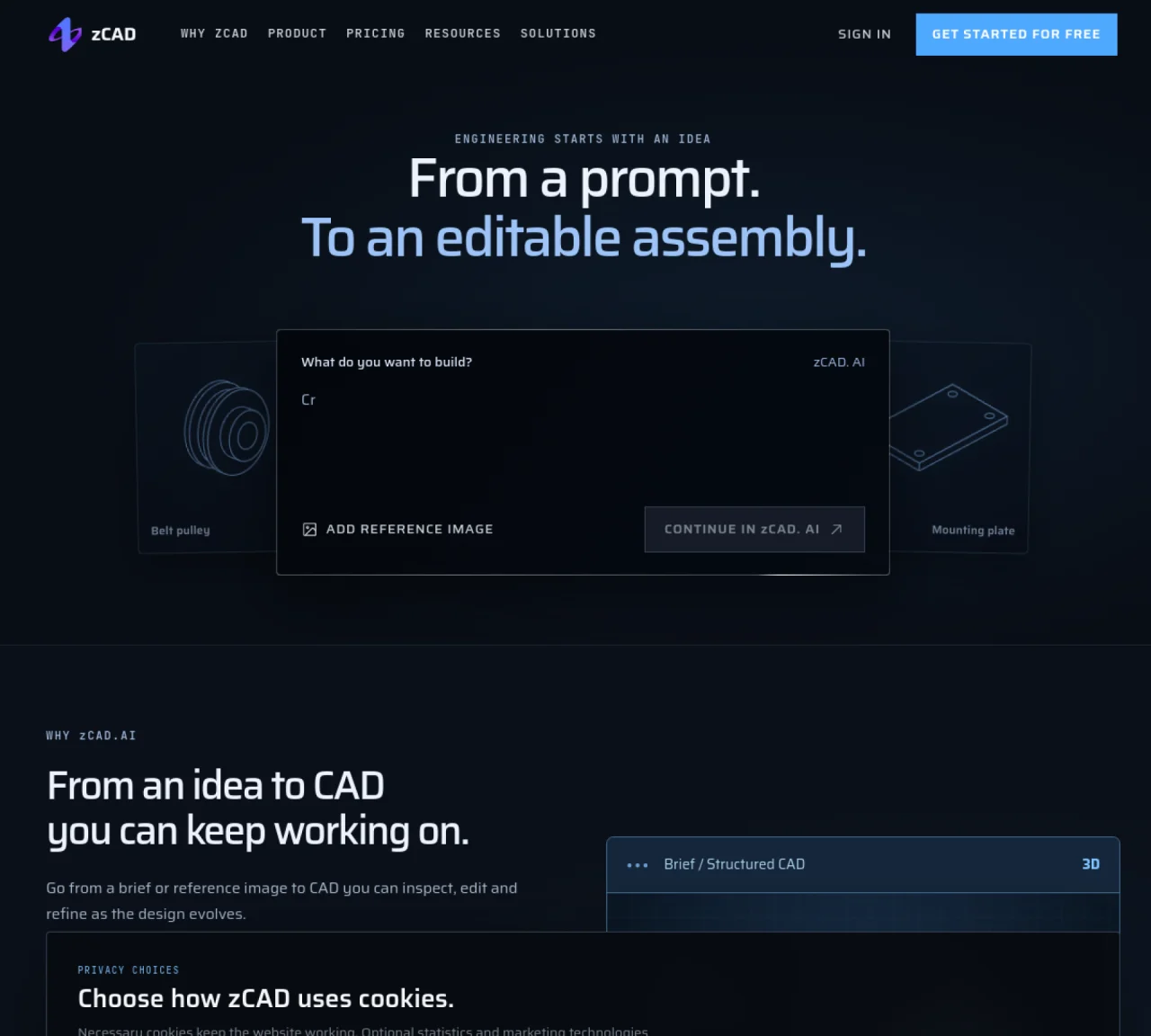
zCAD converts text descriptions or reference images into editable CAD geometry, including parts and assemblies. The tool supports B-rep modeling with features, dimensions, and interfaces preserved for downstream editing. Users can specify functional requirements, key dimensions, and constraints to guide generation. Models are produced as native CAD data that can be inspected for fit, clearances, and mating faces before further development. The workflow includes a brief-to-model phase followed by an inspection stage where geometry and relationships are reviewed. Generated models can be exported in formats such as STEP for use in other CAD systems, though feature history and assembly constraints are typically not preserved. The platform also supports assembly mates and multi-part generation, enabling creation of complex assemblies like drone frames or mechanical linkages.
zCAD AI generates B-rep CAD geometry from text prompts, with support for reference images. The workflow supports parts, assemblies, and assembly mates, producing editable native CAD data.
Yes. Every AI plan supports all available export formats, including STEP. STEP carries solid geometry but generally does not preserve the original feature history or assembly constraints.
The output is engineering geometry, not manufacturing approval. Users should check dimensions, fits, tolerances, material, loads, and process requirements before making a part.
Free includes 200 credits each month and a one-time 600-credit Beta gift. Available generation features, assembly generation, and all export formats are included. Free is for non-commercial use.
Any active paid AI or Online subscription makes models private across both products and excludes them from training. Commercial use is permitted for versions last generated in AI.
Describe the part's function, key dimensions, and interfaces in the prompt. Add a reference image if needed. Generate the model, inspect the result, and continue refining in zCAD Online.
We use essential cookies to run aitoolnavio™, and optional cookies to analyze traffic and measure our marketing. You choose what we use — optional cookies stay off unless you turn them on. See our Privacy Policy.
One short email a week: fresh tools worth trying, honest takes and the updates that actually matter. No spam, unsubscribe any time.
Generate captions, optimize content, and enhance with custom images for maximum engagement.
Build conversational forms, capture rich responses, and automate follow-ups with AI-powered surveys and workflows.
Automate code, research, and documents using agents.
AI-powered IDE for autonomous coding tasks and agentic development workflows
Source, match, and manage talent with predictive analytics for effortless recruiting.
Automate workflow, optimize operations, and detect potential issues with this efficient AI-driven solution.
Transforms thoughts into actions, enhancing productivity and efficiency.
AI Recruitment engine to hire top global talent
All-in-one team productivity platform combining chat, docs, video meetings, workflows, and AI tools in one place.
Personal assistant that coordinates tasks across apps and devices via text or call
AI automation and agent-building platform with 3,000+ app integrations
AI job search copilot that matches roles to skills, optimizes resumes for ATS, generates cover letters, and autofills applications with real-time insights.
Matched on what this tool does — grouped by the job you would be replacing.
matches Text-to-CAD generation with reference image support · Parametric and structured model output · Multi-format exports including STEP, STL, 3MF, and OBJ
A web-based AI toolkit that converts text prompts or images into textured 3D models with exports to FBX, OBJ, GLB, and STL formats.
Turns text descriptions and reference images into parametric 3D CAD models with AI-generated geometry code and iterative verification.
Converts plain-English descriptions into print-ready 3D models in STL format
AI-powered STL file generator from plain-language descriptions