Automate email sending, save leads to CRMs, and create complex workflows for customer support tickets.
5M visits/mo-5.6%#10 Automation & Agents

A no-code WordPress automation platform that connects apps, AI tools, and plugins to streamline workflows and reduce manual tasks.
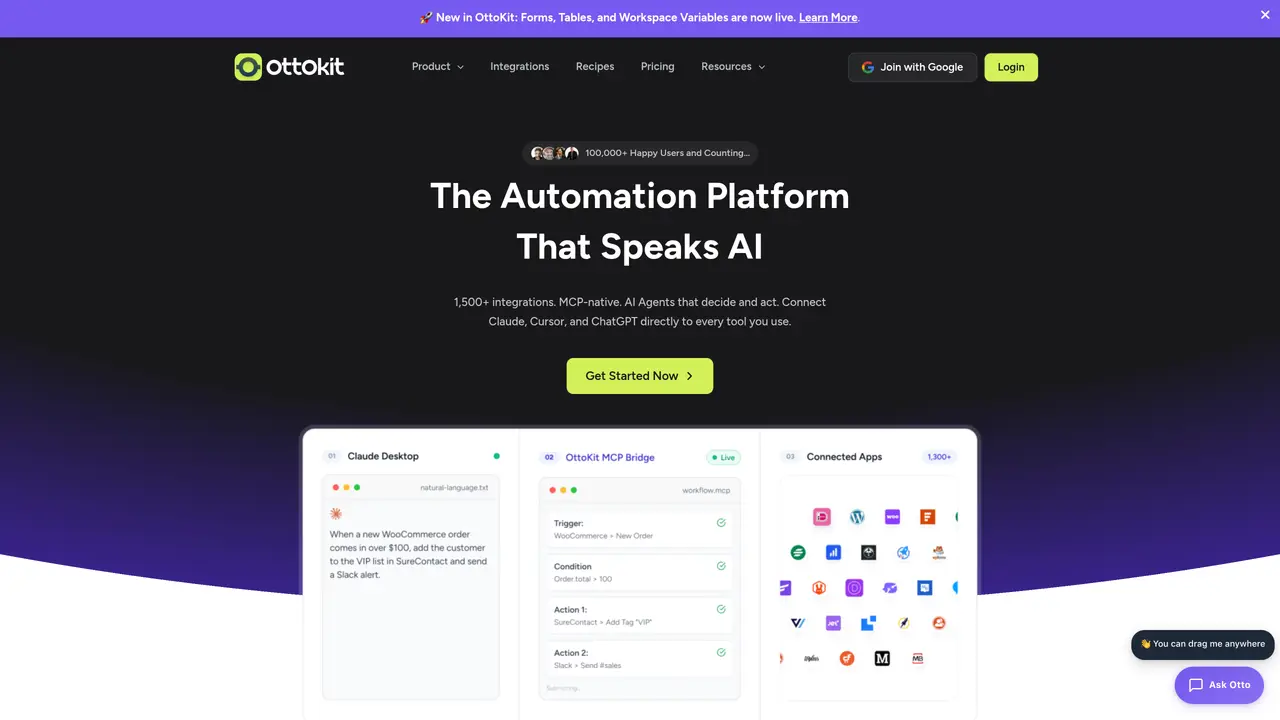
OttoKit is a no-code workflow automation platform designed specifically for WordPress users, agencies, and online businesses. It enables teams to connect WordPress plugins, external applications, and AI tools to transform repetitive manual processes into automated systems. The platform features a visual canvas builder where users can create automations by dragging and dropping triggers and actions, making it accessible without requiring coding expertise. Multi-step workflows support conditional logic, filters, delays, scheduling, and dynamic data mapping, allowing for handling complex real-world scenarios. OttoKit offers deep WordPress plugin integrations alongside connections to third-party services and AI tools, supporting use cases like customer onboarding, content publishing, social media scheduling, email marketing, SMS notifications, and CRM updates. Additional features include automation management tools such as logs and replay capabilities, notifications for failed runs, and organizations or workspaces for managing multiple clients or projects. The platform operates as a cloud-based solution with a WordPress plugin bridge, providing flexibility for both cloud and on-premise workflows.
OttoKit is a no-code workflow automation platform designed for WordPress users, agencies, and online businesses. It enables teams to connect WordPress plugins, external applications, and AI tools to automate repetitive manual processes without requiring coding expertise.
OttoKit provides a visual canvas builder where users can create automations by dragging and dropping triggers and actions. The platform supports multi-step workflows with conditional logic, filters, delays, scheduling, and dynamic data mapping to handle complex scenarios.
OttoKit offers deep integrations with WordPress plugins alongside connections to third-party services and AI tools. This allows users to automate workflows across their existing tech stack, including CRM systems, email marketing platforms, and social media tools.
Yes, OttoKit includes automation management features such as logs, replay capabilities for failed runs, and notifications. It also supports organizations or workspaces for managing multiple clients or projects efficiently.
OttoKit operates as a cloud-based solution with a WordPress plugin bridge, providing flexibility for both cloud and on-premise workflows. This setup ensures seamless connectivity between the platform and WordPress environments.
Common use cases include customer onboarding, content publishing, social media scheduling, email marketing, SMS notifications, and CRM updates. The platform is designed to streamline repetitive tasks across these areas.
ottokit.com · third-party estimates from Similarweb
Last 4 months · grows by one month every month
Share of visits · estimated visits
Other countries: 50.7%
Automation & Agents · Sep 2026
Traffic figures are third-party estimates, good for scale and trends; they can differ from a company's own numbers. Updated monthly.
We use essential cookies to run aitoolnavio™, and optional cookies to analyze traffic and measure our marketing. You choose what we use — optional cookies stay off unless you turn them on. See our Privacy Policy.
One short email a week: fresh tools worth trying, honest takes and the updates that actually matter. No spam, unsubscribe any time.
Automate email sending, save leads to CRMs, and create complex workflows for customer support tickets.
Open-source workflow automation platform to build, run, and monitor agentic and traditional workflows with 500+ integrations and AI governance.
Connect AI agents to 250+ apps and automate workflows with reliable integrations and developer-focused tools.
Runable lets users automate computer tasks by typing plain-language commands instead of writing code.
Cloud-native integration platform that connects on-premise, cloud, and mobile systems to automate data transfer and streamline workflows.
Enterprise-grade platform that connects AI agents to 1,400+ business apps via secure, governed MCP servers for real-time workflow automation.
Browse sites, pull data, and finish workflows with TinyFish AI.
Build, run, and deploy AI agents and API automations in minutes using Pipedream’s workflow builder, MCP servers, and Connect SDK with managed authentication.
Unified API for publishing, messaging, ads, and analytics across social platforms
BrowserBase automates web workflows with secure, scalable browser instances for tasks like scraping and testing.
Open-source workflow automation platform that connects apps and automates tasks with AI, no coding required.
Connects AI agents to over 1,700 tools and APIs for on-demand use
Matched on what this tool does — grouped by the job you would be replacing.
matches Visual canvas builder for drag-and-drop workflow creation · Multi-step workflows with conditional logic and dynamic data mapping · Automation management with logs, replay, and failure notifications
Open-source workflow automation platform that connects apps and automates tasks with AI, no coding required.
A visual low-code backend builder for creating AI workflows, APIs, automations, and cloud functions with full code access.
A no-code AI automation platform for building secure AI chat, autonomous agents, and workflow automations with 100+ integrations and governance controls.
AI-powered no-code workflow automation platform for connecting apps and automating tasks
matches Multi-step workflows with conditional logic and dynamic data mapping · Automation management with logs, replay, and failure notifications · Scheduling, delays, and filters for real-world scenario handling
Automate Google Sheets workflows and run AI agents to execute multi-step tasks without coding.
Connects AI assistants to over 8,000 apps and 30,000 actions for seamless task automation without complex API setups.