Automate job postings, track applicants, and streamline hiring with an intuitive HCM platform for talent acquisition.
32M visits/mo+3.9%#5 Business & Marketing

Desktop AI assistant that executes plain-language requests across files, tools and services
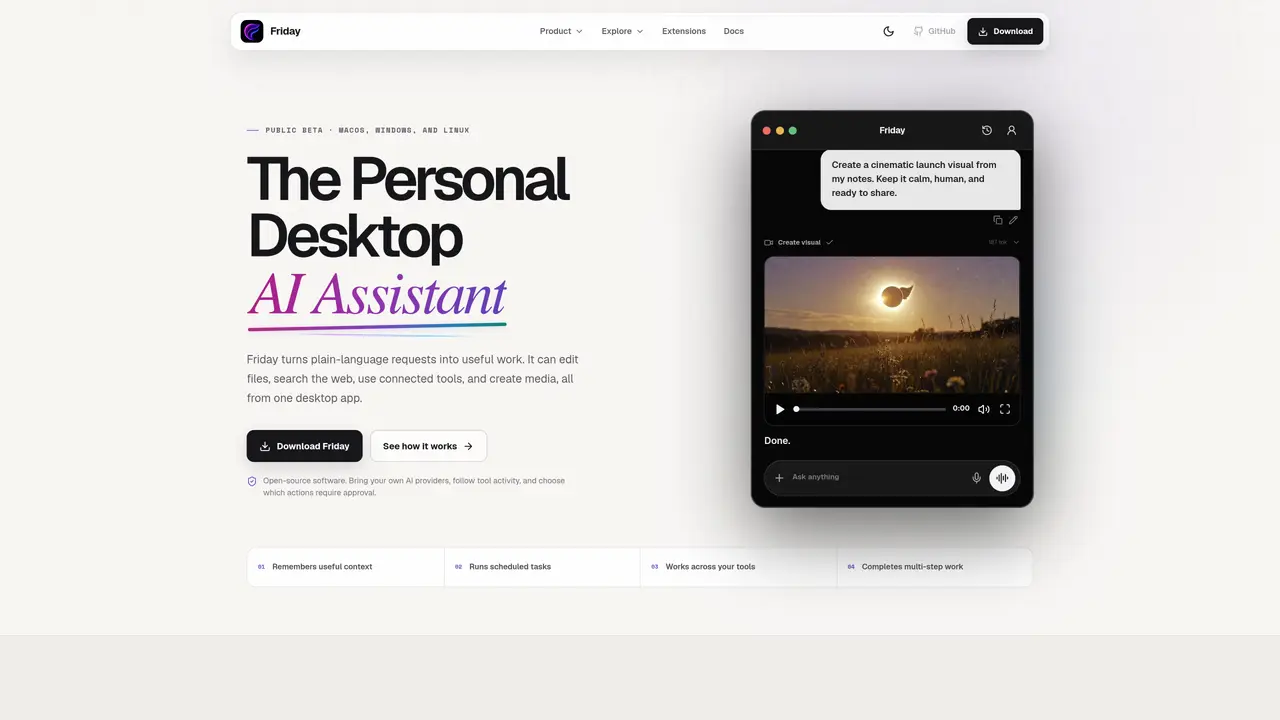
Friday is a desktop application that interprets plain-language instructions and performs tasks such as editing files, searching the web, using connected tools, and creating media. It operates as a personal assistant on macOS, Windows, and Linux, remembering user preferences and context to reduce repetitive input. The tool can schedule reminders, run background tasks, and chain multiple steps into a single workflow. Users configure which files, services, and providers Friday may access, and the system displays tool activity for review. Approval is required for protected actions, giving users control over automated processes. Extensions allow adding specialized workflows while maintaining a unified assistant interface.
Friday is a desktop AI assistant that interprets plain-language instructions to perform tasks such as editing files, searching the web, using connected tools, and creating media. It operates on macOS, Windows, and Linux, remembering user preferences and context to reduce repetitive input.
Friday is designed for individuals or teams looking to automate repetitive, multi-step tasks on their desktop, allowing them to focus on decisions and creative work. It suits users who want a unified assistant interface with control over permissions and tool access.
Friday allows users to configure which files, services, and providers it can access, and displays tool activity for review. Protected actions require user approval, and core app data is stored locally, while prompts and tool data may be sent to configured AI providers when necessary.
Yes, Friday can connect to external services and specialized tools through extensions and integrations, enabling it to work across a user's existing workflows and tools.
Users can download Friday for macOS, Windows, or Linux from the official website, configure their preferred tools and permissions, and begin issuing plain-language requests to automate tasks.
Yes, Friday can chain multiple steps into a single workflow, using several tools in sequence to complete complex tasks and return a concrete result.
We use essential cookies to run aitoolnavio™, and optional cookies to analyze traffic and measure our marketing. You choose what we use — optional cookies stay off unless you turn them on. See our Privacy Policy.
One short email a week: fresh tools worth trying, honest takes and the updates that actually matter. No spam, unsubscribe any time.
Automate job postings, track applicants, and streamline hiring with an intuitive HCM platform for talent acquisition.
Automate workflow, optimize operations, and detect potential issues with this efficient AI-driven solution.
AI automation and agent-building platform with 3,000+ app integrations
Automate email sending, save leads to CRMs, and create complex workflows for customer support tickets.
Open-source workflow automation platform to build, run, and monitor agentic and traditional workflows with 500+ integrations and AI governance.
AI-powered platform streamlining workflows with no-code automation.
With Accio, manufactures/ products/ suppliers/ inspirations will come to you, any time, any where.
Create & deploy AI apps, access real-time insights, and easily build models with an intuitive user interface.
Automate outreach campaigns, create personalized emails with AI, and monitor results with detailed analytics.
AI-powered fleet management platform for trucking, delivery, and field service teams, combining GPS tracking, ELD compliance, dash cams, maintenance, and spend management.
Automate tasks, streamline workflows, and create powerful automation flows effortlessly.
Control your computer and apps from any chat.
Matched on what this tool does — grouped by the job you would be replacing.
Paid placement · similar tools from listings that support aitoolnavio™
Instant lead response for home-service pros: your phone rings on every new lead, plus 14 days of follow-up
matches Plain-language task execution · File editing and Markdown support · Multi-step workflow automation
matches Web search and information retrieval · Tool activity logging and review
matches Code generation, editing, and visualization
AI agent that automates tasks across devices by operating interfaces directly
Windows desktop AI agent that plans and executes local tasks with user approval
AI agent that reads, edits and organizes files and runs commands on desktop
AI agent that turns natural-language prompts into automated browser and desktop workflows
Efficiently answer research queries, translate natural language to SQL, and utilize OpenAI WebGPT and larger language models.
Screen-aware local AI hardware that reads your desktop, proposes multi-step tasks, and executes only after hardware approval via HDMI capture and USB-HID control.
Collaboration and version control platform for software development and AI model hosting.
Terminal-based AI coding agent that reads, edits and runs code with user-controlled permissions
AI-powered coding assistant that executes natural-language goals and delivers verified pull requests
AI-powered code editor and IDE for multi-file coding tasks across platforms