Automate job postings, track applicants, and streamline hiring with an intuitive HCM platform for talent acquisition.
32M visits/mo+3.9%#5 Business & Marketing

Create AI workflows just from English instructions without the need for coding or drag-and-drop visual programming.
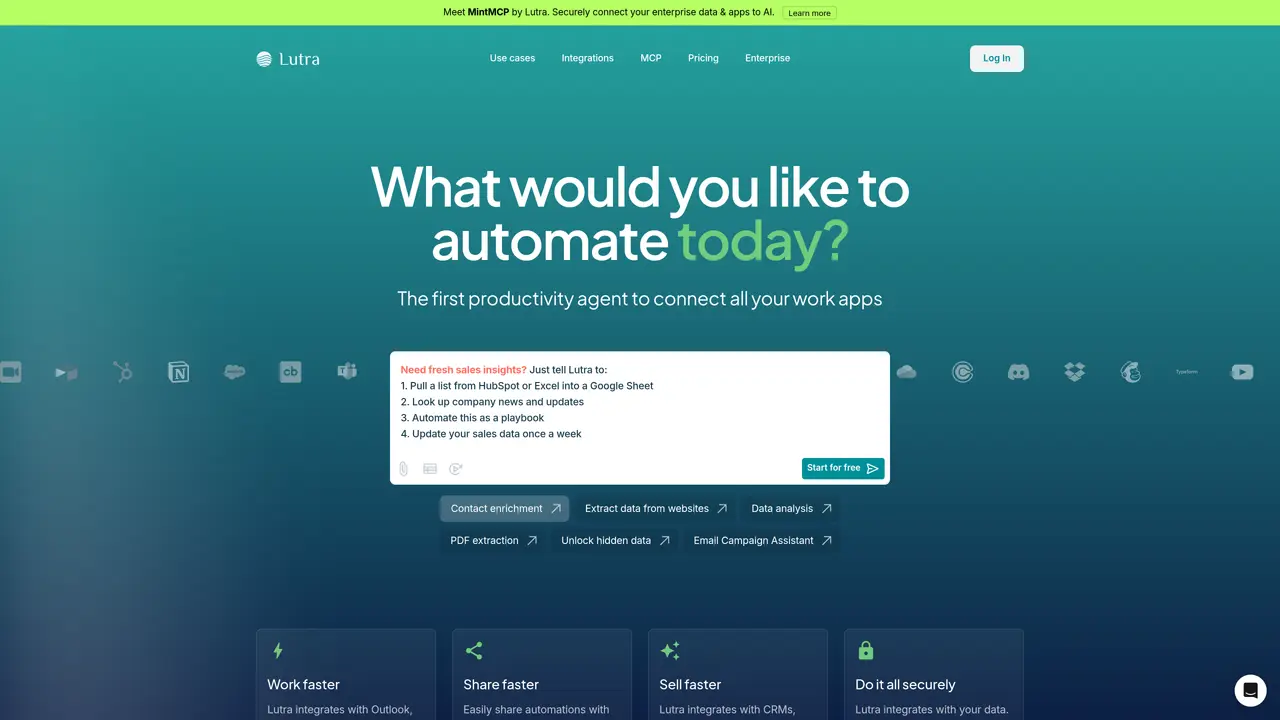
Lutra transforms your English instructions into code-based workflows that orchestrate apps efficiently to complete tasks. Integrated with: Outlook, Gmail, Google Sheets, Docs, Drive, Calendar, Slack, GitHub, Apollo, HubSpot and more! Lutra AI is a tool for creating AI workflows without the need for coding or visual programming. It allows users to transform English instructions into code-based workflows that can orchestrate apps efficiently to complete tasks. The tool is integrated with various applications such as Outlook, Gmail, Google Sheets, Docs, Drive, Calendar, Slack, GitHub, Apollo, and HubSpot. Lutra AI is suitable for individuals who want to automate tasks without needing extensive technical knowledge. It works by converting English instructions into code-based workflows that can interact with multiple apps simultaneously. This tool is typically used for automating repetitive tasks, data processing, and workflow optimization.
Lutra AI is an intelligent assistant that helps complete work tasks across multiple platforms by executing actual code to perform tasks such as data enrichment, research, email management, and workflow automation. It specializes in automating repetitive tasks and integrating with various apps to streamline workflows.
Unlike conversational AI that may hallucinate or lose context, Lutra executes actual code to complete tasks reliably. It connects directly with tools through deep integrations, enabling accurate data access and manipulation across platforms. Lutra also learns from usage to create automated playbooks for recurring tasks.
Lutra uses a credit-based system for AI-intensive actions, where each account includes monthly credits that refresh automatically. More intensive tasks like web searches or data enrichment consume more credits than simple actions. Enterprise plans offer higher credit limits and custom allocations.
Lutra integrates with Google Workspace (Docs, Sheets, Gmail, Calendar), Microsoft (Outlook, OneDrive), Slack, GitHub, HubSpot, Airtable, LinkedIn, and many others. It supports custom integrations via MCP (Model Context Protocol), HTTP/REST APIs, databases (Supabase), and more.
Playbooks are reusable workflows that can be saved, scheduled, and shared. As users work with Lutra, common tasks can be saved as playbooks to automate recurring work. Enterprise users can share playbooks organization-wide to standardize processes and ensure consistent outcomes.
Lutra prioritizes data security and privacy by accessing data only when needed to complete requested tasks. It does not store user data long-term unless explicitly requested, and all connections are secured with OAuth integration and SOC2 certification.
lutra.ai · third-party estimates from Similarweb
Last 4 months · grows by one month every month
Share of visits · estimated visits
Automation & Agents · Sep 2026
Traffic figures are third-party estimates, good for scale and trends; they can differ from a company's own numbers. Updated monthly.
We use essential cookies to run aitoolnavio™, and optional cookies to analyze traffic and measure our marketing. You choose what we use — optional cookies stay off unless you turn them on. See our Privacy Policy.
One short email a week: fresh tools worth trying, honest takes and the updates that actually matter. No spam, unsubscribe any time.
Automate job postings, track applicants, and streamline hiring with an intuitive HCM platform for talent acquisition.
Automate workflow, optimize operations, and detect potential issues with this efficient AI-driven solution.
AI automation and agent-building platform with 3,000+ app integrations
Automate email sending, save leads to CRMs, and create complex workflows for customer support tickets.
Open-source workflow automation platform to build, run, and monitor agentic and traditional workflows with 500+ integrations and AI governance.
AI-powered platform streamlining workflows with no-code automation.
With Accio, manufactures/ products/ suppliers/ inspirations will come to you, any time, any where.
Create & deploy AI apps, access real-time insights, and easily build models with an intuitive user interface.
Automate outreach campaigns, create personalized emails with AI, and monitor results with detailed analytics.
AI-powered fleet management platform for trucking, delivery, and field service teams, combining GPS tracking, ELD compliance, dash cams, maintenance, and spend management.
Automate tasks, streamline workflows, and create powerful automation flows effortlessly.
Control your computer and apps from any chat.
Matched on what this tool does — grouped by the job you would be replacing.
Paid placement · similar tools from listings that support aitoolnavio™
Instant lead response for home-service pros: your phone rings on every new lead, plus 14 days of follow-up
matches Transforms English instructions into code-based workflows · Automates tasks without needing extensive technical knowledge · Orchestrates apps efficiently to complete tasks
matches Integrated with various applications such as Outlook, Gmail, Google Sheets, Docs, Drive, Calendar, Slack, GitHub, Apollo
A no-code AI platform to connect and automate business apps with drag-and-drop workflows, even for non-technical users.
No-code AI agent platform for business teams to build, schedule, and manage task automations across CRMs, analytics, docs, and chat tools.
Automate repetitive tasks by describing them in plain English, connecting SaaS tools without coding.
No-code AI workflow automation platform that builds, deploys, and manages AI agents to automate repetitive knowledge work across apps like Gmail, Calendar, Slack, and Notion.
A no-code AI automation platform that turns natural language prompts into agent workflows and app-connected processes on a visual canvas.
A 24/7 Google AI agent that automates multi-step tasks, recurring workflows, and personal productivity across Google Workspace apps.
Automate recurring reminders, processes, and data integration from multiple sources.