

Automate job postings, track applicants, and streamline hiring with an intuitive HCM platform for talent acquisition.
32M visits/mo+3.9%#5 Business & Marketing
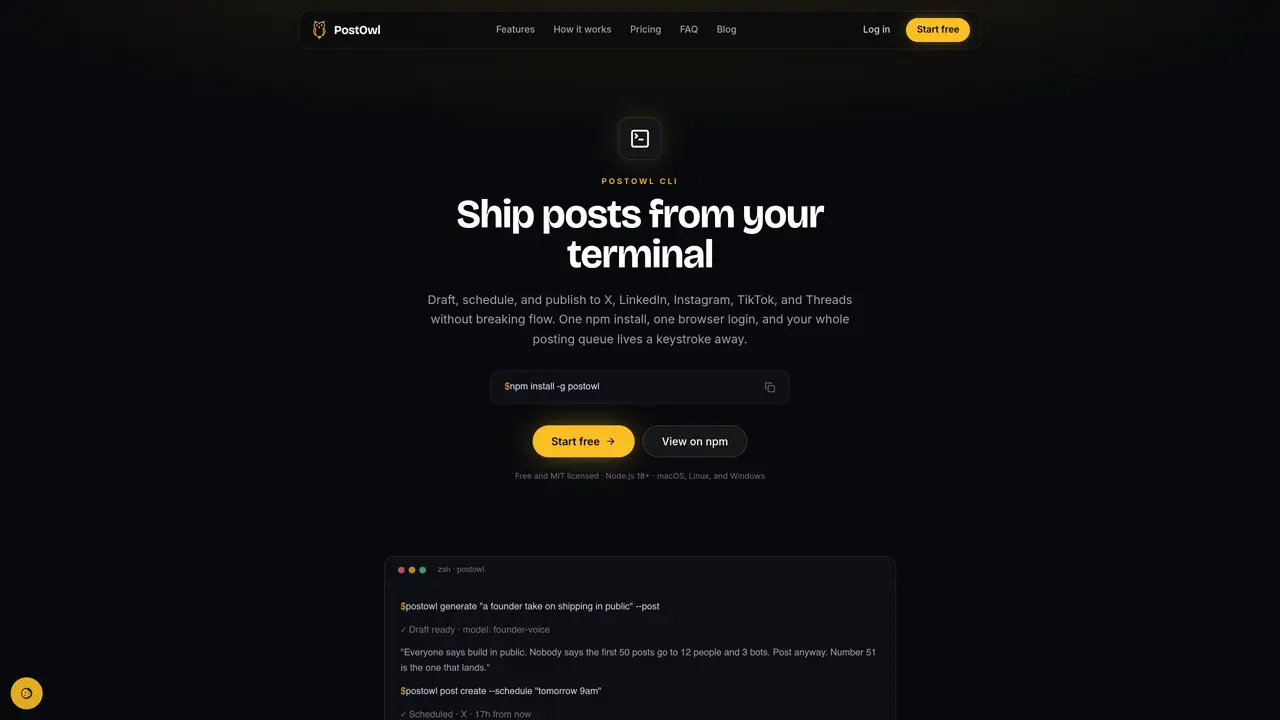
PostOwl CLI is a command-line interface for scheduling and publishing social media content across multiple platforms. It allows users to draft posts, generate drafts using AI voice models trained on their own writing, and schedule or publish content directly from the terminal. The tool supports platforms including X (Twitter), LinkedIn, Instagram, TikTok, Threads, and Facebook. Commands accept plain-English scheduling such as “tomorrow 9am” or ISO timestamps, and can attach local media files during posting. The CLI integrates with scripts and CI pipelines through JSON output and environment variables, enabling automation workflows like cron jobs or GitHub Actions. Users can manage their posting queue, cancel scheduled posts, and view usage statistics entirely from the command line. Authentication is handled via a browser-based login that generates a local API key, avoiding terminal exposure of credentials.
Install the CLI by running 'npm install -g postowl'. Ensure you have Node.js 18 or newer and a free PostOwl account. After installation, use 'postowl login' to connect the CLI to your account via a browser-based authorization flow.
Use the 'postowl post create' command with the '--schedule' flag, such as 'postowl post create "Weekly update" --schedule "friday 9am"'. The CLI supports natural language dates like 'tomorrow 9am' as well as ISO timestamps. Scheduled posts publish even if your machine is offline.
Pass local media files using the '-m' flag, for example 'postowl post create "Demo time" -m ./demo.mp4'. The CLI uploads and attaches the file in one step. You can repeat the '-m' flag for multiple files or use a pre-uploaded media ID.
Add the '--post' flag to the 'generate' command: 'postowl generate "launch recap" --post'. The CLI displays the draft and then prompts to publish or schedule it without requiring copy-paste. In scripts, you can pipe the output directly into a post creation command.
The CLI supports all platforms connected to your PostOwl account, including X (Twitter), LinkedIn, Instagram, TikTok, Threads, and Facebook. Accounts are connected once in the PostOwl dashboard and are automatically available in the CLI.
Yes. Every command supports '--json' for machine-readable output, and you can authenticate non-interactively by setting the 'POSTOWL_TOKEN' environment variable to an API key. This enables integration with GitHub Actions, cron jobs, or release scripts.
We use essential cookies to run aitoolnavio™, and optional cookies to analyze traffic and measure our marketing. You choose what we use — optional cookies stay off unless you turn them on. See our Privacy Policy.
One short email a week: fresh tools worth trying, honest takes and the updates that actually matter. No spam, unsubscribe any time.
Automate job postings, track applicants, and streamline hiring with an intuitive HCM platform for talent acquisition.
Automate workflow, optimize operations, and detect potential issues with this efficient AI-driven solution.
AI automation and agent-building platform with 3,000+ app integrations
Automate email sending, save leads to CRMs, and create complex workflows for customer support tickets.
Open-source workflow automation platform to build, run, and monitor agentic and traditional workflows with 500+ integrations and AI governance.
AI-powered platform streamlining workflows with no-code automation.
With Accio, manufactures/ products/ suppliers/ inspirations will come to you, any time, any where.
Create & deploy AI apps, access real-time insights, and easily build models with an intuitive user interface.
Automate outreach campaigns, create personalized emails with AI, and monitor results with detailed analytics.
AI-powered fleet management platform for trucking, delivery, and field service teams, combining GPS tracking, ELD compliance, dash cams, maintenance, and spend management.
Automate tasks, streamline workflows, and create powerful automation flows effortlessly.
Control your computer and apps from any chat.
Matched on what this tool does — grouped by the job you would be replacing.
Paid placement · similar tools from listings that support aitoolnavio™
Instant lead response for home-service pros: your phone rings on every new lead, plus 14 days of follow-up
matches Schedule posts with natural language dates · Publish immediately or at scheduled time · Manage posting queue and cancel scheduled posts
matches Draft posts in terminal · Generate drafts using AI voice models · Attach local images or videos during posting
matches Publish immediately or at scheduled time · Multi-platform publishing (Instagram, LinkedIn, TikTok, Facebook, X, YouTube)
AI-powered tool to create, schedule, and automate social media posts across multiple platforms.
Schedule, track performance, collaborate across social media channels.
A web-based social media writing and scheduling tool for creators and businesses to draft threads, schedule posts, and track analytics across multiple platforms.
Plan, schedule, publish, monitor, and analyze social media content in one unified workspace.
AI carousel post maker for marketers and creators to generate, design, schedule, and publish multi-slide posts across LinkedIn, Instagram, TikTok, X, and Threads.
Generates platform-optimized social media posts from a single idea
AI-powered LinkedIn content creation and scheduling tool for creators and professionals to generate, repurpose, and publish posts across social platforms.
Create, schedule, and publish viral content with AI-driven technology.
AI-powered social media management platform for generating content, repurposing video, and scheduling posts across multiple channels.
AI-powered tool to create and publish social media content across multiple platforms simultaneously with automated optimization.
Connects AI assistants to social media accounts for drafting, scheduling and publishing posts
AI-powered marketing automation for social media and email campaigns