
Automate job postings, track applicants, and streamline hiring with an intuitive HCM platform for talent acquisition.
32M visits/mo+3.9%#5 Business & Marketing

AI-powered browser automation that handles navigation, form filling, data extraction, and CAPTCHAs without custom scripts or CSS selectors.
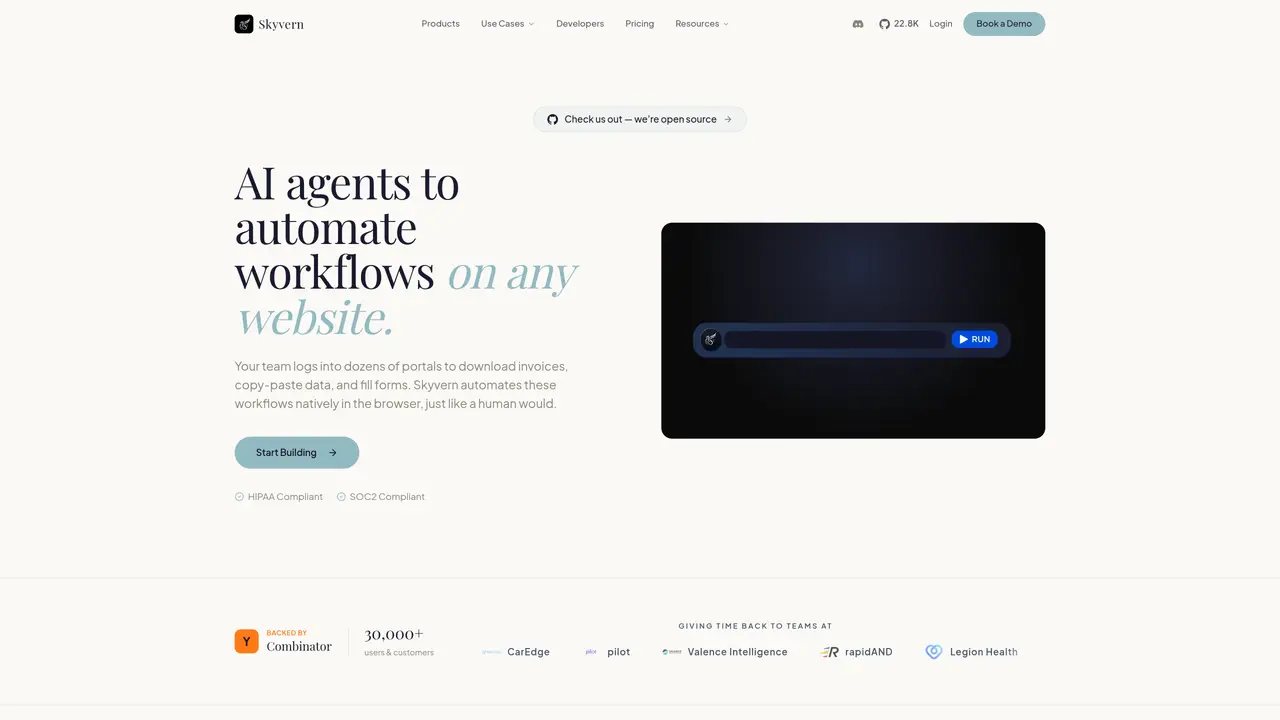
Skyvern is an AI-driven browser automation tool that uses computer vision and large language models to automate workflows on any website. Instead of relying on brittle CSS selectors or custom scripts, it visually understands page elements and adapts to layout changes automatically. Users describe tasks in plain English, record actions, upload SOPs, or use a visual drag-and-drop editor to build workflows. The tool handles real-world complications such as CAPTCHAs, two-factor authentication, dynamic forms, and proxy networks for geo-targeted browsing. Workflows can be triggered via the visual builder, REST API, webhooks, or Python and TypeScript SDKs. Skyvern operates in the cloud or self-hosted via Docker, and the open-source version is available on GitHub under AGPL-3.0. It supports multiple LLM providers, including OpenAI, Anthropic, Google Gemini, or local models through Ollama, allowing users to bring their own AI models.
Skyvern is an AI-powered browser automation tool that automates workflows on any website using computer vision and large language models. It handles tasks such as data extraction, form filling, document processing, and account logins, including CAPTCHAs and two-factor authentication, without requiring custom scripts or APIs.
Skyvern is designed for teams and businesses that need to automate repetitive browser-based tasks, such as downloading invoices, extracting data, filling forms, or testing web applications. It suits developers, operations teams, and enterprises looking for reliable, adaptable automation solutions.
Skyvern natively solves CAPTCHAs and manages two-factor authentication flows, including TOTP, without requiring third-party services. This ensures automations can run uninterrupted even on websites with strict security measures.
Yes, Skyvern offers seamless integration with tools like Zapier, n8n, and Workato, as well as REST APIs, webhooks, and Python and TypeScript SDKs. It can also be self-hosted via Docker for on-premise deployment.
Skyvern can be deployed in the cloud or self-hosted using Docker containers. It also supports running workflows entirely on-premise, providing flexibility for enterprises with specific security or compliance requirements.
Users can start by describing their workflow in plain English using the AI Copilot, uploading SOPs, recording browser actions, or using the visual drag-and-drop builder. The tool provides documentation and SDKs to help developers integrate and customize workflows.
skyvern.com · third-party estimates from Similarweb
Last 4 months · grows by one month every month
Share of visits · estimated visits
Other countries: 49%
How people reach this site from other AI tools
94 a month · 0.1% of all visits
Automation & Agents · Sep 2026
Traffic figures are third-party estimates, good for scale and trends; they can differ from a company's own numbers. Updated monthly.
We use essential cookies to run aitoolnavio™, and optional cookies to analyze traffic and measure our marketing. You choose what we use — optional cookies stay off unless you turn them on. See our Privacy Policy.
One short email a week: fresh tools worth trying, honest takes and the updates that actually matter. No spam, unsubscribe any time.
Automate job postings, track applicants, and streamline hiring with an intuitive HCM platform for talent acquisition.
Automate workflow, optimize operations, and detect potential issues with this efficient AI-driven solution.
AI automation and agent-building platform with 3,000+ app integrations
Automate email sending, save leads to CRMs, and create complex workflows for customer support tickets.
Open-source workflow automation platform to build, run, and monitor agentic and traditional workflows with 500+ integrations and AI governance.
AI-powered platform streamlining workflows with no-code automation.
With Accio, manufactures/ products/ suppliers/ inspirations will come to you, any time, any where.
Create & deploy AI apps, access real-time insights, and easily build models with an intuitive user interface.
Automate outreach campaigns, create personalized emails with AI, and monitor results with detailed analytics.
AI-powered fleet management platform for trucking, delivery, and field service teams, combining GPS tracking, ELD compliance, dash cams, maintenance, and spend management.
Automate tasks, streamline workflows, and create powerful automation flows effortlessly.
Control your computer and apps from any chat.
Matched on what this tool does — grouped by the job you would be replacing.
Paid placement · similar tools from listings that support aitoolnavio™
Instant lead response for home-service pros: your phone rings on every new lead, plus 14 days of follow-up
matches No CSS selectors or custom scripts required · Native CAPTCHA solving · Self-hosting via Docker
matches Dynamic form field management · Two-factor authentication handling
Cloud platform for web scraping, browser automation, and AI data extraction with 20,000+ pre-built tools and scalable cloud runs.
Cloud browser for AI agents that runs reliably, connects via MCP/Puppeteer/Playwright, and includes stealth and authenticated profiles.
REST API that automates real browsers at scale, handling CAPTCHAs and converting web content into clean formats for AI applications.
Self-hosted Chromium automation engine that turns web pages into compact, token-efficient text for AI agents.
AI-powered web form builder for product teams and developers to create custom forms with conditional logic and workflow automation.
AI form-filling tool that auto-populates PDF and Word documents from images, text, CSVs, and profiles for high-volume paperwork.