Cloud accounting software that automates bookkeeping, invoicing, and financial reporting for small and growing businesses.
36M visits/mo+0.9%#4 Business & Marketing

AI add-on for Google Sheets and Excel that automates financial modeling, formula generation, and spreadsheet analysis using natural-language prompts.
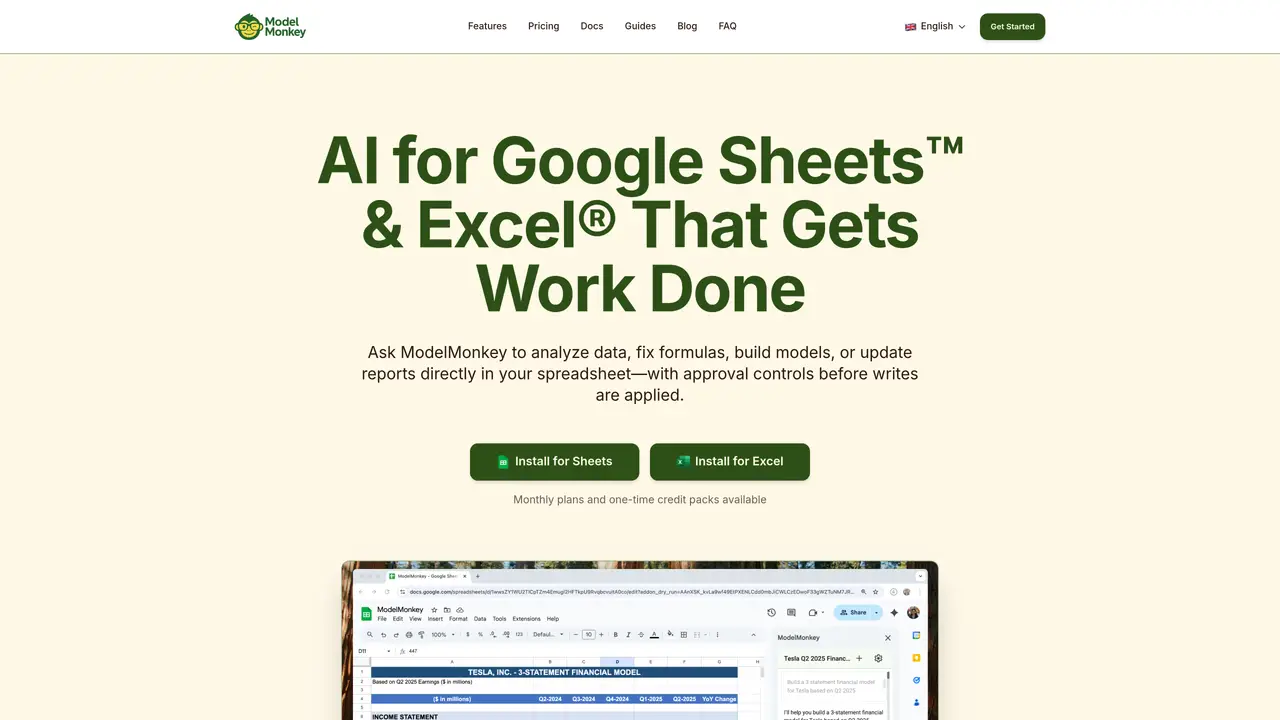
ModelMonkey is an AI-powered add-on for Google Sheets and Excel designed to automate financial modeling, formula generation, and spreadsheet analysis directly within workbooks. Using Anthropic’s Claude Sonnet 4.5, it processes natural-language prompts to build three-statement financial models, discounted cash flow analyses, capitalization tables, and more. The tool autonomously executes multi-step workflows, writes dynamic and auditable formulas into cells, and explains every change and formula for transparency. It can pull data from SEC filings, web sources, and data warehouses, then generate charts and debug formulas to maintain consistency. ModelMonkey is built for financial analysts, CFOs, founders, and data teams who need to accelerate repetitive modeling tasks without compromising enterprise-grade security. The platform ensures zero data retention and uses TLS 1.3 encryption with AES-256 to protect sensitive financial information during processing and storage.
Install ModelMonkey directly from the official website by selecting the version for Google Sheets or Excel and following the provided setup instructions.
ModelMonkey is purpose-built for spreadsheet work, allowing it to read, write, and modify cells directly within your workbook while maintaining transparency and control over changes.
No prior knowledge of formulas or coding is required, as ModelMonkey generates and explains formulas for you based on natural-language prompts.
ModelMonkey can build financial models, perform data analysis, generate charts, debug formulas, pull data from SEC filings or the web, and automate spreadsheet tasks with approval controls.
Yes, ModelMonkey uses TLS 1.3 encryption for data in transit and AES-256 encryption for data at rest, and your spreadsheet data is not used to train AI models.
ModelMonkey offers monthly subscription plans with a set number of credits per month, as well as one-time credit packs for occasional use.
modelmonkey.io · third-party estimates from Similarweb
Last 4 months · grows by one month every month
Share of visits by channel
Share of visits · estimated visits
Other countries: 2.7%
Business & Marketing · Sep 2026
Traffic figures are third-party estimates, good for scale and trends; they can differ from a company's own numbers. Updated monthly.
We use essential cookies to run aitoolnavio™, and optional cookies to analyze traffic and measure our marketing. You choose what we use — optional cookies stay off unless you turn them on. See our Privacy Policy.
One short email a week: fresh tools worth trying, honest takes and the updates that actually matter. No spam, unsubscribe any time.
Cloud accounting software that automates bookkeeping, invoicing, and financial reporting for small and growing businesses.
AI-powered budgeting companion that auto-categorizes spending, forecasts expenses, and offers conversational guidance within YNAB’s trusted zero-based system.
A bookkeeping automation platform that captures receipts, invoices, and statements, extracts data, and syncs to accounting software for SMBs and accounting firms.
Send money globally, track payments, and save with competitive rates and low fees.
AI market intelligence platform that turns natural-language queries into analyst-grade insights with real-time monitoring and AI-generated summaries.
Revolutionize planning: Connect, model, and forecast across all business areas.
AI-powered real estate platform for finding deals, analyzing properties, and building investor workflows with nationwide data and predictive analytics.
AI-powered terminal for researching global stocks with financial data, AI summaries, KPIs, filings, and portfolio dashboards.
Trendspider is a sophisticated all-in-one market research and trading software designed to enhance the trading strategies of investors and traders.
Develop, backtest, and analyze trading strategies with drag-and-drop builder, extensive data sources, and real-time market data.
Stock market data API delivering real-time prices, fundamentals, and news for financial modeling and trading applications.
Zocks is an AI assistant for financial advisors that automates meeting notes, client emails, forms, and CRM updates.
Matched on what this tool does — grouped by the job you would be replacing.
matches Builds three-statement financial models from natural-language prompts · Generates discounted cash flow (DCF) analyses and capitalization tables · Pulls data from SEC filings, web sources, and data warehouses
Transform spreadsheets into AI-powered data analysis tools, simplifying complex insights.
Automates spreadsheet tasks with AI-driven formulas and insights.
AI-powered financial forecasting and reporting that automates forecasts, dashboards, and insights from integrated accounting and banking data.
AI-powered Excel assistant that automates financial data analysis and modeling directly in Excel with source citations.