

Create customizable tables, databases, and spreadsheets, share data securely with team members.
26M visits/mo-0.9%#10 Productivity & Office
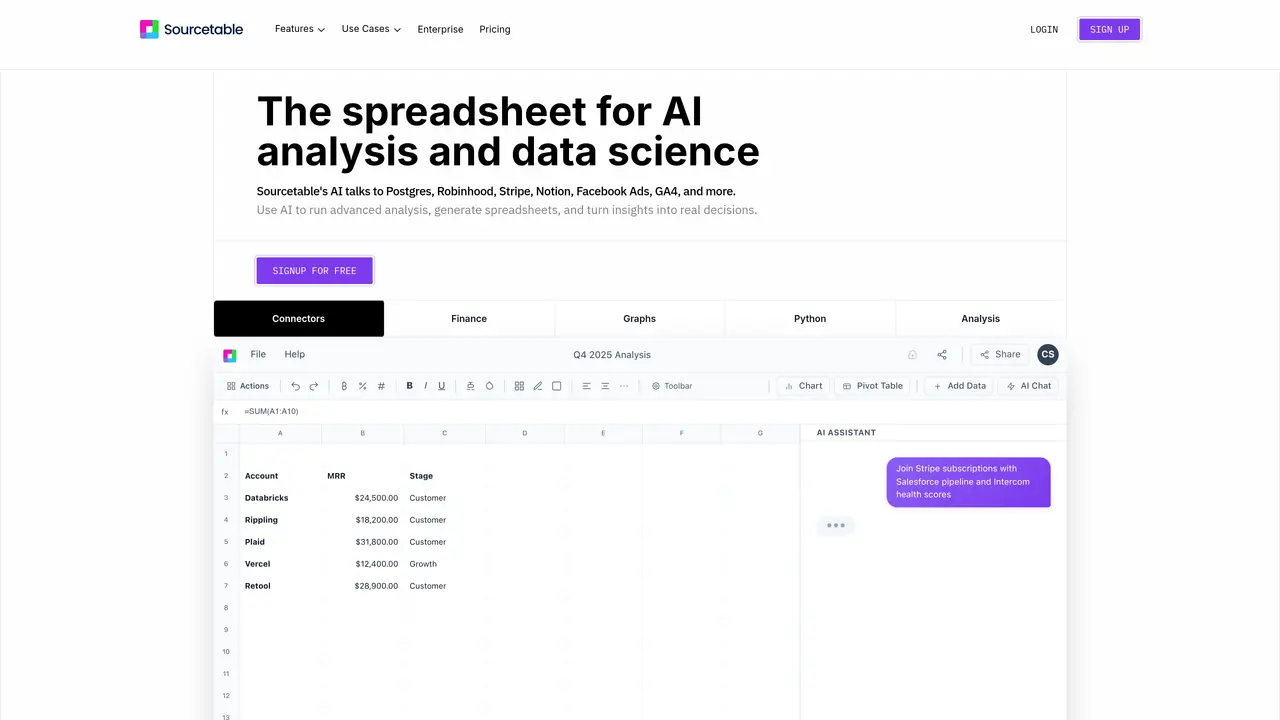
Sourcetable is an innovative AI-driven tool designed to revolutionize the way we handle and analyze spreadsheet data. As a comprehensive AI spreadsheet assistant, it offers a suite of features including formula generation, data analysis, and chart creation, all aimed at simplifying complex data tasks for its users. Whether you’re a professional data analyst or a business executive, Sourcetable empowers you to clean, automate, and analyze data efficiently, transforming the traditional spreadsheet experience into a seamless, intelligent process. Key Features: AI Spreadsheet Assistant: Simplifies spreadsheet tasks by automatically generating formulas such as SUM, VLOOKUP, and more, enhancing productivity. AI Chart Generator: Transforms data into interactive reports and charts with just a few clicks, making data visualization effortless. AI Data Analysis: Provides advanced data analysis capabilities, including SQL and Python integration, for deeper insights and smarter decision-making. Voice-Driven Spreadsheets: Allows users to interact with their data hands-free, offering a unique and intuitive experience. AI Data Cleaning: Automates the tedious process of data cleaning, saving time and effort by ensuring data accuracy and consistency. Integration Capabilities: Seamlessly connects with over 100+ platforms and databases like Quickbooks, Shopify, and Hubspot, enhancing data accessibility and usability. Sourcetable stands out with its AI-driven formula and chart generation capabilities, offering users a unique blend of automation and intelligence in spreadsheet management. Its ability to seamlessly integrate with numerous platforms and provide voice-driven interactions sets it apart, making data handling not only efficient but also engaging.
Upload a file or connect a data source, then ask questions in plain English. Sourcetable's AI can answer questions, generate charts, and perform tasks like cleaning or transforming data. Manual control is also available using formulas or Python.
Sourcetable supports spreadsheets (XLSX, CSV), databases (MySQL, PostgreSQL, MongoDB), application data, and plain text formats like JSON, PDF, and TSV. It also connects to platforms like GA4, Stripe, Notion, and Facebook Ads.
Sourcetable integrates Python libraries such as NumPy, Pandas, SciPy, Scikit-learn, and StatsModels, along with SQL and visualization tools like Matplotlib and Plotly. AI handles analysis without requiring code.
Yes. Sourcetable's AI intelligently interprets references across tabs when chatting. Users can also specify tabs by name for precise control, such as performing cross-tab operations like VLOOKUPs.
Yes. Users can prompt the AI to create charts or graphs, which are downloadable and exportable as interactive embeds. Visualizations can be customized or generated automatically from data.
Sourcetable supports files up to 10GB in size. Larger file limits may be available upon request, and performance on large datasets can be improved using pivots or summaries.
sourcetable.com · third-party estimates from Similarweb
Last 4 months · grows by one month every month
Share of visits · estimated visits
Other countries: 43.8%
How people reach this site from other AI tools
9 a month
Productivity & Office · Sep 2026
Traffic figures are third-party estimates, good for scale and trends; they can differ from a company's own numbers. Updated monthly.
We use essential cookies to run aitoolnavio™, and optional cookies to analyze traffic and measure our marketing. You choose what we use — optional cookies stay off unless you turn them on. See our Privacy Policy.
One short email a week: fresh tools worth trying, honest takes and the updates that actually matter. No spam, unsubscribe any time.
Create customizable tables, databases, and spreadsheets, share data securely with team members.
Skywork Super Agents: Workspace productivity suite with specialized AI for research-grade documents, slides & spreadsheets + multimedia tools.
AI-powered time tracking platform for teams to log hours, manage timesheets, and generate invoices with automatic and manual tracking options.
Turns CSV, Excel, and PDF files into editable dashboards and reports with AI edits, refresh, and templates.
The AI agent for Excel and Sheets with advanced add-ons for Google Workspace and Microsoft Office.
Automate data cleaning, gain AI-driven insights, and create interactive reports and visualizations.
Transform spreadsheets into AI-powered data analysis tools, simplifying complex insights.
Supercharge Excel for smarter financial planning and analysis.
Automate data entry, connect spreadsheets to databases, APIs, and identify trends with predictive analytics.
Automate complex Excel formulas, generate accurate equations with 44,000+ formulas.
Code-powered spreadsheet tool with Python, SQL, and AI integration.
AI-powered data analyst that turns plain-English questions into charts, tables, code, and automated reports.
Matched on what this tool does — grouped by the job you would be replacing.
matches AI Spreadsheet Assistant · AI Data Analysis · AI Data Cleaning
Transform spreadsheets into AI-powered data analysis tools, simplifying complex insights.
ExcelMatic turns spreadsheets into insights by letting users analyze and visualize Excel data through natural-language chat.
AI-powered workspace that turns chat into data management, spreadsheet analysis, and report creation with built-in security controls.
A web-based conversational CSV editor that lets users upload spreadsheets, chat to analyze data, and automate bulk edits without formulas.
matches AI Chart Generator
AI-powered data analyst that turns plain-English questions into charts, tables, code, and automated reports.
AI-powered platform that turns Excel or CSV data into reports, dashboards and PowerPoint files
An AI data analytics platform that turns spreadsheets and databases into instant analyses, visualizations, forecasts, and shareable reports.
Generate automated insights, identify trends, patterns, visualize data with powerful dashboard and tools.