Create customizable tables, databases, and spreadsheets, share data securely with team members.
26M visits/mo-0.9%#10 Productivity & Office

Automate complex Excel formulas, generate accurate equations with 44,000+ formulas.
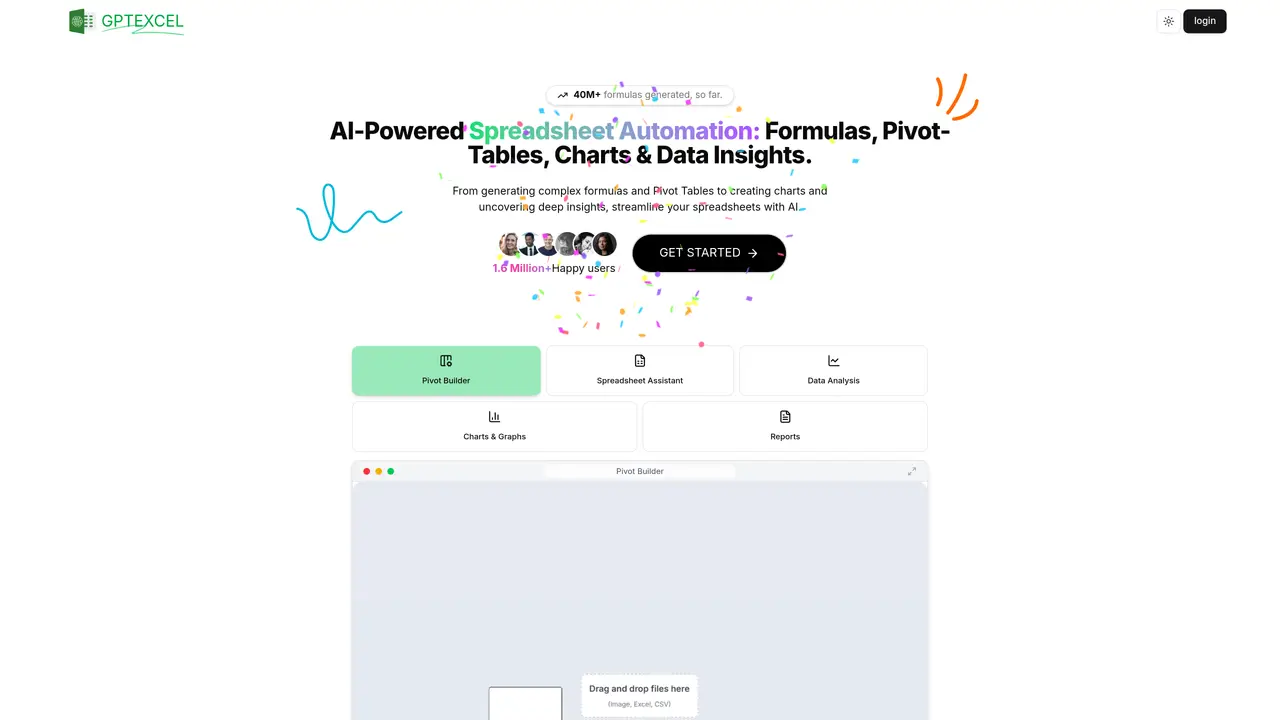
GPTExcel is an AI-powered tool that simplifies creating complex Microsoft Excel or Google Sheets formulas. With a comprehensive library of over 44,000 formulas, it helps users to quickly and easily generate the equations they need to make their data work for them. Trusted by over 300,000 users worldwide, GPTExcel is a popular choice for those who want to get the most out of their spreadsheets. GPTExcel is the go-to solution for users who need to quickly and accurately generate formulas for their data, even if they don’t have an in-depth knowledge of Excel functions. Take the guesswork out of creating complex formulas and let GPTExcel help you get the job done right. GPTExcel is regularly used by over 300,000 users worldwide. It helps users to automate complex Excel formula creation and generate accurate equations with over 44,000 formulas.
GPTExcel is an AI-powered spreadsheet assistant that helps users generate formulas, SQL queries, automation scripts, regex patterns, and table templates. It also enables users to chat with their Excel files, convert image-based tables into editable spreadsheets, generate charts and graphs, and analyze data to produce insights and reports.
GPTExcel can be used to generate complex spreadsheet formulas, SQL queries, automation scripts (Apps Script/VBA), regex expressions, and Excel table templates. It also supports interacting with spreadsheets via chat, converting image-based tables into Excel format, generating visual charts and graphs, analyzing Excel or CSV data, and receiving concise data reports.
GPTExcel supports Microsoft Excel, Google Sheets, LibreOffice Calc, and Airtable. It works with Excel and CSV files for data analysis and allows uploading photos to convert tables from images into editable spreadsheets.
GPTExcel includes tools for formula generation and explanation, SQL query creation, automation script generation, regex generation, and Excel table template creation. Additional features include an interactive chat with Excel files, image-to-table conversion, automated chart and graph generation, and comprehensive data analysis with actionable insights.
GPTExcel supports Excel and CSV files for data analysis. Users can also upload photos to convert tables from images into editable spreadsheets.
The chat feature allows users to interact directly with their Excel files by asking questions about their data. The AI responds with relevant insights, explanations, or actions based on the spreadsheet content.
gptexcel.uk · third-party estimates from Similarweb
Last 4 months · grows by one month every month
Share of visits · estimated visits
Other countries: 53.7%
Productivity & Office · Sep 2026
Traffic figures are third-party estimates, good for scale and trends; they can differ from a company's own numbers. Updated monthly.
We use essential cookies to run aitoolnavio™, and optional cookies to analyze traffic and measure our marketing. You choose what we use — optional cookies stay off unless you turn them on. See our Privacy Policy.
One short email a week: fresh tools worth trying, honest takes and the updates that actually matter. No spam, unsubscribe any time.
Create customizable tables, databases, and spreadsheets, share data securely with team members.
Skywork Super Agents: Workspace productivity suite with specialized AI for research-grade documents, slides & spreadsheets + multimedia tools.
AI-powered time tracking platform for teams to log hours, manage timesheets, and generate invoices with automatic and manual tracking options.
Turns CSV, Excel, and PDF files into editable dashboards and reports with AI edits, refresh, and templates.
The AI agent for Excel and Sheets with advanced add-ons for Google Workspace and Microsoft Office.
Automate data cleaning, gain AI-driven insights, and create interactive reports and visualizations.
Transform spreadsheets into AI-powered data analysis tools, simplifying complex insights.
Supercharge Excel for smarter financial planning and analysis.
Automate data entry, connect spreadsheets to databases, APIs, and identify trends with predictive analytics.
Code-powered spreadsheet tool with Python, SQL, and AI integration.
AI-powered data analyst that turns plain-English questions into charts, tables, code, and automated reports.
Transform big data with spreadsheet ease; no-code, AI-enhanced analysis.
Matched on what this tool does — grouped by the job you would be replacing.
matches Automate complex Excel formula creation · Generate accurate equations with over 44,000 formulas · Simplifies creating complex Microsoft Excel or Google Sheets formulas
Automate complex calculations, generate formulas without programming, and easily copy AI-generated formulas into spreadsheets.
Generate powerful Excel formulas, access the Answer Bot for spreadsheet queries, and optimize resources with AI technology.
Create complex formulas, automate tasks with code snippets, and save time with an intuitive interface.
Converts plain English descriptions into working Excel or Google Sheets formulas