

Create customizable tables, databases, and spreadsheets, share data securely with team members.
26M visits/mo-0.9%#10 Productivity & Office
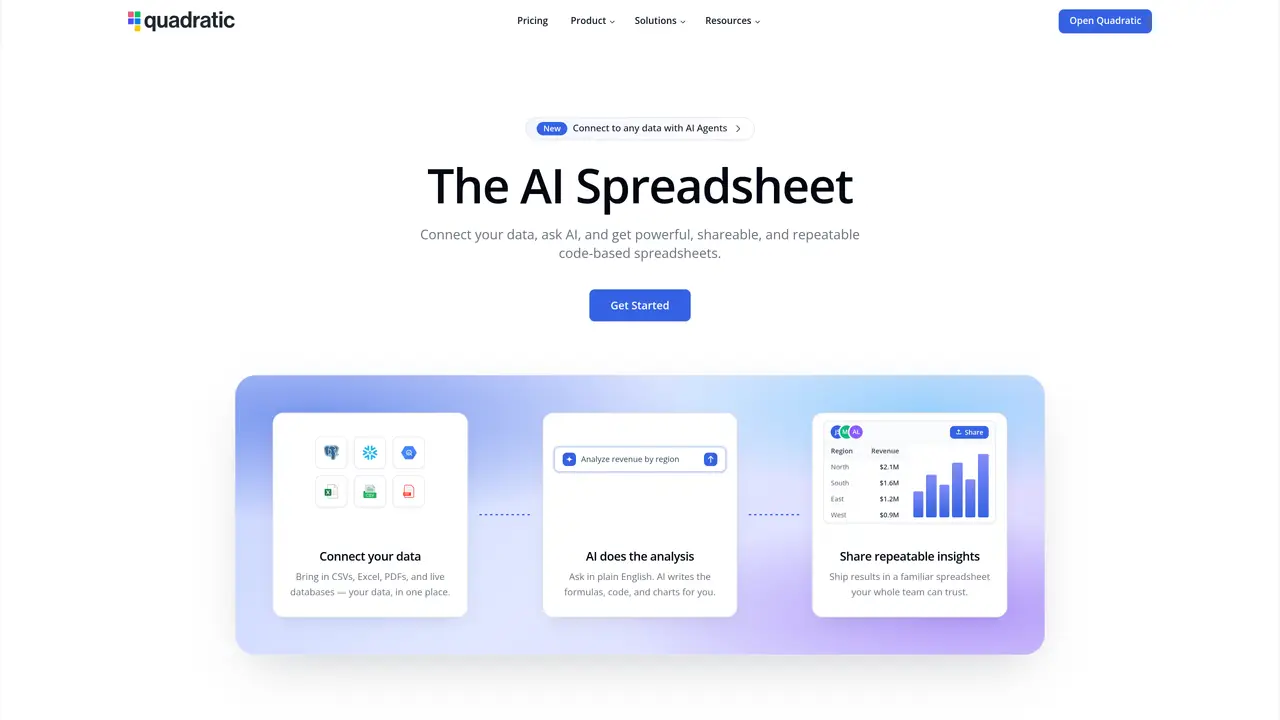
Quadratic is an innovative tool that enhances data interaction within spreadsheets by integrating the power of programming languages like Python and SQL, alongside AI functionalities. It provides a blend of familiar spreadsheet interfaces with advanced coding capabilities, making complex data analysis more accessible and collaborative for data scientists, engineers, and business analysts. Quadratic combines the ease of spreadsheets with the power of programming languages and AI, allowing users to perform sophisticated data analysis and visualization tasks efficiently. Its unique features, such as AI-powered autocomplete and real-time collaboration, set it apart from traditional tools. The tool is designed to handle large datasets and complex structures like Pandas DataFrames, making it ideal for modern data analysis. Quadratic offers a smooth, responsive experience even with large data sets, designed like a video game for optimal performance. It provides direct API integration, support for multi-line formulas, and direct code expansion, catering to both novice and advanced users. The tool also ensures local data storage, keeping sensitive information secure and operations swift.
Quadratic is an AI-powered spreadsheet tool that combines traditional spreadsheet interfaces with programming languages like Python and SQL, enabling users to perform advanced data analysis, visualization, and automation. It allows users to connect to various data sources, ask questions in plain English, and generate shareable, repeatable code-based spreadsheets.
Quadratic is designed for data scientists, engineers, business analysts, traders, investors, and teams in finance, product management, sales, and marketing who need to handle complex data analysis, automate workflows, and collaborate on data-driven projects.
Quadratic uses AI to interpret natural language prompts, generate Python, SQL, or JavaScript code, and create charts or formulas automatically. Users can ask questions in plain English, and the AI writes the necessary code or formulas, which can then be edited and verified manually.
Quadratic supports connections to live databases like Postgres, MySQL, Snowflake, and BigQuery, as well as files such as CSVs, Excel, and PDFs. It also integrates with tools like QuickBooks, Google Analytics, Mixpanel, and Plaid for financial data.
Yes, Quadratic supports real-time collaboration, allowing multiple users to work together on the same spreadsheet. Changes are tracked, and users can approve or modify AI-generated outputs for accuracy.
Yes, Quadratic provides an API that allows users to trigger AI runs, read and write cells, and orchestrate agents programmatically. This enables embedding Quadratic’s spreadsheet intelligence into external workflows, products, or pipelines.
quadratichq.com · third-party estimates from Similarweb
Last 4 months · grows by one month every month
Share of visits · estimated visits
Other countries: 41.9%
How people reach this site from other AI tools
132 a month · 0.1% of all visits
Productivity & Office · Sep 2026
Traffic figures are third-party estimates, good for scale and trends; they can differ from a company's own numbers. Updated monthly.
We use essential cookies to run aitoolnavio™, and optional cookies to analyze traffic and measure our marketing. You choose what we use — optional cookies stay off unless you turn them on. See our Privacy Policy.
One short email a week: fresh tools worth trying, honest takes and the updates that actually matter. No spam, unsubscribe any time.
Create customizable tables, databases, and spreadsheets, share data securely with team members.
Skywork Super Agents: Workspace productivity suite with specialized AI for research-grade documents, slides & spreadsheets + multimedia tools.
AI-powered time tracking platform for teams to log hours, manage timesheets, and generate invoices with automatic and manual tracking options.
Turns CSV, Excel, and PDF files into editable dashboards and reports with AI edits, refresh, and templates.
The AI agent for Excel and Sheets with advanced add-ons for Google Workspace and Microsoft Office.
Automate data cleaning, gain AI-driven insights, and create interactive reports and visualizations.
Transform spreadsheets into AI-powered data analysis tools, simplifying complex insights.
Supercharge Excel for smarter financial planning and analysis.
Automate data entry, connect spreadsheets to databases, APIs, and identify trends with predictive analytics.
Automate complex Excel formulas, generate accurate equations with 44,000+ formulas.
AI-powered data analyst that turns plain-English questions into charts, tables, code, and automated reports.
Transform big data with spreadsheet ease; no-code, AI-enhanced analysis.
Matched on what this tool does — grouped by the job you would be replacing.
matches Python and SQL Integration · Direct API integration and support for complex structures like Pandas DataFrames
Transform spreadsheets into AI-powered data analysis tools, simplifying complex insights.
Automate data entry, connect spreadsheets to databases, APIs, and identify trends with predictive analytics.
Automates spreadsheet tasks with AI-driven formulas and insights.
AI add-on for Google Sheets and Excel that automates financial modeling, formula generation, and spreadsheet analysis using natural-language prompts.
matches Dynamic Data Visualizations with Plotly library
matches Real-Time Collaboration
Real-time business dashboards with interactive charts, automated alerts, and centralized data visualization for tracking KPIs.
Unified data platform with AI-powered analytics and real-time syncs
AI-assisted platform for building custom interactive data visualizations
Collaboration and version control platform for software development and AI model hosting.
All-in-one project management platform for task management, team collaboration, and workflow visualization with time tracking and reporting.
Create customizable tables, databases, and spreadsheets, share data securely with team members.