Cloud accounting software that automates bookkeeping, invoicing, and financial reporting for small and growing businesses.
36M visits/mo+0.9%#4 Business & Marketing

AI-powered trading journal that tracks trades, rules and emotions to spot discipline leaks
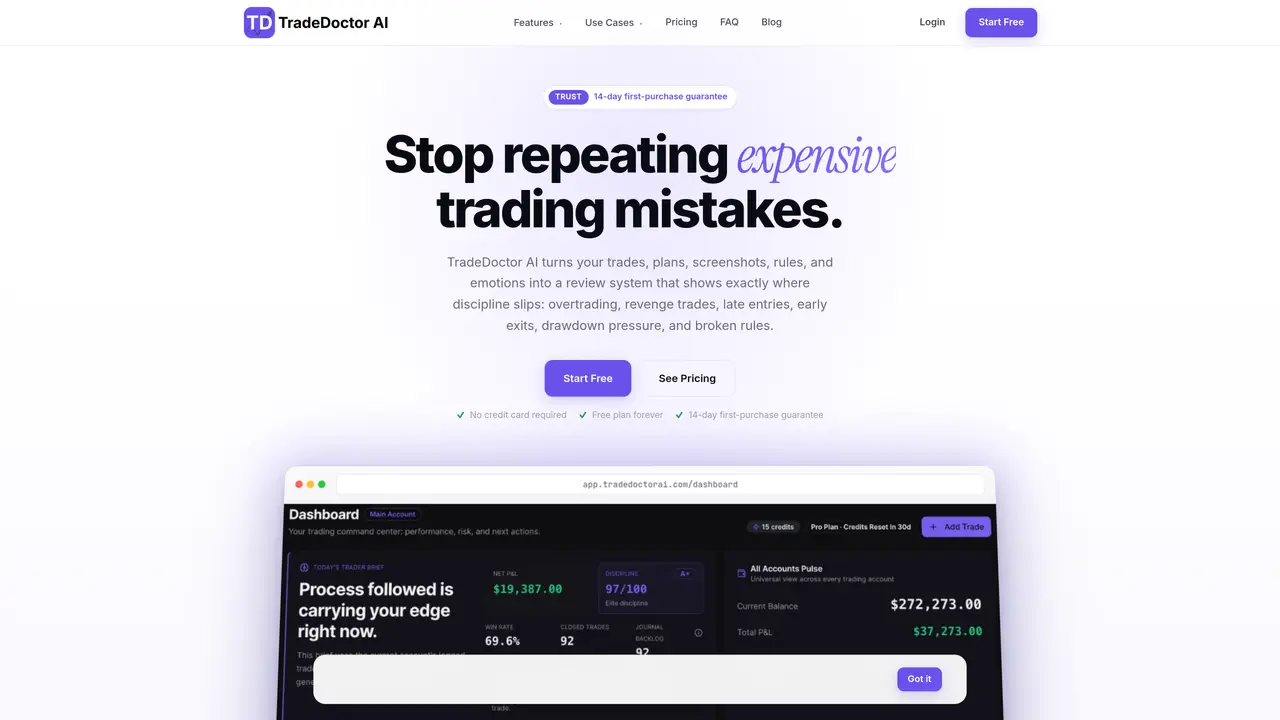
TradeDoctor AI is a trading journal that captures trades, plans, screenshots, rules and emotional notes to reveal where discipline breaks down. It flags overtrading, revenge trades, late entries, early exits, drawdown pressure and broken rules by comparing actual behavior against predefined guardrails. The tool supports MetaTrader 4, MetaTrader 5, cTrader and TradingView, and includes a dedicated Prop Firm Mode that tracks funded-account rules, phase goals, daily loss limits and max drawdowns within the same workspace. Alerts warn when risk limits are near, such as max drawdown, daily loss or loss streaks, and organize these warnings by date to keep the signal clear. Users can log trades via text, snapshots, fast import or broker feeds, then review sessions with AI-assisted summaries that extract bias, triggers, risk plans and no-trade conditions into structured cards. The workflow is built around planning guardrails before trading, logging events during the session, and reviewing plan versus behavior afterward to identify repeated mistakes. It is designed for self-directed traders who want a structured way to study decisions without turning review into a second job.
TradeDoctor AI is an AI-powered trading journal that captures trades, plans, screenshots, rules, and emotional notes to identify where discipline breaks down. It flags issues like overtrading, revenge trades, late entries, and broken rules by comparing actual behavior against predefined guardrails.
The tool is designed for self-directed traders, including forex, crypto, and prop firm traders, who want a structured way to study their trading decisions and improve discipline without turning review into a second job.
Yes, TradeDoctor AI supports MetaTrader 4, MetaTrader 5, cTrader, and TradingView, and allows users to log trades via text, snapshots, fast import, or broker feeds.
Prop Firm Mode is a dedicated feature that tracks funded-account rules, phase goals, daily loss limits, and max drawdowns within the same workspace, helping traders stay compliant with prop firm requirements.
The tool uses AI-assisted summaries to extract bias, triggers, risk plans, and no-trade conditions into structured cards, making it easier to review sessions and identify repeated mistakes without manual effort.
Yes, TradeDoctor AI offers a free plan with no credit card required, and there is a 14-day first-purchase guarantee for paid plans.
tradedoctorai.com · third-party estimates from Similarweb
Last 2 months · grows by one month every month
Share of visits by channel
Share of visits · estimated visits
Business & Marketing · Sep 2026
Traffic figures are third-party estimates, good for scale and trends; they can differ from a company's own numbers. Updated monthly.
We use essential cookies to run aitoolnavio™, and optional cookies to analyze traffic and measure our marketing. You choose what we use — optional cookies stay off unless you turn them on. See our Privacy Policy.
One short email a week: fresh tools worth trying, honest takes and the updates that actually matter. No spam, unsubscribe any time.
Cloud accounting software that automates bookkeeping, invoicing, and financial reporting for small and growing businesses.
AI-powered budgeting companion that auto-categorizes spending, forecasts expenses, and offers conversational guidance within YNAB’s trusted zero-based system.
A bookkeeping automation platform that captures receipts, invoices, and statements, extracts data, and syncs to accounting software for SMBs and accounting firms.
Send money globally, track payments, and save with competitive rates and low fees.
AI market intelligence platform that turns natural-language queries into analyst-grade insights with real-time monitoring and AI-generated summaries.
Revolutionize planning: Connect, model, and forecast across all business areas.
AI-powered real estate platform for finding deals, analyzing properties, and building investor workflows with nationwide data and predictive analytics.
AI-powered terminal for researching global stocks with financial data, AI summaries, KPIs, filings, and portfolio dashboards.
Trendspider is a sophisticated all-in-one market research and trading software designed to enhance the trading strategies of investors and traders.
Develop, backtest, and analyze trading strategies with drag-and-drop builder, extensive data sources, and real-time market data.
Stock market data API delivering real-time prices, fundamentals, and news for financial modeling and trading applications.
Zocks is an AI assistant for financial advisors that automates meeting notes, client emails, forms, and CRM updates.
Matched on what this tool does — grouped by the job you would be replacing.
matches Text Journal for natural note-taking · Snap Journal for screenshot-based logging · Broker import via CSV, HTML or XLSX
Trading journal that evaluates trade decisions rather than outcomes for MetaTrader 5 users
AI-powered trade journal that imports screenshots or CSVs to analyze trading performance and psychology
All-in-one AI trading journal and backtester for manual and automated strategies
AI-powered trading journal that detects behavioral patterns and quantifies their cost
matches AI Trade Reviews and AI Reports · Guardrail alerts for risk limits and rule breaks · AI Insights analyzing profit factor, expectancy, and drawdowns
matches Prop Firm Mode with rule templates and phase tracking · Guardrail alerts for risk limits and rule breaks
Crypto trading journal with AI-powered insights and automated broker sync
Behavioral decision intelligence platform for self-directed traders
AI-powered trading journal and analytics platform for institutional traders
Unified trading desk for brokers, strategy building, and risk-aware automation
AI-assisted chart analysis tool that generates structured trading decisions with entry conditions and risk