

An AI chat platform for roleplaying, storytelling, and learning by chatting with millions of user-created AI characters.
151M visits/mo-5.5%#2 Chatbots & Assistants
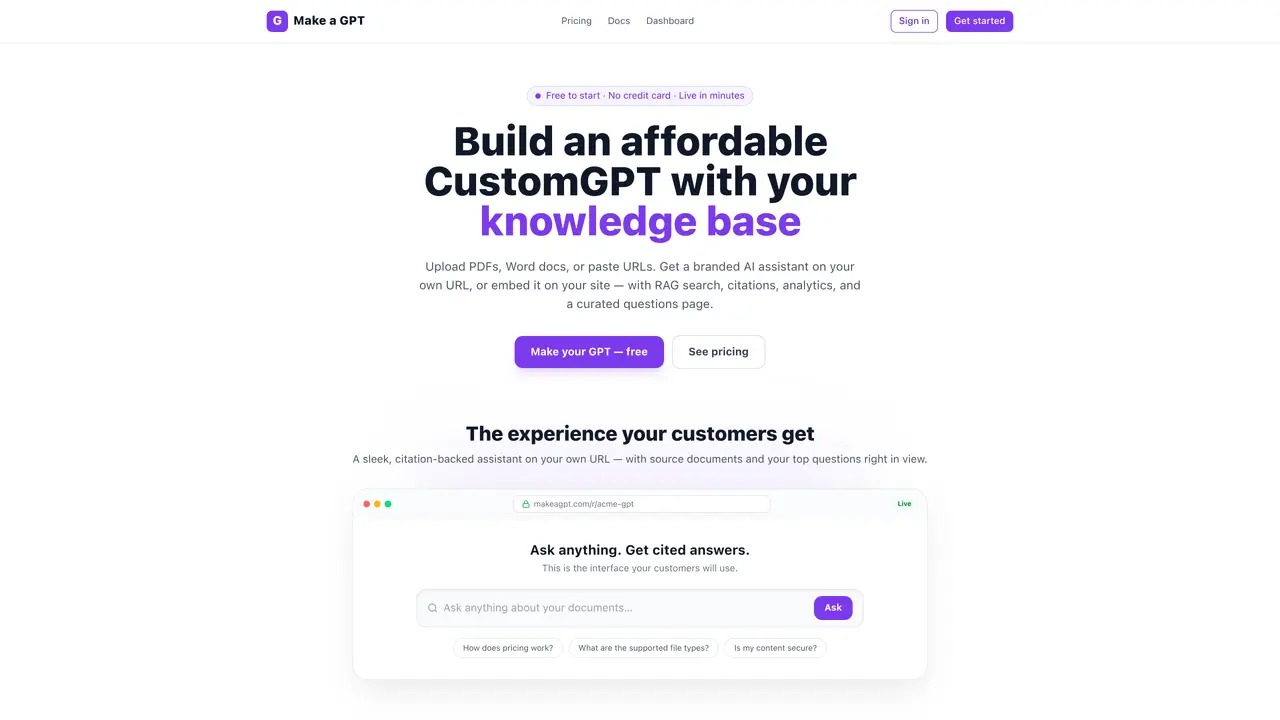
Make a GPT builds a branded AI assistant from a user’s knowledge base by uploading documents or pasting URLs. The tool parses and indexes content automatically, enabling retrieval-augmented generation (RAG) with source citations. Users can deploy the assistant on a dedicated URL at makeagpt.com or embed it as a widget on existing websites. The interface includes a live chat, a curated questions archive, and analytics tracking views and interactions. Content security is emphasized, with data never used to train shared models. The platform supports over 100 languages and offers password protection for private assistants. Plans are priced by page units, which approximate document size, with question allowances included.
Make a GPT is a platform that builds a branded AI assistant from a user’s knowledge base by uploading documents or pasting URLs. It parses and indexes content automatically, enabling retrieval-augmented generation (RAG) with source citations.
The tool is built for businesses and enterprises looking to turn their company knowledge into a trusted, secure AI assistant. It supports embedding on existing websites or deploying on a dedicated URL.
Pricing is based on page units, which approximate document size and drive storage and indexing costs. Each plan includes a set number of questions per month, with page units and question allowances resetting monthly.
Users can upload PDFs, Word documents, text files, Markdown, ZIPs, or sync Google Drive folders. The tool also supports pasting URLs for web content and embedding the assistant as a widget on existing websites.
Yes, password protection is available on all paid plans, allowing users to restrict access to their AI assistant. This feature ensures only approved visitors can interact with the assistant.
Users can start for free with 1,000 page units and 100 questions per month. No credit card is required, and the process involves uploading files or pasting URLs, followed by launching and sharing the assistant.
We use essential cookies to run aitoolnavio™, and optional cookies to analyze traffic and measure our marketing. You choose what we use — optional cookies stay off unless you turn them on. See our Privacy Policy.
One short email a week: fresh tools worth trying, honest takes and the updates that actually matter. No spam, unsubscribe any time.
An AI chat platform for roleplaying, storytelling, and learning by chatting with millions of user-created AI characters.
Create and interact with AI companions and virtual characters using GPT-4o on Chub AI's platform.
Create stunning visuals, access image recognition and processing, and express creatively with natural language processing.
Create fully customizable AI companions with persistent memory, selfies, and live voice calls.
Practice conversing with AI, improve pronunciation, and learn a new language in an immersive, safe environment.
Train, customize, optimize, and deploy models easily for powerful AI projects.
AI-powered tarot readings and personalized interpretations for self-reflection and guidance.
Quickly narrow searches by category, control results by country or language, and find relevant, accurate results with ease.
Chat with AI friends, mentors, and characters on the world's largest conversational AI platform for entertainment.
Generate presentations, create interactive slideshows, and customize with themes, fonts, and colors.
Trendspider is a sophisticated all-in-one market research and trading software designed to enhance the trading strategies of investors and traders.
An AI chat platform for immersive, personalized interactions with virtual companions, including image generation.
Matched on what this tool does — grouped by the job you would be replacing.
Paid placement · similar tools from listings that support aitoolnavio™
Instant lead response for home-service pros: your phone rings on every new lead, plus 14 days of follow-up
matches Document upload and URL ingestion · Automatic parsing and indexing · RAG search with source citations
Turn company documents into RAG assistants that deliver sourced answers via API, widget, or MCP for support, research, and workflow automation.
No-code platform to build and deploy AI support agents across multiple channels
Turn PDFs, DOCX, TXT and Markdown into searchable AI assistants with source-backed answers and citations.
Indexes documents and provides cited AI answers via widget, Slack, or API