AI chatbot for conversation, work, research, coding, and content creation.
5.9B visits/mo+5%#1 Chatbots & Assistants
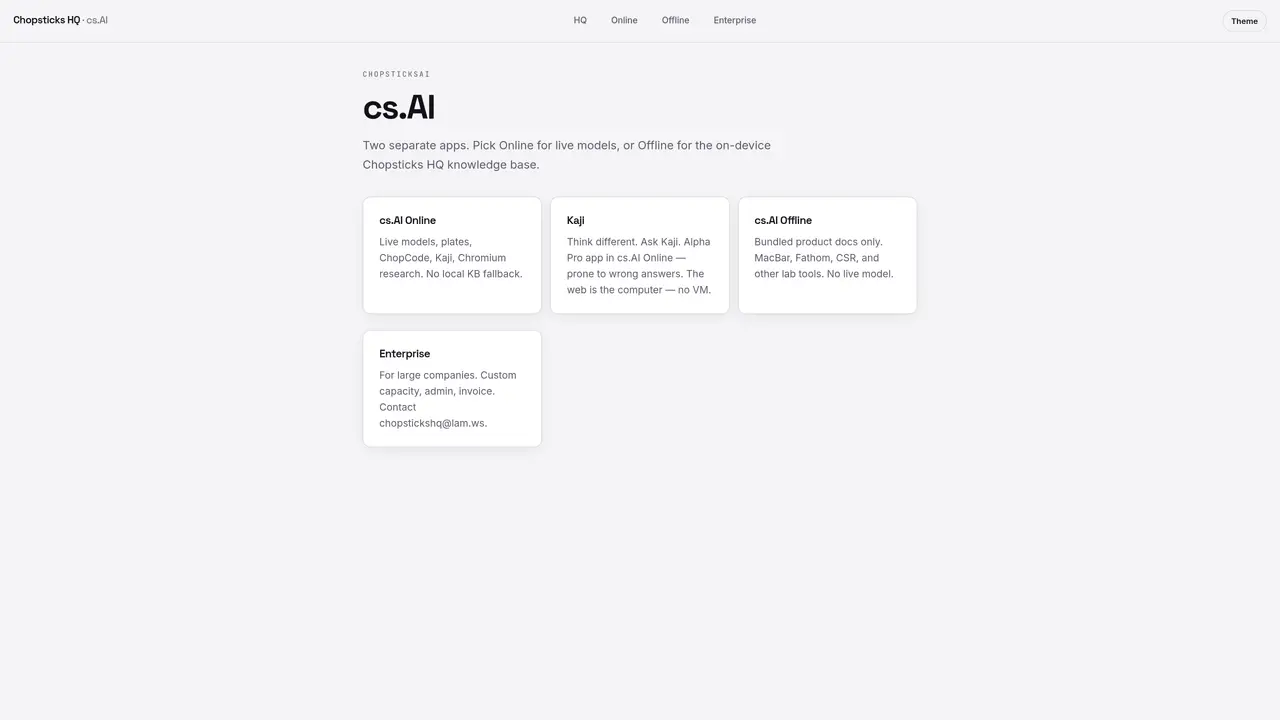
cs.AI offers two distinct applications: cs.AI Online and cs.AI Offline. cs.AI Online connects to live AI models and includes features such as plates, ChopCode, Kaji, and Chromium research tools. It operates without a local knowledge base fallback, relying solely on external models. Kaji is presented as a distinct thinking approach within this environment. cs.AI Offline provides an on-device knowledge base with bundled product documentation and tools like MacBar, Fathom, and CSR, but does not support live models. The platform is designed for enterprise use, offering custom capacity, administrative controls, and invoicing options for larger organizations.
cs.AI offers two separate applications: cs.AI Online, which connects to live AI models, and cs.AI Offline, which operates with an on-device knowledge base. The Online version relies solely on external models without a local fallback, while the Offline version bundles product documentation for on-device use.
cs.AI is designed for enterprise use, offering custom capacity, administrative controls, and invoicing options for larger organizations. It caters to teams needing either live AI model access or an offline knowledge base.
cs.AI Online includes live AI models, plates, ChopCode, Kaji, and Chromium research tools. It does not support a local knowledge base fallback and relies entirely on external models for responses.
cs.AI Offline provides bundled product documentation and tools such as MacBar, Fathom, and CSR. It operates without live models, using only the on-device knowledge base for answers.
To get started, choose between cs.AI Online for live models or cs.AI Offline for an on-device knowledge base. For enterprise use, contact chopstickshq@lam.ws to discuss custom capacity, admin controls, and invoicing options.
cs.AI Online and Offline are standalone applications with their own built-in tools. The platform does not explicitly mention integrations with third-party tools, focusing instead on its internal features like Chromium research or MacBar.
We use essential cookies to run aitoolnavio™, and optional cookies to analyze traffic and measure our marketing. You choose what we use — optional cookies stay off unless you turn them on. See our Privacy Policy.
One short email a week: fresh tools worth trying, honest takes and the updates that actually matter. No spam, unsubscribe any time.
AI chatbot for conversation, work, research, coding, and content creation.
Efficiently answer research queries, translate natural language to SQL, and utilize OpenAI WebGPT and larger language models.
Search privately, customize interface, track search history, and stay in control of online activities.
Transforms queries into real-time, customized pages with expert insights.
Search scientific papers, discover relevant publications, and enhance understanding of academic literature.
Access research, sort data, and get insights with predictive analytics.
Access hundreds of millions of answers powered by AI technology.
Create research report with references
Search a large knowledge base for verified articles, facts, opinions, and multimedia to answer questions across any topic.
Chat with many top models for everyday tasks.
Centralized AI industry news aggregator with curated daily selections, model rankings, and trending topics.
A free AI platform that answers questions, searches across languages, and generates slides, mind maps, docs, images, and webpages.
Matched on what this tool does — grouped by the job you would be replacing.
matches Code generation, editing, and visualization
Collaboration and version control platform for software development and AI model hosting.
Transform ideas into fully functional applications with Lovable, a groundbreaking AI tool.
Automate code, research, and documents using agents.
All-in-one AI workspace for building apps, coding, research and file creation
matches Chromium research tools
matches Kaji for alternative reasoning
matches On-device knowledge base
Efficiently answer research queries, translate natural language to SQL, and utilize OpenAI WebGPT and larger language models.
Multi-agent platform for teams to coordinate AI specialists and workflows
Unified workspace for AI-powered chat research writing code image generation and automation
An AI chat platform for roleplaying, storytelling, and learning by chatting with millions of user-created AI characters.
KAJI creates AI companions and virtual characters for engaging, personalized interactions.
Open-source, on-device AI assistant for documents, meetings, and automation with no cloud or API keys required.
Runs private AI models entirely on a user’s Mac without cloud dependency