AI chatbot for conversation, work, research, coding, and content creation.
5.9B visits/mo+5%#1 Chatbots & Assistants

An AI documentation platform that turns screen-recorded demos into self-organizing docs, chatbots, updates, and customer insights for product teams.
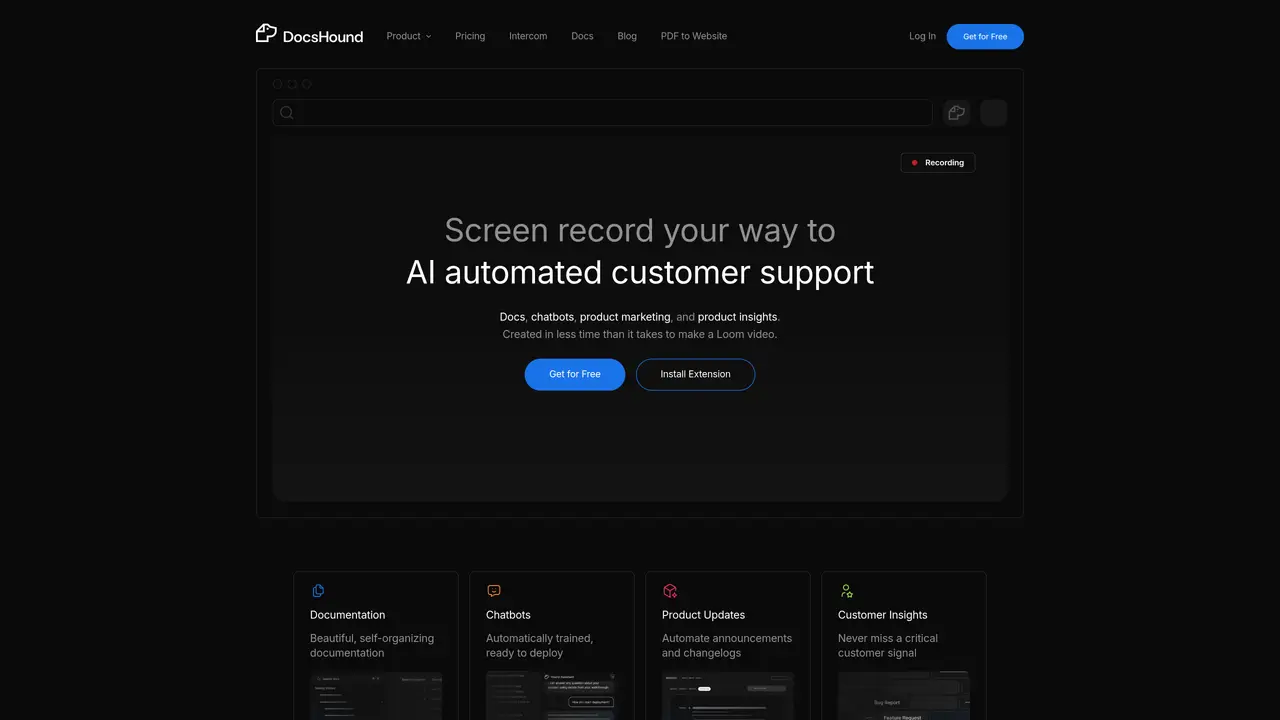
DocsHound is a web platform with a Chrome Extension designed for product, sales, and support teams to transform screen-recorded demos into structured documentation, AI chatbots, and product insights. The tool records a walkthrough of a product or feature and uses visual AI processing to generate detailed, step-by-step documentation complete with extracted screenshots and instructions. Published knowledge can then be converted into ready-to-deploy chatbots that answer user questions and guide them through product features. DocsHound includes a Notion-style visual editor with drag-and-drop blocks, live preview, version control, brand-aware editing, and one-click publishing with custom domain and auto SEO structure. It also supports product announcements, changelogs, and customer insights that highlight critical signals from user interactions. The platform is built to centralize knowledge creation and maintenance, reducing manual documentation efforts while improving accuracy and accessibility for teams and customers alike.
DocsHound is a platform with a Chrome Extension that converts screen-recorded product demos into structured documentation, AI chatbots, and product insights using visual AI processing. It automates the creation of detailed step-by-step guides, extracts screenshots, and generates ready-to-deploy chatbots to answer user questions.
DocsHound is designed for product, sales, and support teams, as well as category creators, educators, and businesses looking to centralize knowledge creation and improve accessibility for teams and customers. It is particularly useful for those who need to document products, automate support, or train AI agents.
DocsHound uses advanced visual AI processing to instantly convert a recorded demo into structured content. The AI extracts screenshots, generates clear steps, and creates polished documentation while the user focuses on demonstrating the product naturally.
Yes, DocsHound supports integrations with tools like Intercom and Command AI, allowing users to connect their workflows and enhance customer support and product insights across touchpoints.
Yes, DocsHound includes a Notion-style visual editor with features like drag-and-drop blocks, live preview, version control, brand-aware editing, and one-click publishing with custom domains and auto SEO structure.
Users can get started by installing the Chrome Extension from the DocsHound website, recording a product demo, and letting the AI automatically generate structured documentation, chatbots, and insights. The platform also offers a free tier to begin exploring its features.
docshound.com · third-party estimates from Similarweb
Last 4 months · grows by one month every month
Share of visits · estimated visits
Chatbots & Assistants · Sep 2026
Traffic figures are third-party estimates, good for scale and trends; they can differ from a company's own numbers. Updated monthly.
We use essential cookies to run aitoolnavio™, and optional cookies to analyze traffic and measure our marketing. You choose what we use — optional cookies stay off unless you turn them on. See our Privacy Policy.
One short email a week: fresh tools worth trying, honest takes and the updates that actually matter. No spam, unsubscribe any time.
AI chatbot for conversation, work, research, coding, and content creation.
Create and interact with AI companions and virtual characters using GPT-4o on Chub AI's platform.
Open-source Chinese AI chatbot for conversational AI, coding, and agentic workflows, built on the GLM-5 architecture.
Automate customer responses, personalize messages, and create an AI-powered chatbot for 24/7 customer service.
Chat with many top models for everyday tasks.
Overchat AI is an all-in-one platform that brings together the world’s leading AI models in a single application.
AI-powered platform for targeted online ad management, performance analysis, and strategy optimization with human oversight.
AI-powered tarot readings and personalized interpretations for self-reflection and guidance.
Turn hand-drawn sketches into editable 3D models and photorealistic images with AI.
Empower teams with AI-driven chat, data analysis, and workflow automation.
Get answers, writing help, and plans across devices with Nova AI App.
AI-powered app builder that turns data into functional web apps without coding.
Matched on what this tool does — grouped by the job you would be replacing.
Paid placement · similar tools from listings that support aitoolnavio™
Anonymous AI chat for 200+ models. No email or phone: a random account number, or chat as a guest.
matches Turns screen-recorded demos into structured documentation · Includes visual AI processing for accurate documentation extraction · Chrome Extension for seamless recording and integration
matches Generates AI chatbots from published knowledge · Enables product announcements and changelogs · Delivers customer insights to surface critical signals
matches Provides a Notion-style visual editor with drag-and-drop blocks · Includes live preview, version control, and brand-aware editing · Supports one-click publishing with custom domains and auto SEO
Turn any screen recording into a polished product video and step-by-step guide in minutes, in 65+ languages.
Turn messy screen recordings into polished, personalized walkthroughs.
Turn a single screen recording into interactive demos, videos, and guides with AI, then brand and embed them anywhere to educate buyers, onboard users, and drive feature adoption.
Turn recorded processes into shareable step-by-step guides with automatic screenshots and editing tools.
Build and deploy AI chatbots for websites with no-code customization and intent-aware dialogues.
AI-powered platform to create, manage, and share customizable knowledge bases and FAQs with GPT-assisted writing and easy embedding.
Create, customize, and streamline chatbots using a drag-and-drop interface, AI engine, and ready-made templates.
Centralize knowledge, collaborate in real time, and edit documents with AI-powered tools in one cloud workspace.
Centralized platform that automates design system documentation and syncs Figma with code for consistent, collaborative workflows.
Turns prompts, documents, or links into polished, data-backed presentations and interactive infographics with AI agents.