AI chatbot for conversation, work, research, coding, and content creation.
5.9B visits/mo+5%#1 Chatbots & Assistants

On-device AI chat app for iPhone and iPad with offline model support
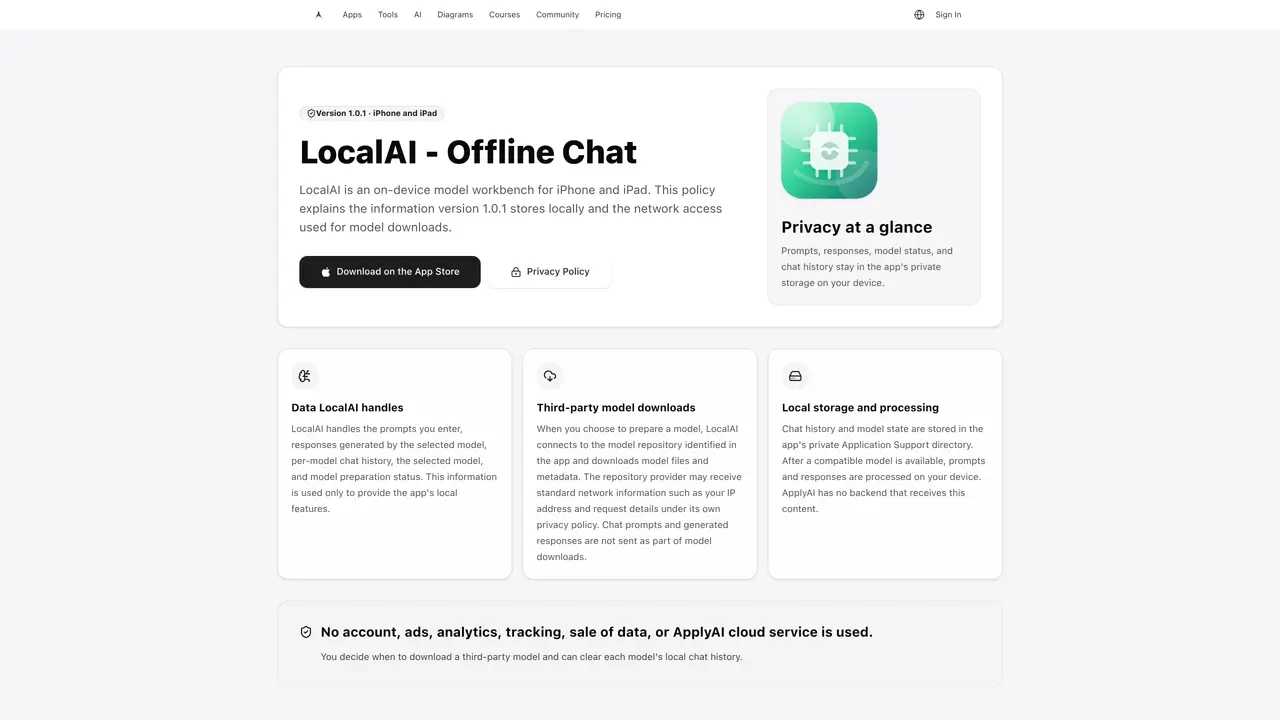
LocalAI – Offline Chat is an on-device model workbench designed for iPhone and iPad. It enables users to run AI models locally without requiring an internet connection after initial setup. The app stores prompts, responses, model status, and chat history entirely within its private storage on the device. Users can download third-party models directly from a model repository, with the app handling the preparation and execution of these models locally. No account creation, backend processing, or data transmission to external servers is involved beyond the model download phase. Chat prompts and responses remain processed and stored on the device, ensuring privacy and offline functionality. The app supports clearing individual model chat histories and allows users to manage which models are downloaded and used.
LocalAI – Offline Chat is an on-device model workbench for iPhone and iPad that enables users to run AI models locally without an internet connection after initial setup. It processes and stores prompts, responses, model status, and chat history entirely within the app's private storage on the device.
The tool is designed for users who prioritize privacy and offline functionality, such as individuals or professionals who need to run AI models on their iPhone or iPad without relying on external servers or cloud services.
All prompts, responses, model status, and chat history are stored and processed locally on the device. The app does not transmit chat content to external servers, and no account creation or backend processing is required beyond the initial model download.
Yes, users can download third-party models directly from a model repository within the app. The app handles the preparation and execution of these models locally, though the repository provider may receive standard network information during the download process.
An internet connection is only required during the initial setup and model download phase. Once a model is downloaded and prepared, the app operates entirely offline for chat interactions and processing.
Users can clear individual model chat histories and manage which models are downloaded and used. Chat history and model state are stored in the app's private Application Support directory on the device.
We use essential cookies to run aitoolnavio™, and optional cookies to analyze traffic and measure our marketing. You choose what we use — optional cookies stay off unless you turn them on. See our Privacy Policy.
One short email a week: fresh tools worth trying, honest takes and the updates that actually matter. No spam, unsubscribe any time.
AI chatbot for conversation, work, research, coding, and content creation.
Create and interact with AI companions and virtual characters using GPT-4o on Chub AI's platform.
Open-source Chinese AI chatbot for conversational AI, coding, and agentic workflows, built on the GLM-5 architecture.
Automate customer responses, personalize messages, and create an AI-powered chatbot for 24/7 customer service.
Chat with many top models for everyday tasks.
Overchat AI is an all-in-one platform that brings together the world’s leading AI models in a single application.
AI-powered platform for targeted online ad management, performance analysis, and strategy optimization with human oversight.
AI-powered tarot readings and personalized interpretations for self-reflection and guidance.
Turn hand-drawn sketches into editable 3D models and photorealistic images with AI.
Empower teams with AI-driven chat, data analysis, and workflow automation.
Get answers, writing help, and plans across devices with Nova AI App.
AI-powered app builder that turns data into functional web apps without coding.
Matched on what this tool does — grouped by the job you would be replacing.
Paid placement · similar tools from listings that support aitoolnavio™
Anonymous AI chat for 200+ models. No email or phone: a random account number, or chat as a guest.
matches On-device AI model execution · Offline chat capability · Private local storage for chat history
matches On-device AI model execution · Offline chat capability · Private local storage for chat history
matches Offline operation after setup · Voice note recording · On-device transcription
Private AI assistant for Android and Windows with online and offline modes
Local AI chat app for Apple Silicon Macs with no account or internet required
On-device AI chat and local proxy for private, offline model execution
Local AI assistant running entirely on a PC for chat, speech and document analysis
Private AI voice journal for iPhone that transcribes and organizes spoken notes offline
Offline AI language tutor for real spoken practice on mobile devices