AI chatbot for conversation, work, research, coding, and content creation.
5.9B visits/mo+5%#1 Chatbots & Assistants
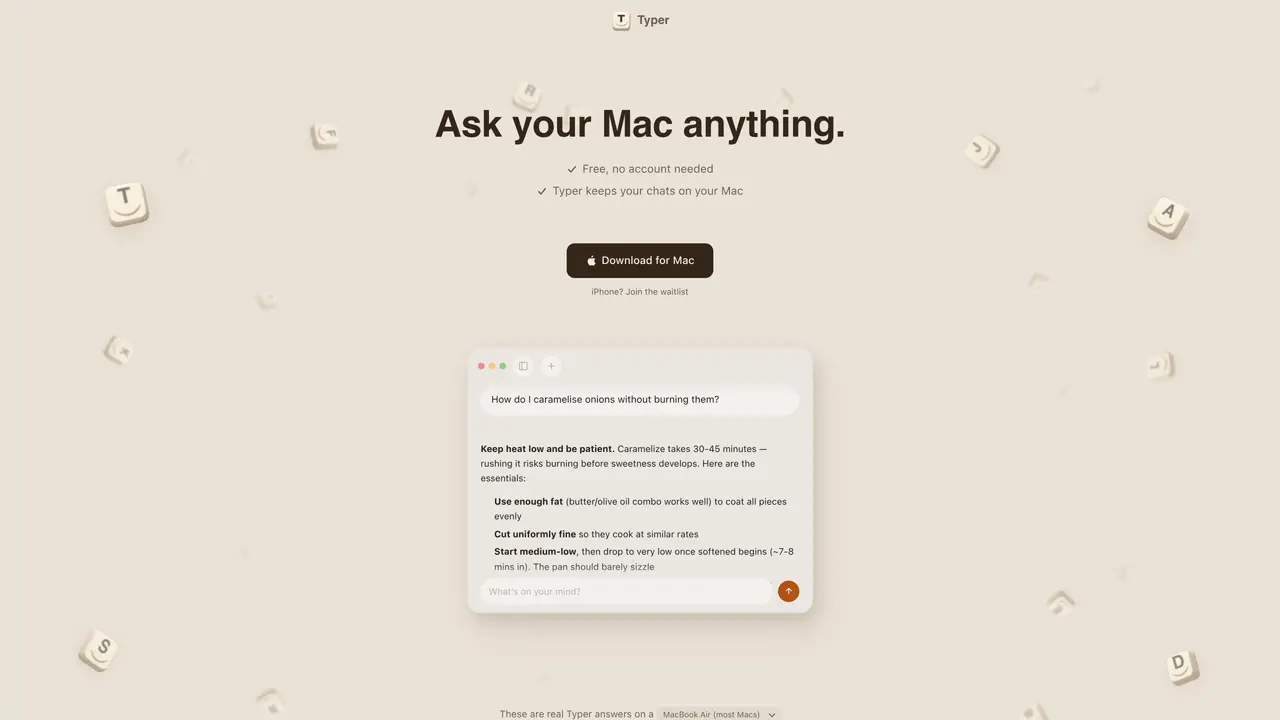
Typer is a chat application that runs AI models directly on Apple Silicon Macs without requiring an account or internet connection. It provides a private, offline alternative to cloud-based AI services by leveraging the built-in AI capabilities of modern Macs. The tool automatically selects and updates the most suitable AI model for the user’s specific Mac hardware, handling setup and optimization internally. Typer supports text-based queries, web searches for real-time information, and image analysis through drag-and-drop functionality. It is designed to be accessible to users without technical expertise, offering a straightforward interface for casual conversation or productivity tasks. The app includes a compact default model and can download larger, more capable models in the background based on available system memory. Typer emphasizes privacy by keeping all interactions and data stored locally on the device.
Typer is free to download and use without requiring an account or internet connection. The app includes a compact default AI model and allows limited web searches without payment. Optional paid features, such as Hyper Typer, are available for enhanced functionality.
No, Typer operates entirely offline. It runs AI models locally on the Mac without sending data to external servers, though it can optionally perform web searches when internet is available.
Typer automatically selects and updates AI models based on the user’s Mac hardware. It starts with a compact model (currently Qwen 3.5) and downloads a larger, more capable model in the background if system memory allows.
Yes, Typer supports image analysis through drag-and-drop functionality. Users can upload photos, screenshots, or diagrams and ask questions about their content, such as descriptions or explanations.
Typer is currently available only for Macs with Apple Silicon (M1 or later). An iPhone version is in development, and users can join a waitlist for updates. Windows support is not mentioned.
Unlike other local AI tools that require manual setup or configuration, Typer automatically selects the best AI model for the user’s Mac, handles updates, and provides a straightforward interface without technical requirements.
We use essential cookies to run aitoolnavio™, and optional cookies to analyze traffic and measure our marketing. You choose what we use — optional cookies stay off unless you turn them on. See our Privacy Policy.
One short email a week: fresh tools worth trying, honest takes and the updates that actually matter. No spam, unsubscribe any time.
AI chatbot for conversation, work, research, coding, and content creation.
Create and interact with AI companions and virtual characters using GPT-4o on Chub AI's platform.
Open-source Chinese AI chatbot for conversational AI, coding, and agentic workflows, built on the GLM-5 architecture.
Automate customer responses, personalize messages, and create an AI-powered chatbot for 24/7 customer service.
Chat with many top models for everyday tasks.
Overchat AI is an all-in-one platform that brings together the world’s leading AI models in a single application.
AI-powered platform for targeted online ad management, performance analysis, and strategy optimization with human oversight.
AI-powered tarot readings and personalized interpretations for self-reflection and guidance.
Turn hand-drawn sketches into editable 3D models and photorealistic images with AI.
Empower teams with AI-driven chat, data analysis, and workflow automation.
Get answers, writing help, and plans across devices with Nova AI App.
AI-powered app builder that turns data into functional web apps without coding.
Matched on what this tool does — grouped by the job you would be replacing.
Paid placement · similar tools from listings that support aitoolnavio™
Anonymous AI chat for 200+ models. No email or phone: a random account number, or chat as a guest.
matches Local AI inference on Mac hardware · Automatic model selection and updates · Offline operation capability
Runs private AI models entirely on a user’s Mac without cloud dependency
Run open LLMs locally on Mac as a private AI coworker with no cloud dependency.
On-device AI chat app for iPhone and iPad with offline model support