

Discover personalized fashion, receive expert advice, and enjoy convenient shopping with free shipping and returns.
6.8M visits/mo+15.2%#5 Lifestyle & Education
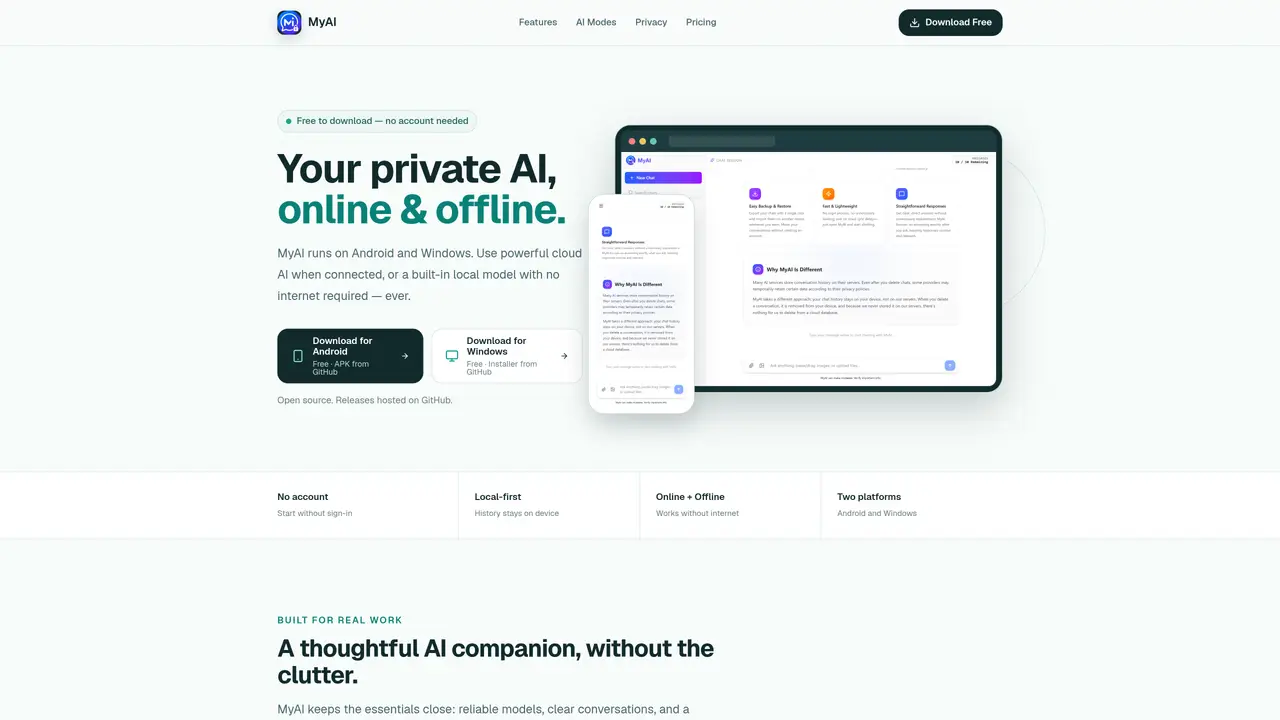
MyAI is an AI assistant designed for Android and Windows devices, offering both cloud-based and local AI capabilities. The application allows users to switch between online and offline modes instantly, using powerful cloud models via Groq when connected or a lightweight local model when offline. Conversations are stored locally by default, ensuring privacy and eliminating the need for account creation. The tool provides a clean workspace with organized chats, theme controls, and consistent experience across mobile and desktop platforms. It supports fast responses for quick questions and complex tasks, with Groq-powered cloud models and a local SmolLM2-360M model that operates without internet access. Users can manage chat history locally, with options to backup and restore conversations. The app is open source, with releases hosted on GitHub, and offers a free tier with optional paid upgrades for enhanced cloud usage.
MyAI is a private AI assistant designed for Android and Windows devices, offering both cloud-based and local AI capabilities. It allows users to switch between online and offline modes instantly, with conversations stored locally by default.
The offline mode uses a lightweight local model (SmolLM2-360M) that runs entirely on the user's device without requiring an internet connection. This ensures zero data leaves the device, and the model can be downloaded once and used permanently.
No account is required to use MyAI. Users can start immediately without signing up, and their conversations are stored locally on their device by default.
MyAI is free to download and use, with offline AI being completely free forever. Online AI usage is free with a user's own Groq API key, and a Pro plan is available for enhanced cloud usage without managing an API key.
Yes, MyAI allows users to backup and restore their chat history directly within the app. This feature is available in the free tier and included in the Pro plan.
To get started, download the latest official release for Android or Windows from GitHub. The app is free, open source, and does not require an account or credit card to begin using.
myai-chat.com · third-party estimates from Similarweb
Last 2 months · grows by one month every month
Share of visits by channel
Share of visits · estimated visits
Chatbots & Assistants · Sep 2026
Traffic figures are third-party estimates, good for scale and trends; they can differ from a company's own numbers. Updated monthly.
We use essential cookies to run aitoolnavio™, and optional cookies to analyze traffic and measure our marketing. You choose what we use — optional cookies stay off unless you turn them on. See our Privacy Policy.
One short email a week: fresh tools worth trying, honest takes and the updates that actually matter. No spam, unsubscribe any time.
Discover personalized fashion, receive expert advice, and enjoy convenient shopping with free shipping and returns.
Personal assistant that coordinates tasks across apps and devices via text or call
Quickly narrow searches by category, control results by country or language, and find relevant, accurate results with ease.
Optimizes schedules by auto-organizing tasks and meetings.
AI assistant that drafts, reviews, and researches legal documents for lawyers and law firms.
Real-time task tracking, project management, collaboration, and task assignment.
An AI voice assistant that delivers emotionally intelligent, context-aware conversations with natural timing and personal engagement.
Identify technologies, analyze data, and refine search criteria with AI-powered tools for patent research and trend analysis.
Automate audio and video transcription, timestamps, speaker labels, diarization, and export with customizations.
An AI chat platform for immersive, personalized interactions with virtual companions, including image generation.
Customer relations assistant in Gmail
AI-driven app personalizing adaptive workouts for continuous improvement.
Matched on what this tool does — grouped by the job you would be replacing.
matches Dual AI modes (online and offline) · Local chat history storage · Cross-platform Android and Windows support
Chat, build, and explore with open AI models.
On-device AI chat app for iPhone and iPad with offline model support
Local AI chat app for Apple Silicon Macs with no account or internet required
Build a private AI assistant that learns your context, connects to your tools, and manages your digital life with long-term memory.
matches Offline speech processing · Local execution of speech tasks · No cloud dependency
Offline voice assistant and dictation tool for desktop
Fast, private, open-source voice dictation for macOS
Offline voice dictation for macOS with instant text output