AI-powered video messaging tool that records, shares, and manages video messages with AI-generated titles, summaries, and tasks.
16M visits/mo-3.4%#5 Chatbots & Assistants

Real-time AI overlay for live calls that provides live guidance and automatic recaps
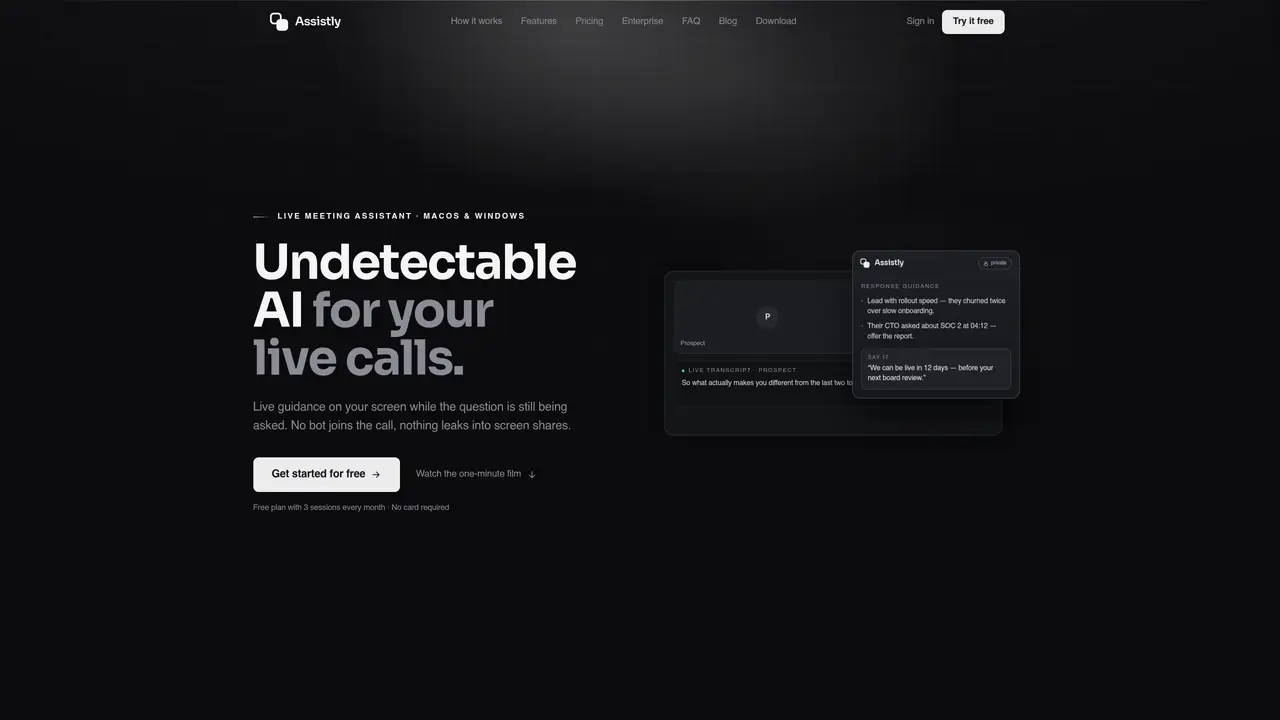
Assistly is a desktop application that integrates with live calls to provide real-time AI assistance. It transcribes conversations in dozens of languages, tracks every speaker, and delivers structured guidance in an overlay visible only to the user during the call. The tool connects to existing workflow tools like Google Calendar, Notion, and Linear to ground responses in prior context, ensuring personalized and relevant guidance. After the call ends, it automatically generates summaries, action items with owners, and project-specific notes without requiring manual input. Assistly works with common call platforms such as Zoom, Google Meet, Microsoft Teams, Webex, and Slack huddles, as well as phone calls, without requiring plugins or integrations. The overlay remains private and does not appear in screen shares or recordings, maintaining a seamless user experience. Guidance is tailored to the user’s tone and materials, and responses are streamed in real time to keep pace with live conversations.
Assistly is a desktop application that provides real-time AI assistance during live calls by transcribing conversations, tracking speakers, and delivering structured guidance in a private overlay visible only to the user. It works by capturing system audio from the call, processing it locally, and streaming responses without joining the call or requiring plugins.
Yes, Assistly works with common call platforms such as Zoom, Google Meet, Microsoft Teams, Webex, and Slack huddles, as well as phone calls. It does not require any plugins or integrations with the call platforms.
Assistly remains undetectable in calls, screen shares, or recordings. The AI overlay is visible only to the user and does not appear to other participants. It does not join the call or appear in the participant list.
Yes, Assistly connects to workflow tools such as Google Calendar, Notion, and Linear to ground responses in prior context. This allows for personalized guidance and ensures continuity across calls.
After the call ends, Assistly automatically generates summaries, action items with owners, and project-specific notes without manual input. These are saved and searchable across sessions.
Yes, Assistly is available as a desktop application for both macOS and Windows.
We use essential cookies to run aitoolnavio™, and optional cookies to analyze traffic and measure our marketing. You choose what we use — optional cookies stay off unless you turn them on. See our Privacy Policy.
One short email a week: fresh tools worth trying, honest takes and the updates that actually matter. No spam, unsubscribe any time.
AI-powered video messaging tool that records, shares, and manages video messages with AI-generated titles, summaries, and tasks.
Hardware device that records conversations and converts them into searchable transcripts, summaries, and notes.
Automate transcription, generate summaries, identify speakers, and timestamps for video-conferencing conversations.
AI-powered meeting recorder and summarizer that captures, transcribes, and generates actionable insights from conversations.
Automatically record, transcribe, take notes, and create summaries with key insights during meetings.
Transforms audio/video to summarized text, instantly, across platforms.
Automatically transcribe meetings, create summaries, and securely store audio files in a searchable format.
Automatically turn meetings into searchable notes and tasks.
Wearable AI device that captures conversations and meetings, then auto-generates transcripts, summaries, action items, mind maps, and searchable notes.
Record, transcribe, and share key insights from virtual trainings, online meetings, and content creation.
Record, transcribe, and summarize online meetings from Google Meet and Zoom with AI, then share insights across collaboration tools.
Transform audio/video to text with precision, supporting 1500+ platforms, enriched by AI features.
Matched on what this tool does — grouped by the job you would be replacing.
matches Real-time AI overlay for live calls that provides live guidance and automatic recaps · Live transcription with multi-speaker tracking · Private overlay for real-time guidance
AI interview assistant that provides real-time answers during live video calls without being detected
AI meeting assistant that listens live, explains jargon, and auto-generates notes, action items, and recaps.
Real-time AI assistant that provides live, private answers during calls using on-device processing
Real-time AI assistant that provides talking points during live sales calls without recording or
matches Live transcription with multi-speaker tracking · Automatic call summaries and action items · Project-based organization of call notes
Automate transcription, generate summaries, identify speakers, and timestamps for video-conferencing conversations.
Automatically transcribe meetings, create summaries, and securely store audio files in a searchable format.
AI-powered meeting assistant for transcription, summaries and action items
Automated meeting notes, summaries, and action items from calls