

AI-powered video messaging tool that records, shares, and manages video messages with AI-generated titles, summaries, and tasks.
16M visits/mo-3.4%#5 Chatbots & Assistants
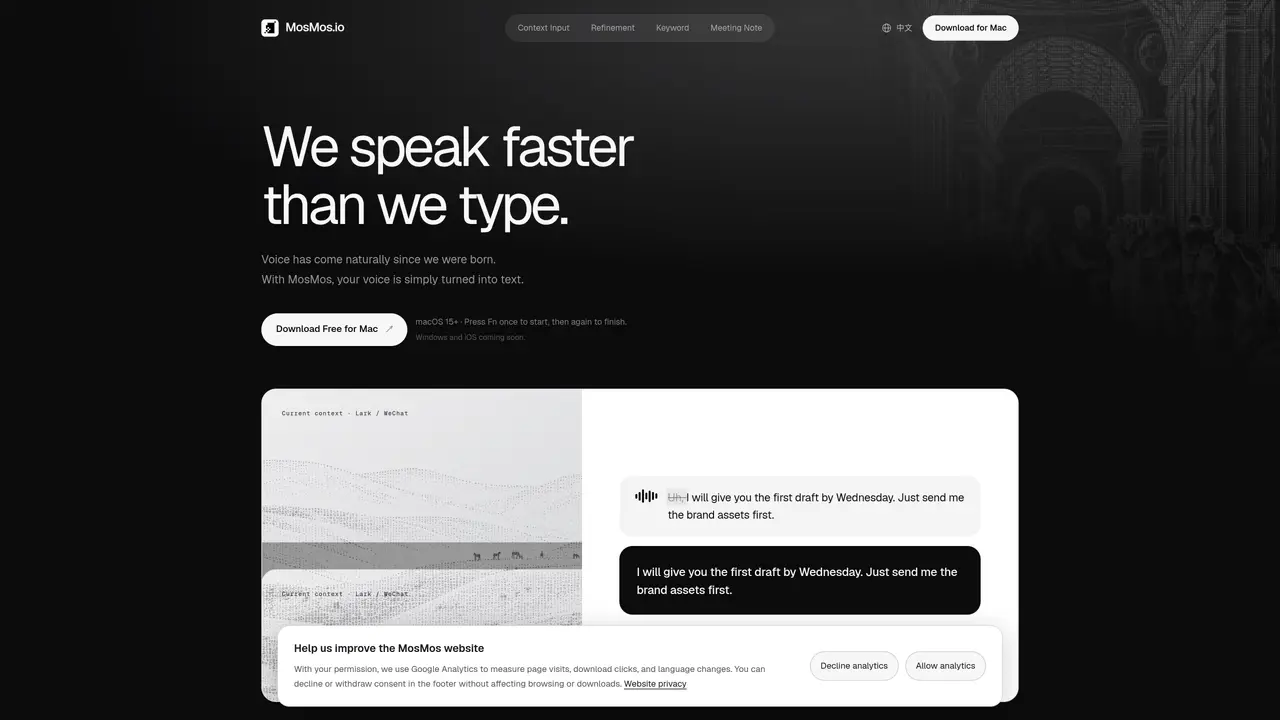
MosMos converts speech into text with automatic style adaptation based on context such as emails, documents, or meetings. The tool offers three refinement levels: Basic preserves the original wording, Standard improves grammar and flow, and Advanced produces concise drafts. Users can customize keywords like names or technical terms to ensure accurate transcription. For meetings, it identifies speakers, generates full transcripts, extracts key takeaways, and compiles to-do items with assignees and deadlines. The software operates via a Fn key shortcut for voice typing or meeting recording, integrating with macOS applications without requiring users to leave their current app. It supports continuous transcription during meetings and provides organized summaries afterward.
MosMos is a voice-to-text tool that converts speech into written content with automatic style adaptation based on context such as emails, documents, or meetings. It offers three refinement levels—Basic, Standard, and Advanced—to tailor the output to user needs.
MosMos is designed for professionals who need to transcribe speech into text efficiently, including writers, developers, and business users. It is particularly useful for those who prefer speaking over typing or need to capture meeting details accurately.
MosMos automatically adapts its writing style based on the context of the application being used, such as email, document, or code terminal. Users can also manually select or change the style to better suit their needs.
Yes, MosMos can identify different speakers during meetings, preserve the full transcript, and generate organized summaries including key takeaways and to-do items with assignees and deadlines.
To use MosMos for voice typing, press the Fn key once to start speaking and again to finish; the text is then pasted into the active application. For meeting recording, press Fn + Shift to start continuous transcription, and the summary is generated when the meeting ends.
Yes, MosMos allows users to add custom keywords such as names, technical terms, or homophones to its vocabulary. This ensures accurate transcription and refinement of specific terms during the process.
We use essential cookies to run aitoolnavio™, and optional cookies to analyze traffic and measure our marketing. You choose what we use — optional cookies stay off unless you turn them on. See our Privacy Policy.
One short email a week: fresh tools worth trying, honest takes and the updates that actually matter. No spam, unsubscribe any time.
AI-powered video messaging tool that records, shares, and manages video messages with AI-generated titles, summaries, and tasks.
Hardware device that records conversations and converts them into searchable transcripts, summaries, and notes.
Automate transcription, generate summaries, identify speakers, and timestamps for video-conferencing conversations.
AI-powered meeting recorder and summarizer that captures, transcribes, and generates actionable insights from conversations.
Automatically record, transcribe, take notes, and create summaries with key insights during meetings.
Transforms audio/video to summarized text, instantly, across platforms.
Automatically transcribe meetings, create summaries, and securely store audio files in a searchable format.
Automatically turn meetings into searchable notes and tasks.
Wearable AI device that captures conversations and meetings, then auto-generates transcripts, summaries, action items, mind maps, and searchable notes.
Record, transcribe, and share key insights from virtual trainings, online meetings, and content creation.
Record, transcribe, and summarize online meetings from Google Meet and Zoom with AI, then share insights across collaboration tools.
Transform audio/video to text with precision, supporting 1500+ platforms, enriched by AI features.
Matched on what this tool does — grouped by the job you would be replacing.
matches Multi-speaker meeting transcription with speaker identification · Automatic extraction of key takeaways and to-do items · Local storage of transcripts and meeting content on device
Automatic transcription and note-taking app for Mac meetings
Local-first AI assistant for Mac that captures notes, transcribes meetings, and provides context-aware chat
Mac voice productivity tool that transcribes speech into polished text and auto-generates meeting notes
Local AI tool that transcribes and summarizes voice recordings into searchable notes
matches Three refinement levels: Basic, Standard, Advanced · Context-aware style adaptation for emails, documents, and meetings · Custom keyword vocabulary for names and technical terms
Dictate messages with real-time transcription.
AI voice-to-text app that turns speech into polished text with style adaptation, punctuation, and filler-word removal for emails, docs, and notes.
Free, open-source macOS app that transcribes speech to text offline with optional on-device AI polishing.