AI-powered video messaging tool that records, shares, and manages video messages with AI-generated titles, summaries, and tasks.
16M visits/mo-3.4%#5 Chatbots & Assistants

Cross-platform teleprompter that syncs scrolling to spoken voice in real time
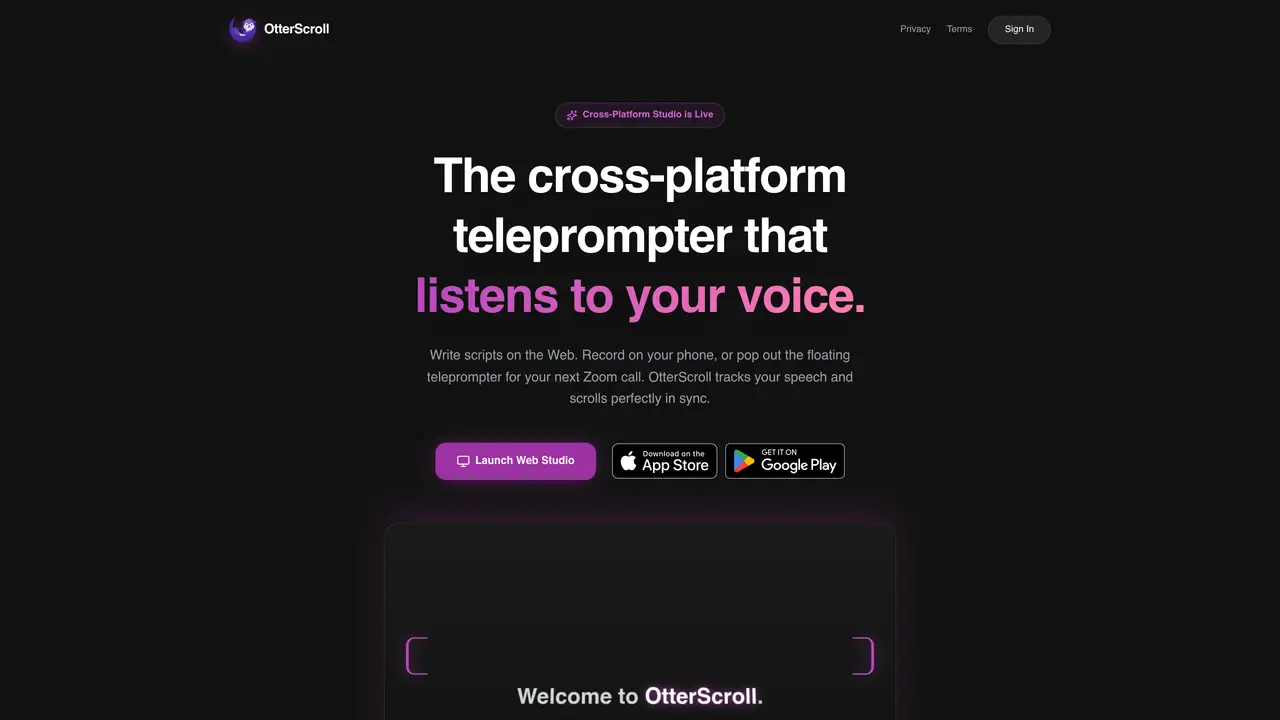
OtterScroll is a teleprompter application designed for modern content creators who need to record efficiently across devices. It allows users to write scripts in a web-based studio and then record using a mobile app, with text scrolling in perfect sync to spoken voice through an offline AI engine. The tool supports cross-platform synchronization so scripts written on desktop are instantly available on mobile. It also offers a floating overlay mode for Zoom, Teams, or Google Meet calls, enabling presenters to read prompts without leaving their video conference interface. Exports are available in 4K resolution with optional kinetic text animations and watermark removal for professional presentations. Additional features include multi-lens camera switching and an advanced AI ghostwriter for generating long-form scripts beyond typical limits.
OtterScroll is a smart teleprompter application designed for modern content creators, including YouTube vloggers, TikTok creators, and real estate agents. It enables efficient recording by syncing scripts across devices and providing voice-tracked scrolling for natural delivery.
OtterScroll uses an offline AI engine to listen to the user's speech in real time and scrolls the script in perfect sync without requiring an active internet connection. It supports 14 languages and operates natively on the device.
Yes, OtterScroll offers a floating overlay mode that can be used during Zoom, Teams, or Google Meet calls. The teleprompter appears as a borderless, always-on-top window, allowing presenters to read prompts without leaving their video conference interface.
Yes, scripts written in the web-based studio are instantly synchronized to the mobile app, enabling users to start recording on their phone immediately after drafting on desktop. The Pro subscription unlocks this feature across all platforms.
OtterScroll allows exports in 4K resolution with optional kinetic text animations and watermark removal for professional presentations. Mobile exports are available in 4K Ultra HD, while the free plan supports 1080p HD exports with watermarks.
The Advanced AI Ghostwriter feature generates long-form scripts beyond typical limits, such as for YouTube tutorials or deep-dive content. It is included in the Pro subscription and operates alongside the teleprompter's voice-tracking capabilities.
otterscroll.com · third-party estimates from Similarweb
Share of visits · estimated visits
Chatbots & Assistants · Sep 2026
Traffic figures are third-party estimates, good for scale and trends; they can differ from a company's own numbers. Updated monthly.
We use essential cookies to run aitoolnavio™, and optional cookies to analyze traffic and measure our marketing. You choose what we use — optional cookies stay off unless you turn them on. See our Privacy Policy.
One short email a week: fresh tools worth trying, honest takes and the updates that actually matter. No spam, unsubscribe any time.
AI-powered video messaging tool that records, shares, and manages video messages with AI-generated titles, summaries, and tasks.
Hardware device that records conversations and converts them into searchable transcripts, summaries, and notes.
Automate transcription, generate summaries, identify speakers, and timestamps for video-conferencing conversations.
AI-powered meeting recorder and summarizer that captures, transcribes, and generates actionable insights from conversations.
Automatically record, transcribe, take notes, and create summaries with key insights during meetings.
Transforms audio/video to summarized text, instantly, across platforms.
Automatically transcribe meetings, create summaries, and securely store audio files in a searchable format.
Automatically turn meetings into searchable notes and tasks.
Wearable AI device that captures conversations and meetings, then auto-generates transcripts, summaries, action items, mind maps, and searchable notes.
Record, transcribe, and share key insights from virtual trainings, online meetings, and content creation.
Record, transcribe, and summarize online meetings from Google Meet and Zoom with AI, then share insights across collaboration tools.
Transform audio/video to text with precision, supporting 1500+ platforms, enriched by AI features.
Matched on what this tool does — grouped by the job you would be replacing.
matches Cross-platform sync between web and mobile · Offline AI voice-tracking engine · Floating Zoom overlay for video calls
A teleprompter for creating videos.
AI teleprompter that scrolls in real time to match spoken pace
Mac app that records talking-head videos and uses AI to edit them
matches AI ghostwriter for long-form scripts
Turn prompts and selfies into scroll-stopping social videos.
AI-powered content studio generating social media scripts, captions and posting calendars