AI-powered video messaging tool that records, shares, and manages video messages with AI-generated titles, summaries, and tasks.
16M visits/mo-3.4%#5 Chatbots & Assistants

AI meeting bot that joins calls, takes notes, transcribes conversations, and answers questions aloud without app installation.
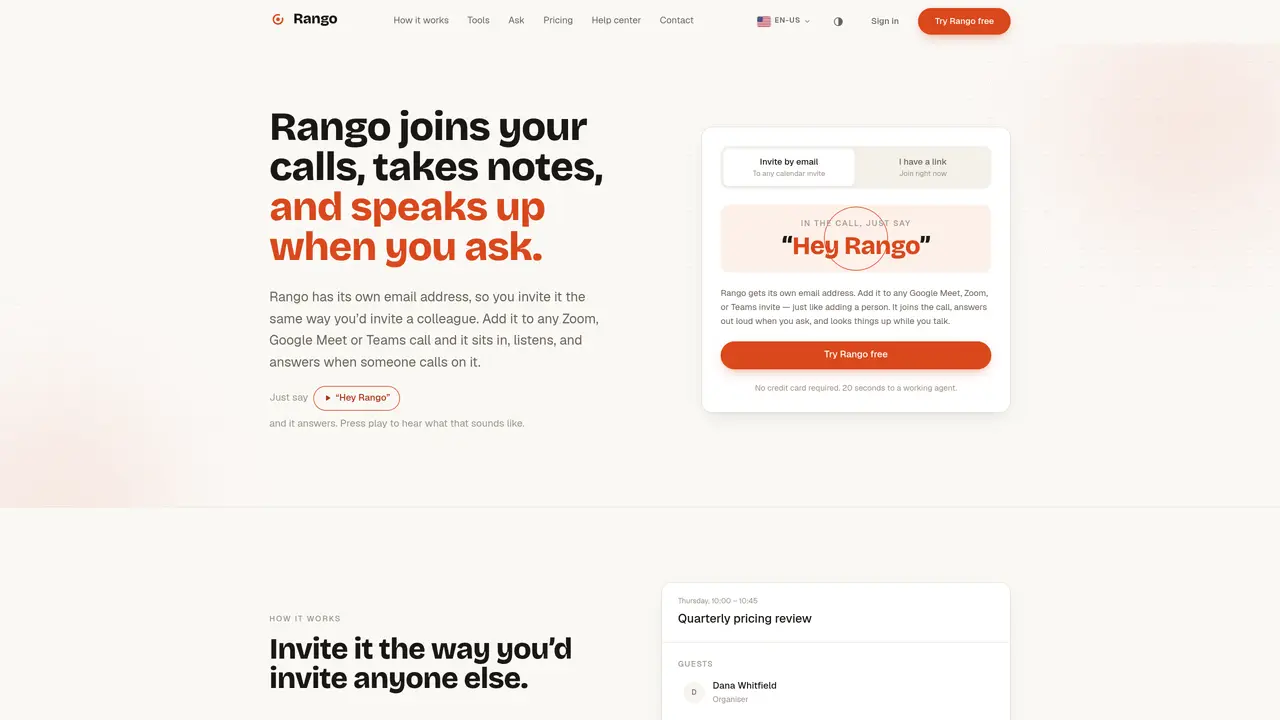
Rango is an AI meeting assistant designed to join virtual meetings via email invitation, functioning like a human participant. It integrates with Zoom, Google Meet, and Microsoft Teams without requiring any software installation on the user’s end. Setup is completed in about 20 seconds, after which Rango automatically joins calls, records notes, generates transcripts, and can respond to spoken questions in real time. The tool retains notes and transcripts for one week in its free tier, which allows one meeting of up to 30 minutes. Beyond passive note-taking, Rango actively participates by providing answers aloud when addressed, making it useful for meetings where quick information retrieval or clarification is needed. It serves professionals, teams, and individuals who want to automate documentation and reduce manual note-taking during calls.
Rango is an AI meeting assistant that joins virtual meetings via email invitation, functioning like a human participant. It can be added to Zoom, Google Meet, or Microsoft Teams calls by including its email address on the calendar invite.
Rango is designed for professionals, teams, and individuals who want to automate documentation, reduce manual note-taking, and retrieve information quickly during meetings.
Rango states it does not sell user data, keeps meetings walled off from each other in its database, and does not store credentials for connected tools, relying on third-party services like Composio for secure access.
Yes, Rango can answer questions aloud when addressed by saying 'Hey Rango' and can look up information in connected tools during the call.
Rango integrates with tools such as Gmail, Outlook, Google Calendar, Slack, Notion, Google Drive, Airtable, GitHub, Jira, Asana, HubSpot, Salesforce, and more.
Add Rango’s email address to a meeting invite or paste it into an ongoing call; setup takes about 20 seconds with no additional software installation required.
We use essential cookies to run aitoolnavio™, and optional cookies to analyze traffic and measure our marketing. You choose what we use — optional cookies stay off unless you turn them on. See our Privacy Policy.
One short email a week: fresh tools worth trying, honest takes and the updates that actually matter. No spam, unsubscribe any time.
AI-powered video messaging tool that records, shares, and manages video messages with AI-generated titles, summaries, and tasks.
Hardware device that records conversations and converts them into searchable transcripts, summaries, and notes.
Automate transcription, generate summaries, identify speakers, and timestamps for video-conferencing conversations.
AI-powered meeting recorder and summarizer that captures, transcribes, and generates actionable insights from conversations.
Automatically record, transcribe, take notes, and create summaries with key insights during meetings.
Transforms audio/video to summarized text, instantly, across platforms.
Automatically transcribe meetings, create summaries, and securely store audio files in a searchable format.
Automatically turn meetings into searchable notes and tasks.
Wearable AI device that captures conversations and meetings, then auto-generates transcripts, summaries, action items, mind maps, and searchable notes.
Record, transcribe, and share key insights from virtual trainings, online meetings, and content creation.
Record, transcribe, and summarize online meetings from Google Meet and Zoom with AI, then share insights across collaboration tools.
Transform audio/video to text with precision, supporting 1500+ platforms, enriched by AI features.
Matched on what this tool does — grouped by the job you would be replacing.
matches Joins Zoom, Google Meet, and Microsoft Teams via email invitation · No app installation required for meeting participants · Automatic note-taking and real-time transcription
Record, transcribe, and summarize online meetings from Google Meet and Zoom with AI, then share insights across collaboration tools.
AI meeting note-taker and screen recorder that auto-joins calls, transcribes conversations, and generates searchable summaries and action items.
AI meeting assistant that transcribes calls, generates summaries, action items, and follow-up emails for teams.
AI CRM that automatically joins calls, writes notes, and updates pipelines for solopreneurs and small sales teams.