AI-powered video messaging tool that records, shares, and manages video messages with AI-generated titles, summaries, and tasks.
16M visits/mo-3.4%#5 Chatbots & Assistants

Instantly timestamp and summarize meeting highlights with AI-generated notes after your call.
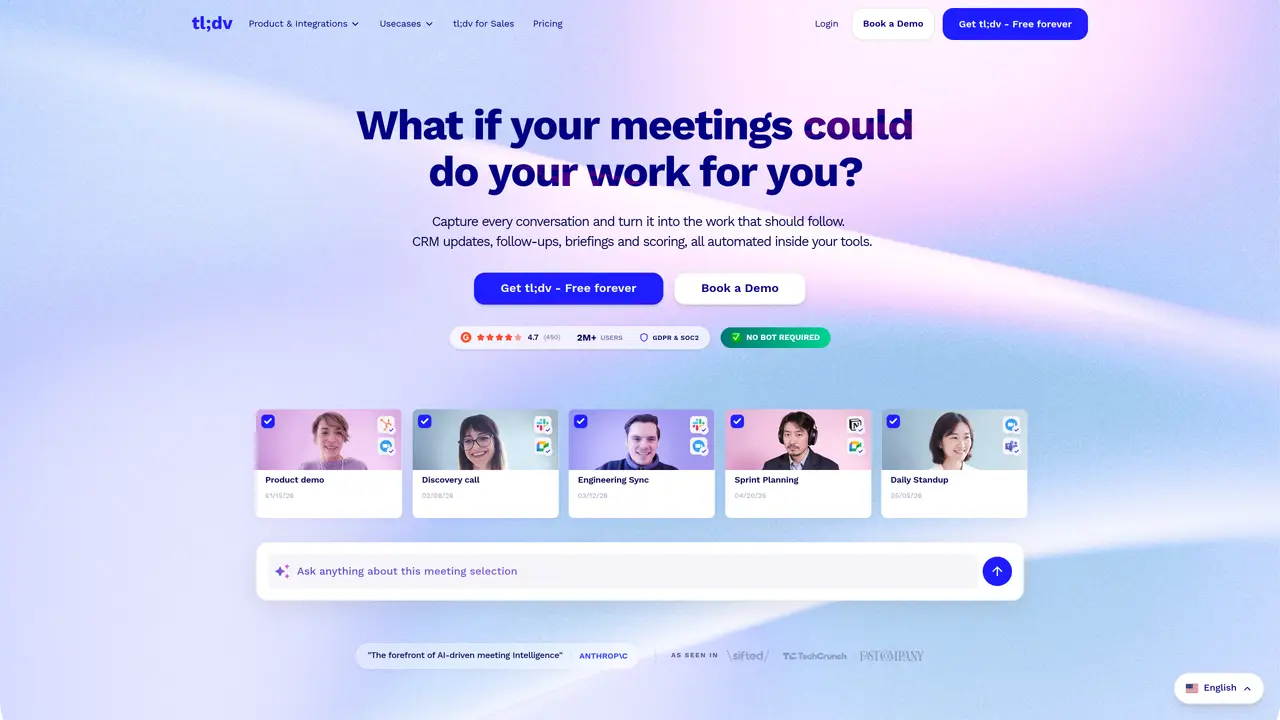
tl;dv transcribes, summarizes, and automatically marks key moments in your calls. Create highlight snippets out of AI summaries within seconds after your call. Works in 20+ languages. In a matter of clicks, you can: Record Google Meet and Zoom calls automatically in top quality. Receive a highly accurate transcript with speaker tags. Transcribe into 20+ languages. Auto-generate AI notes powered by Chat-GPT & GPT-4. Timestamp and highlight important call moments. Share links to recordings automatically to Slack and E-Mail. Search your call library for keywords. Integrate meeting insights into CRMs like Salesforce or Hubspot. Edit recordings & create clips. Automate action items and takeaways. Tag stakeholders and colleagues at any point during call. Simplify meeting minutes. tl;dv is designed for individuals and teams who want to streamline their meeting workflow and save time. It’s particularly useful for remote teams, sales teams, and anyone who conducts regular meetings.
tl;dv is an AI-powered meeting notetaker that records, transcribes, and summarizes calls from platforms like Zoom, Google Meet, and Microsoft Teams. It automatically generates accurate transcripts with speaker tags, highlights key moments, and creates shareable summaries in over 30 languages.
tl;dv is designed for individuals, remote teams, sales teams, and organizations that conduct regular meetings. It is particularly useful for those who want to streamline meeting workflows, automate note-taking, and gain insights from call data without manual effort.
tl;dv ensures data privacy with end-to-end encryption, GDPR compliance, and SOC 2-certified security. Recordings and transcripts are stored securely in ISO 27001-certified data centers with AES-256 encryption, and meetings are processed in randomized chunks to prevent unauthorized access.
Yes, tl;dv integrates with CRM systems such as Salesforce and HubSpot, automatically logging call notes, CRM outcomes, and follow-up actions. It also supports integrations with Slack and email for sharing recordings and summaries.
Yes, tl;dv provides AI-driven call analysis and coaching for sales teams. It tracks playbook adherence, improves objection handling, and offers real-time insights into rep performance, helping teams sell more efficiently and ramp up new hires faster.
You can start using tl;dv by signing up for a free account on their website. The platform offers a free tier, and you can book a demo or log in to begin recording and transcribing your meetings immediately.
We use essential cookies to run aitoolnavio™, and optional cookies to analyze traffic and measure our marketing. You choose what we use — optional cookies stay off unless you turn them on. See our Privacy Policy.
One short email a week: fresh tools worth trying, honest takes and the updates that actually matter. No spam, unsubscribe any time.
AI-powered video messaging tool that records, shares, and manages video messages with AI-generated titles, summaries, and tasks.
Hardware device that records conversations and converts them into searchable transcripts, summaries, and notes.
Automate transcription, generate summaries, identify speakers, and timestamps for video-conferencing conversations.
AI-powered meeting recorder and summarizer that captures, transcribes, and generates actionable insights from conversations.
Automatically record, transcribe, take notes, and create summaries with key insights during meetings.
Transforms audio/video to summarized text, instantly, across platforms.
Automatically transcribe meetings, create summaries, and securely store audio files in a searchable format.
Automatically turn meetings into searchable notes and tasks.
Wearable AI device that captures conversations and meetings, then auto-generates transcripts, summaries, action items, mind maps, and searchable notes.
Record, transcribe, and share key insights from virtual trainings, online meetings, and content creation.
Record, transcribe, and summarize online meetings from Google Meet and Zoom with AI, then share insights across collaboration tools.
Transform audio/video to text with precision, supporting 1500+ platforms, enriched by AI features.
Matched on what this tool does — grouped by the job you would be replacing.
matches Transcribes calls in 20+ languages · Auto-generates AI notes powered by Chat-GPT & GPT-4 · Timestamps and highlights important call moments
Automatically record, transcribe, take notes, and create summaries with key insights during meetings.
Record, transcribe, and summarize online meetings from Google Meet and Zoom with AI, then share insights across collaboration tools.
AI meeting notetaker that records, transcribes, and summarizes calls with CRM and workflow integrations.
AI notetaker for sales and customer success teams that records meetings, transcribes with speaker ID, generates summaries and action items, and syncs insights to CRM.