Discover personalized fashion, receive expert advice, and enjoy convenient shopping with free shipping and returns.
6.8M visits/mo+15.2%#5 Lifestyle & Education

Automate reminders, access to-do lists, and quickly find answers without any hassle.
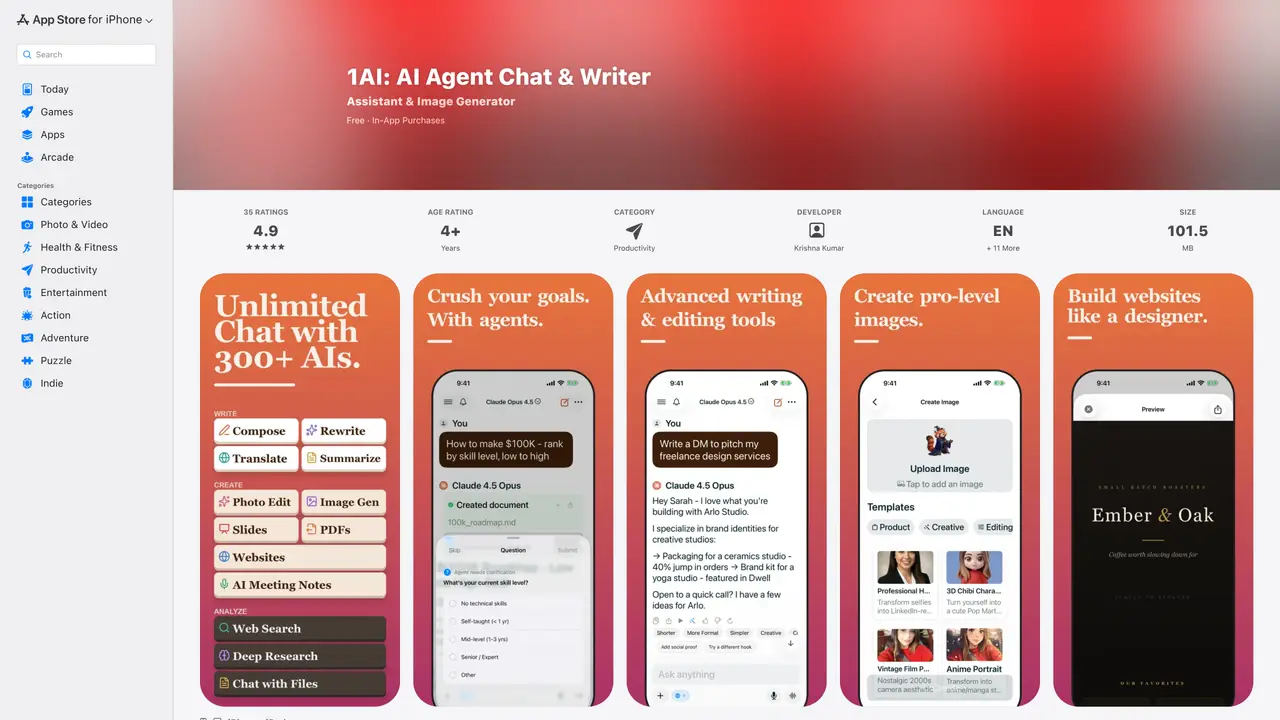
The Chat Labs AI Assistant is a revolutionary mobile application that provides users with a customized, AI-powered assistant to streamline their day-to-day tasks. Available for download on Apple’s App Store, this app makes it easy to stay organized and get more done in less time. The AI Assistant’s intuitive interface allows users to quickly and easily search for answers to their questions. It can also be used to set reminders, create to-do lists, and make notes. Plus, users can access a personalized dashboard which displays all their tasks in one convenient place. The App Store page for the Chat Labs AI Assistant allows users to read reviews from other customers, compare ratings, and view screenshots of the application before downloading it to their iPhone, iPad, or iPod touch. It’s a great way to get an inside look at how the AI assistant works and how it can make life easier.
Apple Inc.
Cupertino, United States · Founded 1976
Chat Labs AI Assistant is a mobile application that consolidates access to over 250 AI models, including GPT-5, Claude 4.5, and Gemini 3, into a single chat interface. It functions as a writing assistant, translator, image generator, document analyzer, and productivity tool, enabling users to switch between models seamlessly during conversations.
The app is designed for professionals, researchers, writers, and multilingual users who need a versatile AI assistant for tasks such as writing, translation, image creation, and document analysis. It also suits users seeking an all-in-one alternative to multiple standalone AI subscriptions.
The app operates on a freemium model with in-app purchases, offering access to a wide range of AI models and features. Users can upgrade for additional capabilities, though specific pricing details are not disclosed on the App Store page.
The app integrates with Ollama for offline and private AI access, supports Safari extensions for web summarization, and includes features like voice conversations, document chat, and image generation with models like Flux Kontext and Stable Diffusion.
The app requires an internet connection for most features, though offline access is possible via Ollama integration. Users should also note the medical disclaimer stating that the app does not provide professional medical advice.
Users can download the app from the Apple App Store, create an account, and immediately start using the available AI models and features. The app provides onboarding guidance and documentation for new users.
We use essential cookies to run aitoolnavio™, and optional cookies to analyze traffic and measure our marketing. You choose what we use — optional cookies stay off unless you turn them on. See our Privacy Policy.
One short email a week: fresh tools worth trying, honest takes and the updates that actually matter. No spam, unsubscribe any time.
Discover personalized fashion, receive expert advice, and enjoy convenient shopping with free shipping and returns.
Personal assistant that coordinates tasks across apps and devices via text or call
Quickly narrow searches by category, control results by country or language, and find relevant, accurate results with ease.
Optimizes schedules by auto-organizing tasks and meetings.
AI assistant that drafts, reviews, and researches legal documents for lawyers and law firms.
Real-time task tracking, project management, collaboration, and task assignment.
An AI voice assistant that delivers emotionally intelligent, context-aware conversations with natural timing and personal engagement.
Identify technologies, analyze data, and refine search criteria with AI-powered tools for patent research and trend analysis.
Automate audio and video transcription, timestamps, speaker labels, diarization, and export with customizations.
An AI chat platform for immersive, personalized interactions with virtual companions, including image generation.
Customer relations assistant in Gmail
AI-driven app personalizing adaptive workouts for continuous improvement.
Matched on what this tool does — grouped by the job you would be replacing.
matches Automate reminders for tasks, events, and appointments · Access to-do lists and notes in one convenient dashboard · Set reminders and create to-do lists
Automate tasks, set reminders, search the web, create to-do lists, take notes, and track projects.
Seamlessly chat with an advanced Siri-like AI assistant on the go for personalized and intelligent assistance.
Toki AI turns messages in apps like WhatsApp into scheduled calendar events, syncing with Google Calendar for hands-free meeting management.
Automate task tracking, streamline research, and enjoy a secure assistant for efficient productivity.
matches Quickly and easily search for answers to questions · Streamline day-to-day tasks with AI-powered assistance
Efficiently answer research queries, translate natural language to SQL, and utilize OpenAI WebGPT and larger language models.
Search privately, customize interface, track search history, and stay in control of online activities.
Find information on web pages, refer to sections in long documents, and search across PDFs and videos.
Free unlimited AI chat with multiple major models