Generate content, correct spelling, suggest synonyms to enhance writing.
173M visits/mo+0.1%#1 Productivity & Office

Toki AI turns messages in apps like WhatsApp into scheduled calendar events, syncing with Google Calendar for hands-free meeting management.
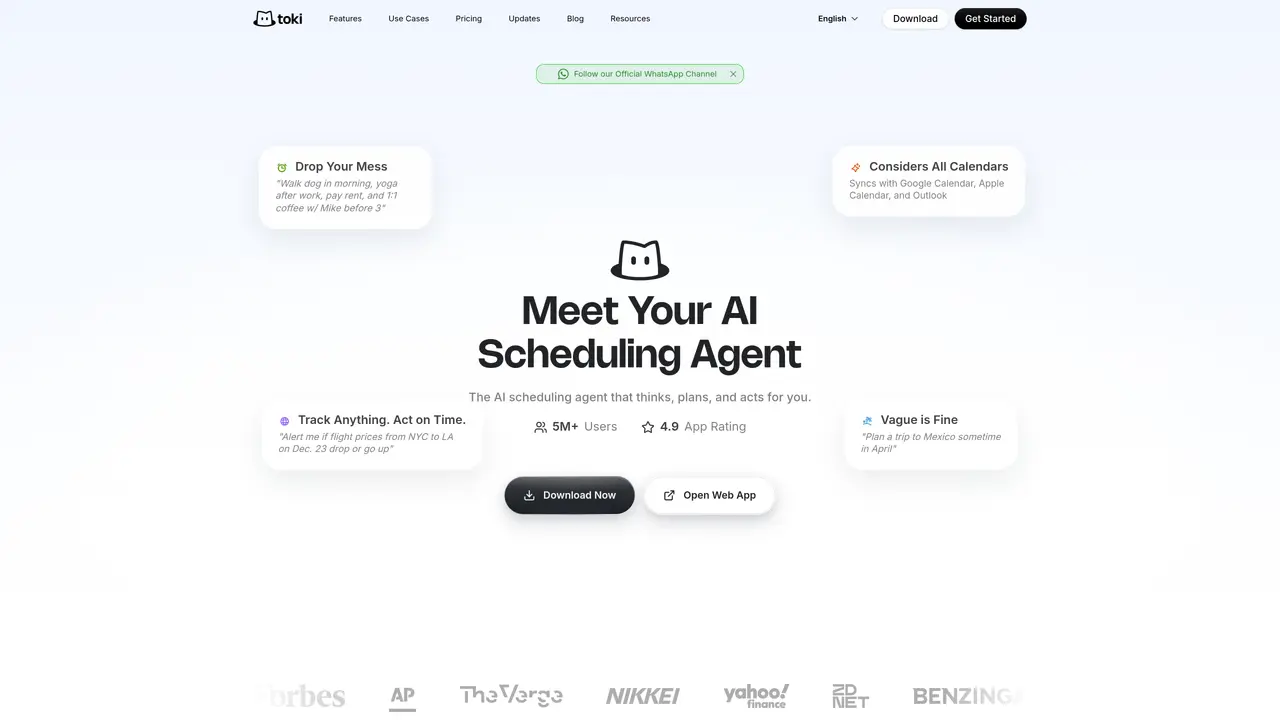
Toki AI is an AI-powered calendar assistant that lets users create, modify, and sync events directly through messaging apps such as WhatsApp. It supports text, voice, and image inputs to convert messages into calendar entries, making scheduling more intuitive and reducing manual work. Designed for professionals who juggle multiple calendars, Toki AI automatically synchronizes with Google Calendar and other platforms to keep appointments organized in one place. The tool is particularly useful for individuals and teams who rely on messaging apps for communication but need a centralized way to manage their schedules. By handling routine scheduling tasks, Toki AI frees up time for more strategic work, making it a practical solution for busy managers, freelancers, and event coordinators. Its integration with popular messaging platforms ensures accessibility without requiring users to switch between apps. The platform also offers call alerts and task management features to further streamline workflows. Overall, Toki AI simplifies calendar management by leveraging the tools people already use daily.
Toki AI acts as an AI scheduling agent that converts messages into calendar events, manages tasks, and monitors triggers such as price drops or deadlines. It integrates with multiple calendars and messaging platforms to automate routine scheduling tasks.
Toki AI is designed for professionals, freelancers, managers, and teams who rely on messaging apps for communication but need a centralized way to manage schedules and tasks. It suits users who juggle multiple calendars and want to automate routine scheduling.
Toki AI syncs with Google Calendar, Apple Calendar, Outlook, and other platforms to consolidate scheduling in one place. It also supports integrations with messaging apps like WhatsApp and devices such as Apple Watch and Siri.
Yes, Toki AI can interpret vague or rough ideas, such as planning a trip or scheduling a meeting, and build a coherent schedule based on the input. It factors in contextual details like weather and calendar availability.
Key features include AI scheduling, multi-calendar sync, task management, triggers for monitoring events like price drops, and call alerts to ensure timely event participation. It also supports voice and image inputs for event creation.
Users can get started by downloading the app or accessing the web version. Toki AI supports multiple languages and provides onboarding resources to help users begin automating their scheduling and task management.
yestoki.com · third-party estimates from Similarweb
Last 4 months · grows by one month every month
Share of visits · estimated visits
Productivity & Office · Sep 2026
Traffic figures are third-party estimates, good for scale and trends; they can differ from a company's own numbers. Updated monthly.
We use essential cookies to run aitoolnavio™, and optional cookies to analyze traffic and measure our marketing. You choose what we use — optional cookies stay off unless you turn them on. See our Privacy Policy.
One short email a week: fresh tools worth trying, honest takes and the updates that actually matter. No spam, unsubscribe any time.
Generate content, correct spelling, suggest synonyms to enhance writing.
Turn messy team ideas into actionable plans with Miro's visual workspace.
Leverage analytics, automate tasks, share documents, and coordinate projects.
Integrates AI into Airtable to analyze data, summarize insights, draft content, and automate workflows without prior AI experience.
Cloud accounting software that automates bookkeeping, invoicing, and financial reporting for small and growing businesses.
Streamline teamwork, manage projects, automate tasks efficiently.
Automate code, research, and documents using agents.
AI assistant for safe, reliable productivity with code, collaboration, and integrations.
Create customizable tables, databases, and spreadsheets, share data securely with team members.
Easy-to-use CRM platform that automates lead capturing, prioritizes tasks, and provides sales pipeline analytics for businesses of all sizes.
Transforms thoughts into actions, enhancing productivity and efficiency.
Write & run code in 50+ languages, auto-complete with AI, and code faster with an intuitive interface.
Matched on what this tool does — grouped by the job you would be replacing.
Paid placement · similar tools from listings that support aitoolnavio™
Instant lead response for home-service pros: your phone rings on every new lead, plus 14 days of follow-up
matches Converts text, voice, and image messages into calendar events · Integrates with messaging apps like WhatsApp · Designed for hands-free scheduling
matches Syncs with Google Calendar and other calendar platforms · Supports event creation, modification, and reminders · Handles call alerts for scheduled events
matches AI scheduling and meeting coordination · Multi-calendar sync across Google, iCloud and Outlook · Adaptive reminders and escalation
Proactive AI assistant that manages tasks, emails, schedules, and health data via SMS, WhatsApp, or Telegram.
AI assistant that coordinates tasks across messaging and productivity apps via text
AI mobile app that records and transcribes phone calls, generates summaries, detects tasks, and syncs CRM activity for professionals on the go.
Turns spoken or pasted text into ready-to-send emails, tickets, and follow-ups
Tailor your booking page, sync availability with calendars, set recurring events, and avoid double-booking with reminders.
Syncs Google, Outlook and other calendars into one view and generates AI-powered meeting notes.
An AI calendar app that creates, updates, and answers questions about events using natural language with Google Calendar sync.
Automate tasks, manage multiple calendars, and prioritize tasks effortlessly.
Converts text, images, and PDFs into shareable calendar events and layouts
AI-powered tool that converts to-do lists into optimized calendar schedules with real-time adjustments.
AI planner that captures tasks by voice, auto-schedules calendars, and syncs workspaces for individuals and teams.
Personal AI assistant that proactively manages email, calendar and daily tasks