Discover personalized fashion, receive expert advice, and enjoy convenient shopping with free shipping and returns.
6.8M visits/mo+15.2%#5 Lifestyle & Education

Automate tasks, find information quickly, and enjoy an intuitive user experience with this powerful Mac tool.
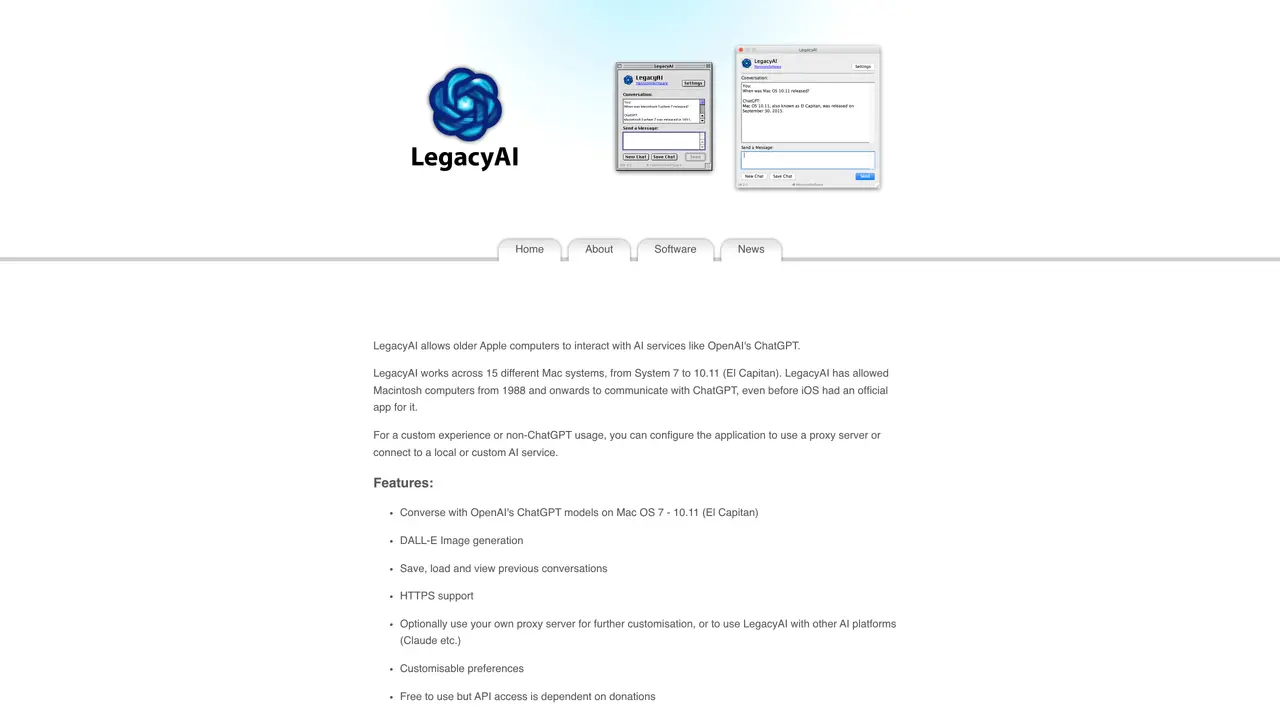
Using the latest AI technology, LegacyAI offers an easy-to-use interface that allows users to interact with their Macs using natural language. With voice recognition and natural language processing, LegacyAI makes it easy to find the information you need, quickly and efficiently. Benefits of LegacyAI include enhanced productivity, improved accuracy, and faster search results. It can help users access the information they need faster and more accurately, allowing them to get more done in less time. It also provides an intuitive and user-friendly experience, making it easy to use, even for those with limited technical knowledge. Overall, LegacyAI is an ideal solution for Mac users who want to get the most out of their machines. With advanced AI technology, it can help users maximize their productivity, access the information they need faster and more accurately, and enjoy a user-friendly experience.
LegacyAI enables vintage Apple Macintosh computers running Mac OS 7 through 10.11 (El Capitan) to interact with AI services like OpenAI's ChatGPT. It supports a wide range of hardware, from Motorola 68k and PowerPC systems to Intel-based Macs.
LegacyAI is designed for users of older Macintosh computers who want to leverage modern AI capabilities without upgrading hardware. It is particularly useful for enthusiasts, researchers, or educators working with retro computing environments.
LegacyAI connects to AI services such as ChatGPT by default, but users can configure it to use a proxy server or connect to local/custom AI services for greater flexibility. HTTPS support is available for secure connections where supported.
LegacyAI requires a Macintosh computer running Mac OS 7 to 10.11 (El Capitan) with a Motorola 68020, PowerPC, or Intel CPU, at least 2MB of RAM, and 2MB of disk space. Specific builds support different system ranges, such as 68k, Classic, PPC X, and Universal Binary.
LegacyAI is free to download and use, but API access depends on donations to cover running costs. Users can optionally purchase a license to unlock additional features and advanced AI models or subscribe for monthly support.
Security varies by system. Transmissions on 68k builds are insecure due to the lack of HTTPS support in older Mac OS versions. Users should avoid using LegacyAI (68k) for sensitive subjects. Modern builds support HTTPS for secure connections.
We use essential cookies to run aitoolnavio™, and optional cookies to analyze traffic and measure our marketing. You choose what we use — optional cookies stay off unless you turn them on. See our Privacy Policy.
One short email a week: fresh tools worth trying, honest takes and the updates that actually matter. No spam, unsubscribe any time.
Discover personalized fashion, receive expert advice, and enjoy convenient shopping with free shipping and returns.
Personal assistant that coordinates tasks across apps and devices via text or call
Quickly narrow searches by category, control results by country or language, and find relevant, accurate results with ease.
Optimizes schedules by auto-organizing tasks and meetings.
AI assistant that drafts, reviews, and researches legal documents for lawyers and law firms.
Real-time task tracking, project management, collaboration, and task assignment.
An AI voice assistant that delivers emotionally intelligent, context-aware conversations with natural timing and personal engagement.
Identify technologies, analyze data, and refine search criteria with AI-powered tools for patent research and trend analysis.
Automate audio and video transcription, timestamps, speaker labels, diarization, and export with customizations.
An AI chat platform for immersive, personalized interactions with virtual companions, including image generation.
Customer relations assistant in Gmail
AI-driven app personalizing adaptive workouts for continuous improvement.
Matched on what this tool does — grouped by the job you would be replacing.
matches Automate tedious tasks · Enhanced productivity
Automate tasks, streamline workflows, and create powerful automation flows effortlessly.
Automate personalized emails, communicate efficiently, and have natural conversations with contacts.
Automate tasks, book flights, order groceries, and get information quickly with SiriGPT's natural language conversations.
matches Quickly and accurately find information · Faster search results
matches Natural language processing · Voice recognition · Intuitive user experience
Efficiently answer research queries, translate natural language to SQL, and utilize OpenAI WebGPT and larger language models.
Ask questions and receive informative answers, with helpful context to find the right results faster.
Find development info with natural language search, customize results, and toggle between links for relevant answers.
Find information on web pages, refer to sections in long documents, and search across PDFs and videos.
AI chatbot for conversation, work, research, coding, and content creation.
An AI chat platform for roleplaying, storytelling, and learning by chatting with millions of user-created AI characters.
Enhances ChatGPT with a sleek, customizable UI and multi-modal input for richer, more productive AI conversations.
Effortlessly create engaging chatbots using powerful natural language processing and intuitive features.