
Scales efficient language processing with open-source accessibility.
357M visits/mo+1%#2 Coding & Development

Open-source platform for annotating images and videos to train computer vision models with drag-and-drop ease.
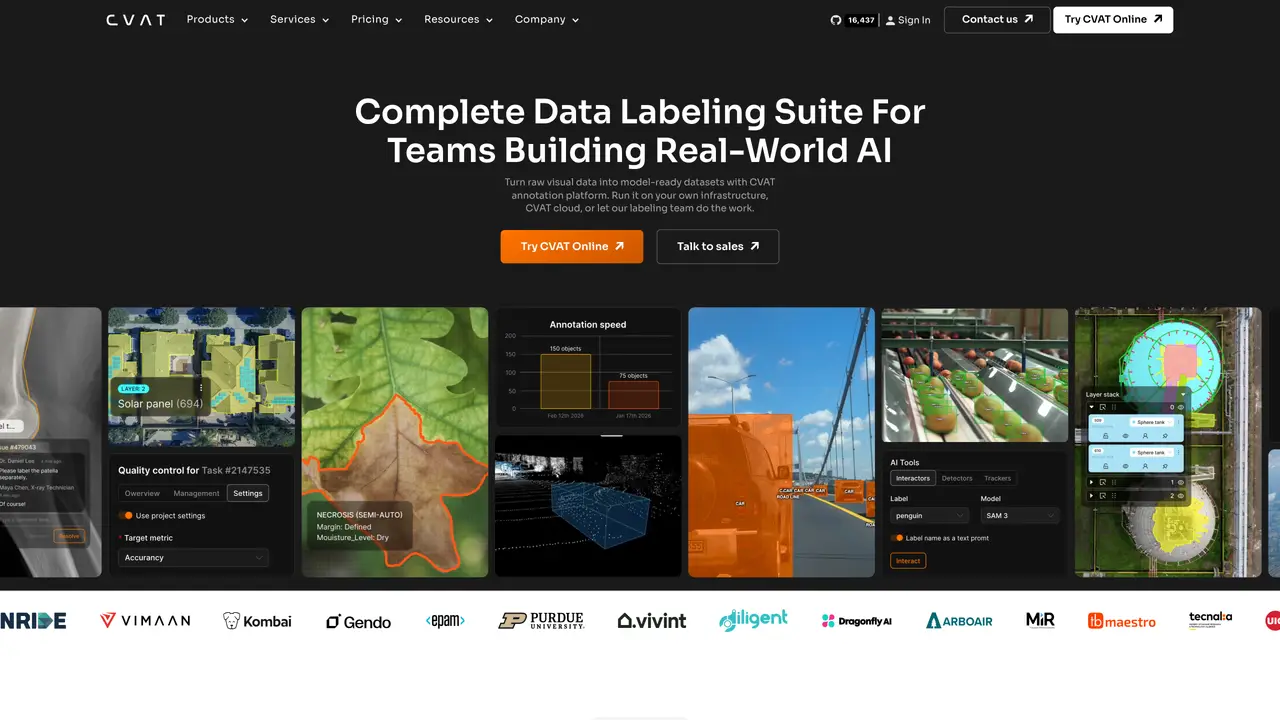
CVAT is an open-source computer vision annotation tool designed to streamline the process of labeling images and videos for machine learning tasks. It provides a user-friendly interface that allows annotators to create, manage, and share annotation groups efficiently. The platform supports both manual and automatic annotation workflows, enabling users to reduce the time and effort required to prepare datasets for training AI models. CVAT is particularly useful for tasks such as image classification, object detection, and facial recognition, offering tools that cater to both individual annotators and collaborative teams. Its drag-and-drop functionality simplifies the annotation process, while advanced features like automatic annotation and group annotation enhance productivity. The tool is accessible across devices and includes options for saving and sharing annotated data with team members, making it a practical solution for teams working on AI model development.
CVAT supports annotation for images, videos, 3D point clouds, and will soon include audio data. It handles tasks like object detection, segmentation, pose estimation, and tracking.
CVAT is designed for teams working with visual data for AI model development, including researchers, engineers, and enterprises in industries like automotive, robotics, healthcare, and geospatial analysis.
CVAT allows organizing annotation work into projects, tasks, and jobs with role-based access control, enabling teams to assign annotators, reviewers, and manage permissions efficiently.
CVAT can be deployed as a cloud-based managed service, self-hosted on-premises, or as an air-gapped solution for enhanced security and compliance.
Yes, CVAT integrates with AI models such as SAM 2, SAM 3, Ultralytics, and Hugging Face to speed up labeling tasks like detection, segmentation, and tracking.
Users can start with CVAT Online for a fully managed cloud platform, self-host CVAT Community for free, or contact sales for CVAT Enterprise tailored to organizational needs.
We use essential cookies to run aitoolnavio™, and optional cookies to analyze traffic and measure our marketing. You choose what we use — optional cookies stay off unless you turn them on. See our Privacy Policy.
One short email a week: fresh tools worth trying, honest takes and the updates that actually matter. No spam, unsubscribe any time.
Scales efficient language processing with open-source accessibility.
Collaboration and version control platform for software development and AI model hosting.
Tesla’s AI stack powers Full Self-Driving, Optimus humanoid robots, and real-world autonomy with neural networks, custom hardware, and Dojo-scale training.
Integrates AI into Airtable to analyze data, summarize insights, draft content, and automate workflows without prior AI experience.
AI-powered website builder that generates a professional site in under a minute and includes tools for content, SEO, and analytics.
Unified platform to access and switch between hundreds of AI models like ChatGPT, Claude, and Gemini via a single API.
xAI builds Grok frontier AI models for reasoning, coding, voice, images, video, enterprise workflows, and developer APIs.
Meta AI enhances machine learning, NLP, and computer vision capabilities.
Crowdsourced platform for blind, side-by-side AI model comparisons with a public leaderboard.
Customize, deploy, and control AI models securely.
Independent benchmarks comparing AI models on quality, speed, and cost across multiple capabilities.
Chat, build, and explore with open AI models.
CVAT – Computer Vision Annotation ToolFreemium RoboflowFreemiumCVAT – Computer Vision Annotation ToolFreemium
 Kili TechnologyFree TrialCVAT – Computer Vision Annotation ToolFreemium
 AlegionFreeCVAT – Computer Vision Annotation ToolFreemium
 SuperAnnotate DesktopContact for Pricing
Matched on what this tool does — grouped by the job you would be replacing.
matches Open-source computer vision annotation platform · Drag-and-drop interface for easy labeling · Manual and automatic annotation workflows
Automate product sorting, detect defects, and build object recognition models quickly.
AI-powered platform for fast, accurate data labeling across text, images, videos, and audio to train AI models efficiently.
Label data, track progress, and achieve fast results with intuitive tools, real-time feedback, and analytics.
Quickly label, segment images and videos with an intuitive interface, and automate annotation tasks using powerful ML tools.










