Scales efficient language processing with open-source accessibility.
357M visits/mo+1%#2 Coding & Development

Estimates the cost of self-hosting AI models based on hardware, usage and labor
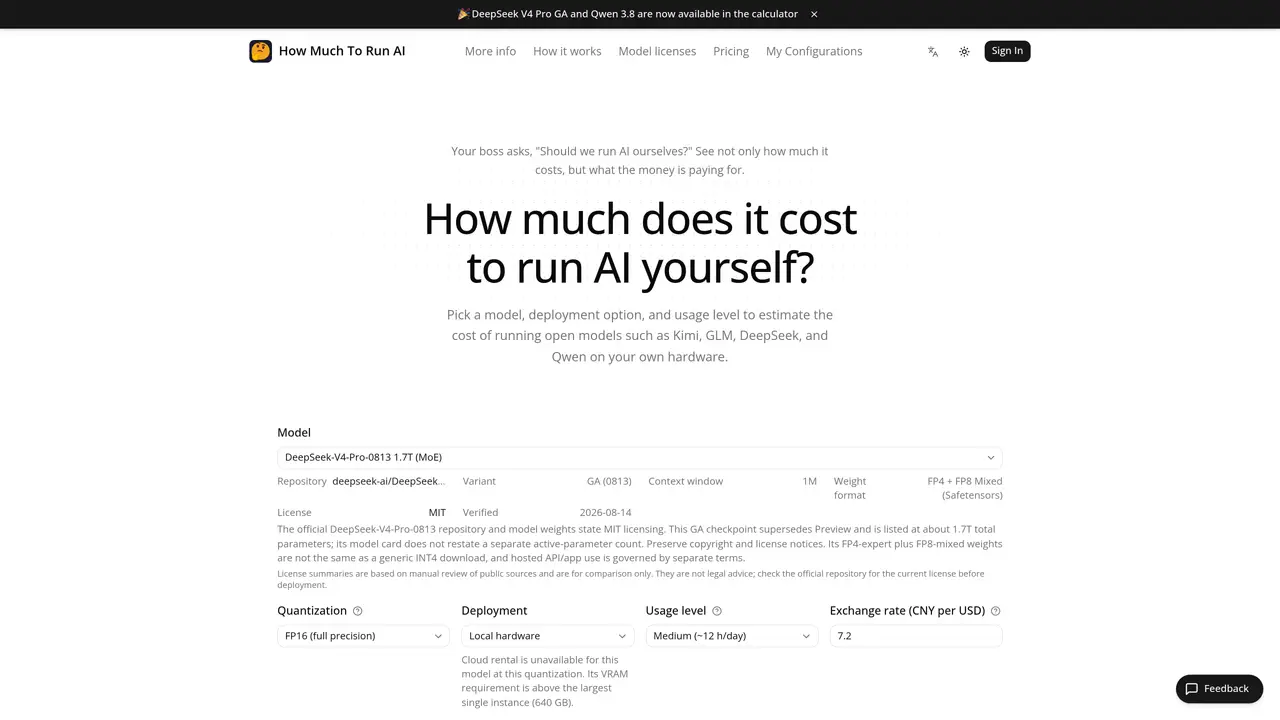
The tool calculates the cost of running open AI models such as Kimi, GLM, DeepSeek and Qwen on local or cloud infrastructure. Users select a model, deployment option and usage level to generate an estimate that includes VRAM, hardware, electricity, labor and source assumptions. The calculation uses model parameters, architecture and hardware specifications from official sources and public price references. It accounts for GPU requirements, power consumption, electricity rates, labor costs and facility overheads like PUE. The result is presented with traceable assumptions and source links so teams can validate and discuss the budget. The estimate is intended as a planning tool for build-or-buy decisions and does not include factors such as throughput, concurrency, latency targets or model quality.
It estimates the cost of running open AI models like Kimi, GLM, DeepSeek, and Qwen on local or cloud infrastructure, including VRAM, hardware, electricity, labor, and source assumptions.
Teams evaluating build-or-buy decisions for AI deployment, including engineers, managers, and finance stakeholders planning infrastructure budgets.
Yes, it incorporates public cloud prices from AWS, Google Cloud, and Microsoft Azure alongside local hardware references.
Yes, users can modify exchange rates, electricity rates, salary ranges, FTE shares, PUE, system multipliers, and depreciation periods to match regional and facility conditions.
It excludes throughput, concurrency, latency targets, model quality, migration, fine-tuning, security, compliance, and application development costs.
Model parameters and hardware specs are drawn from official documentation and Hugging Face, while prices use published public references with update times and source links.
We use essential cookies to run aitoolnavio™, and optional cookies to analyze traffic and measure our marketing. You choose what we use — optional cookies stay off unless you turn them on. See our Privacy Policy.
One short email a week: fresh tools worth trying, honest takes and the updates that actually matter. No spam, unsubscribe any time.
Scales efficient language processing with open-source accessibility.
Collaboration and version control platform for software development and AI model hosting.
Tesla’s AI stack powers Full Self-Driving, Optimus humanoid robots, and real-world autonomy with neural networks, custom hardware, and Dojo-scale training.
Integrates AI into Airtable to analyze data, summarize insights, draft content, and automate workflows without prior AI experience.
AI-powered website builder that generates a professional site in under a minute and includes tools for content, SEO, and analytics.
Unified platform to access and switch between hundreds of AI models like ChatGPT, Claude, and Gemini via a single API.
xAI builds Grok frontier AI models for reasoning, coding, voice, images, video, enterprise workflows, and developer APIs.
Meta AI enhances machine learning, NLP, and computer vision capabilities.
Crowdsourced platform for blind, side-by-side AI model comparisons with a public leaderboard.
Customize, deploy, and control AI models securely.
Independent benchmarks comparing AI models on quality, speed, and cost across multiple capabilities.
Chat, build, and explore with open AI models.
Matched on what this tool does — grouped by the job you would be replacing.
matches Model selection from open models (Kimi, GLM, DeepSeek, Qwen) · Deployment option selection (cloud rental, purchased hardware, existing infrastructure) · Usage level presets (light, medium, heavy)
Compare LLM API pricing and estimate token costs across multiple providers
Automate pricing calculations with customizable results and a user-friendly interface.
Directory and benchmark matrix for discovering and comparing AI models
Modular workbench for designing and running agent workflows with model selection and cost tracking