

Scales efficient language processing with open-source accessibility.
357M visits/mo+1%#2 Coding & Development
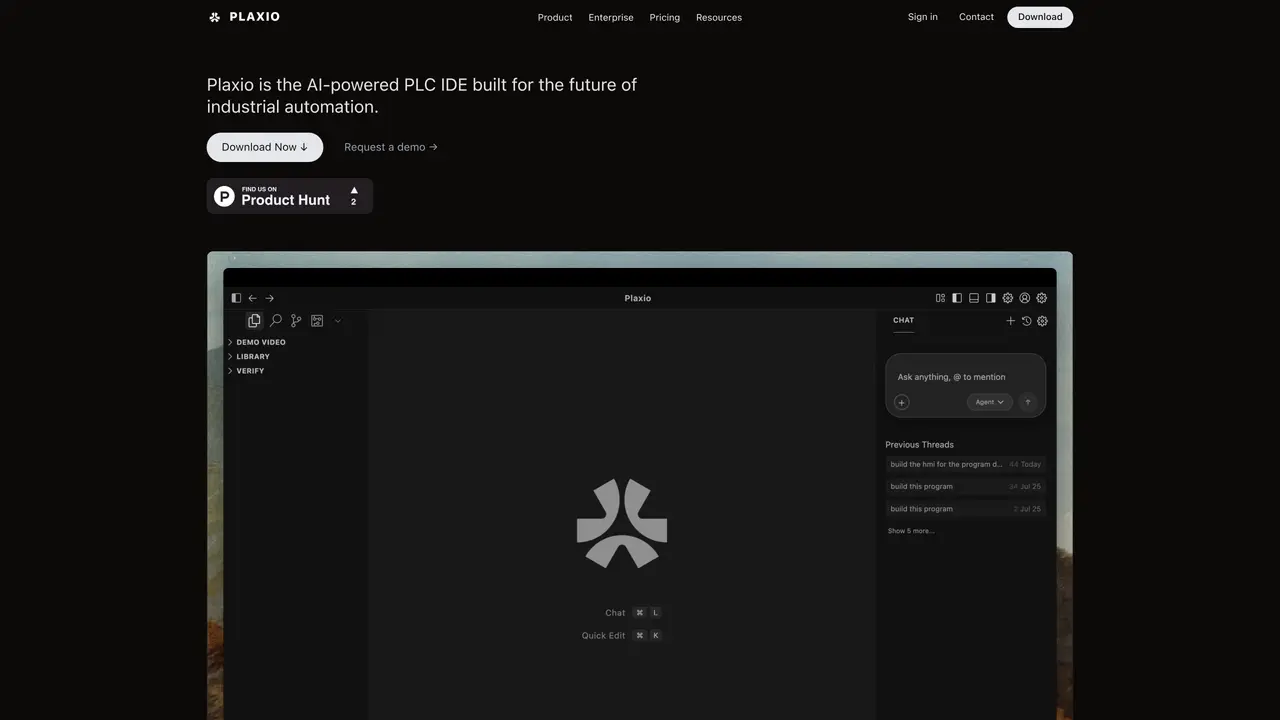
Plaxio is a desktop integrated development environment for industrial automation that combines IEC 61131-3 compliant editors with AI-assisted logic generation. The tool allows engineers to describe control requirements in plain language, and its AI agent produces complete Ladder Diagram rungs, including motor sequences, interlocks, timers, and fault handling, which are inserted directly into projects. It supports multiple programming paradigms through Ladder Diagram, Function Block Diagram, and Sequential Function Chart editors, all synchronized in real time. Projects can be exported losslessly to major PLC vendors such as Rockwell Automation, Siemens, Schneider Electric, and Codesys, with built-in validation to prevent tag mismatches and compliance errors. The platform includes a live tag monitor for real-time editing and forcing of values during simulation, as well as an offline HMI simulator for designing and testing SCADA screens without hardware. Version control is integrated via Git, enabling team collaboration, branching, and rollback of PLC programs treated as code.
Plaxio is an AI-powered integrated development environment (IDE) designed for industrial automation. It allows engineers to describe control requirements in plain language, and its AI agent generates complete IEC 61131-3 compliant PLC logic, such as Ladder Diagram rungs, motor sequences, interlocks, and fault handling, which are directly inserted into projects.
Plaxio is built for control engineers, automation specialists, and teams involved in PLC programming and industrial automation. It is particularly useful for those looking to accelerate logic drafting, reduce manual errors, and collaborate efficiently on PLC projects.
Yes, Plaxio is vendor-neutral and supports lossless export to major PLC vendors such as Rockwell Automation, Siemens, Schneider Electric, Mitsubishi Electric, Omron, Beckhoff, ABB, and Codesys. Projects can also be exported in vendor-neutral formats like PLCopen XML.
Yes, Plaxio is designed to run completely offline, ensuring secure and reliable operation without requiring internet connectivity. This makes it suitable for use in industrial environments with restricted network access.
Yes, Plaxio has built-in Git integration, allowing teams to branch, commit, diff, merge, and roll back PLC programs treated as code. This enables full team collaboration and audit trails for project changes.
You can download Plaxio from its official website and start using it immediately. The tool offers an interactive demo and supports importing existing PLC projects, making it easy to begin without a steep learning curve.
plaxio.tech · third-party estimates from Similarweb
Last 2 months · grows by one month every month
Share of visits by channel
Share of visits · estimated visits
Coding & Development · Sep 2026
Traffic figures are third-party estimates, good for scale and trends; they can differ from a company's own numbers. Updated monthly.
We use essential cookies to run aitoolnavio™, and optional cookies to analyze traffic and measure our marketing. You choose what we use — optional cookies stay off unless you turn them on. See our Privacy Policy.
One short email a week: fresh tools worth trying, honest takes and the updates that actually matter. No spam, unsubscribe any time.
Scales efficient language processing with open-source accessibility.
Collaboration and version control platform for software development and AI model hosting.
Tesla’s AI stack powers Full Self-Driving, Optimus humanoid robots, and real-world autonomy with neural networks, custom hardware, and Dojo-scale training.
Integrates AI into Airtable to analyze data, summarize insights, draft content, and automate workflows without prior AI experience.
AI-powered website builder that generates a professional site in under a minute and includes tools for content, SEO, and analytics.
Unified platform to access and switch between hundreds of AI models like ChatGPT, Claude, and Gemini via a single API.
xAI builds Grok frontier AI models for reasoning, coding, voice, images, video, enterprise workflows, and developer APIs.
Meta AI enhances machine learning, NLP, and computer vision capabilities.
Crowdsourced platform for blind, side-by-side AI model comparisons with a public leaderboard.
Customize, deploy, and control AI models securely.
Independent benchmarks comparing AI models on quality, speed, and cost across multiple capabilities.
Chat, build, and explore with open AI models.
Matched on what this tool does — grouped by the job you would be replacing.
matches AI-powered logic generation from plain English descriptions · Ladder Diagram, Function Block Diagram, and Sequential Function Chart editors · Real-time tag monitoring and on-the-fly editing
AI diagramming and documentation tool for engineering teams to create and update cloud architecture, ERDs, and flowcharts from prompts, code, and CI/CD workflows.
AI-powered BPMN 2.0 diagram generator from plain English descriptions