Scales efficient language processing with open-source accessibility.
357M visits/mo+1%#2 Coding & Development

Automate data cleaning, create custom models, and access real-time predictive analytics for your unique needs.
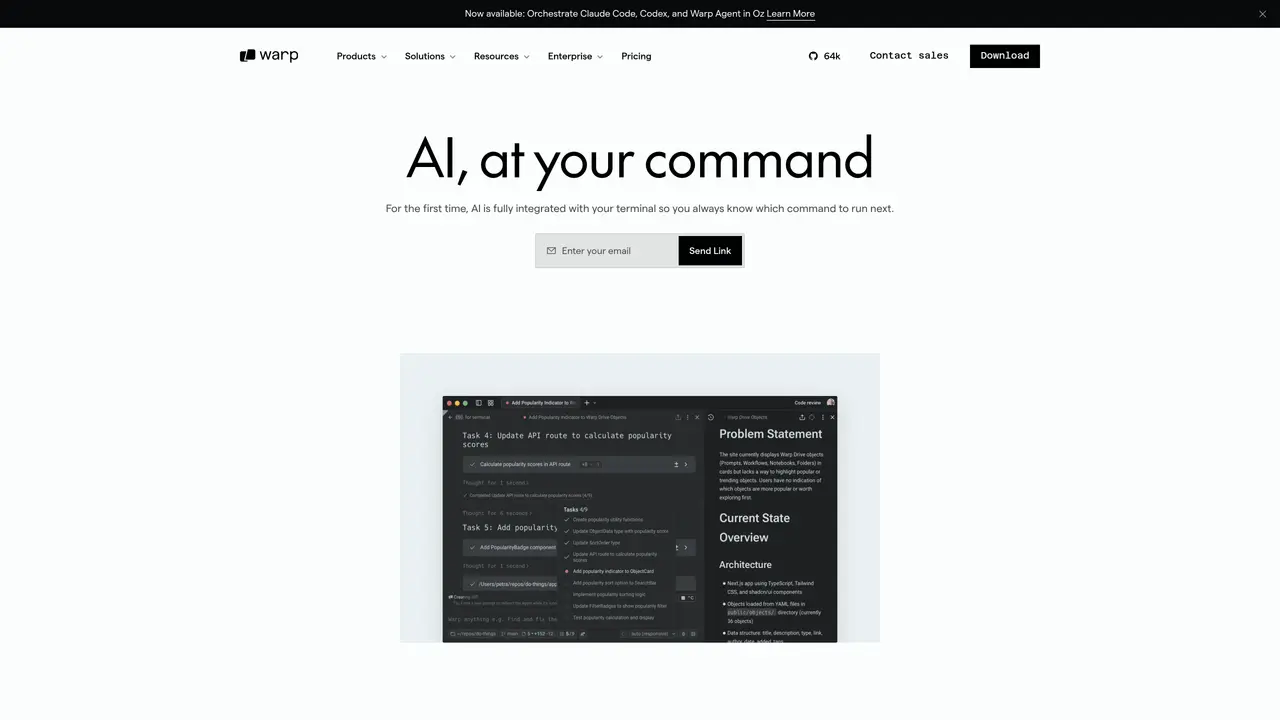
Warp AI is a powerful artificial intelligence platform that helps businesses transform their data into actionable insights. With Warp AI, business owners can quickly and easily access the information they need to make informed decisions. The platform provides real-time predictive analytics, data visualization, and machine learning capabilities to help users gain meaningful insights from their data. The platform is designed to be intuitive, user-friendly, and highly customizable. It allows users to create custom models for their unique needs and to easily access data from multiple sources. Warp AI also offers advanced features such as automated data cleaning, automated feature engineering, and automated model tuning. These features help users quickly and accurately analyze their data, and make smarter decisions. For those who need extra help, Warp AI provides a dedicated team of experts who can provide personalized advice and support. The team is available to answer any questions and offer guidance when needed. The platform’s use cases include automating data cleaning, creating custom models, and accessing real-time predictive analytics. It also offers features such as automated feature engineering and automated model tuning.
Warp AI is an AI-powered assistant integrated directly into the Warp terminal, allowing users to ask natural-language questions, fix errors, and receive command suggestions without leaving their command line. It supports models like Claude 3.5 Sonnet, Haiku, and GPT-4o, and can be used for tasks such as explaining errors, guiding workflows, and automating repetitive tasks.
Yes, Warp AI can analyze error messages in your terminal output, explain what went wrong, and suggest fixes. It can also identify missing dependencies or provide step-by-step guidance to resolve issues without requiring manual searches on platforms like Stack Overflow.
Warp AI allows users to save and reuse workflows in Warp Drive, enabling automation of repetitive tasks. Users can name, describe, and parameterize commands, then run or share them with their team without additional setup.
Warp AI follows a hands-off approach to data privacy. Your terminal input and output are not stored on Warp servers and are passed directly to the AI provider APIs. Warp does not allow OpenAI or Anthropic to use your data for model training, and enterprise customers receive zero data retention guarantees.
Warp AI supports multiple models, including Claude 3.5 Sonnet, Haiku, and GPT-4o. Users can select their preferred model, and enterprise customers have the option to bring their own large language models (LLMs).
To get started, download and install the Warp terminal from the official website. Once installed, you can access Warp AI directly from the terminal by typing '#' to ask natural-language questions or right-clicking to explain errors. No additional setup is required for basic use.
warp.dev · third-party estimates from Similarweb
Last 4 months · grows by one month every month
Share of visits · estimated visits
Other countries: 56.4%
How people reach this site from other AI tools
4K a month · 0.5% of all visits
Coding & Development · Sep 2026
Traffic figures are third-party estimates, good for scale and trends; they can differ from a company's own numbers. Updated monthly.
We use essential cookies to run aitoolnavio™, and optional cookies to analyze traffic and measure our marketing. You choose what we use — optional cookies stay off unless you turn them on. See our Privacy Policy.
One short email a week: fresh tools worth trying, honest takes and the updates that actually matter. No spam, unsubscribe any time.
Scales efficient language processing with open-source accessibility.
Collaboration and version control platform for software development and AI model hosting.
Tesla’s AI stack powers Full Self-Driving, Optimus humanoid robots, and real-world autonomy with neural networks, custom hardware, and Dojo-scale training.
Integrates AI into Airtable to analyze data, summarize insights, draft content, and automate workflows without prior AI experience.
AI-powered website builder that generates a professional site in under a minute and includes tools for content, SEO, and analytics.
Unified platform to access and switch between hundreds of AI models like ChatGPT, Claude, and Gemini via a single API.
xAI builds Grok frontier AI models for reasoning, coding, voice, images, video, enterprise workflows, and developer APIs.
Meta AI enhances machine learning, NLP, and computer vision capabilities.
Crowdsourced platform for blind, side-by-side AI model comparisons with a public leaderboard.
Customize, deploy, and control AI models securely.
Independent benchmarks comparing AI models on quality, speed, and cost across multiple capabilities.
Chat, build, and explore with open AI models.
Matched on what this tool does — grouped by the job you would be replacing.
matches Automate data cleaning · Create custom models for unique needs · Access real-time predictive analytics
Create predictive models, automate data cleaning, and generate insights for business trends.
Prepare, explore, automate ML process, monitor and optimize models with powerful visualization tools.
Automate data preparation, build models, explore data, make predictions with pre-built models and advanced algorithms.
Automated machine learning tool that simplifies building, tuning, deploying, and monitoring predictive models with minimal effort.
matches Automate data cleaning · Automated feature engineering
Rapidly create, deploy, and manage ML models, streamline data preparation, explore and analyze data effortlessly.
Transform raw data, create content with customizable templates, and implement predictive analytics and ML algorithms.