

Scales efficient language processing with open-source accessibility.
357M visits/mo+1%#2 Coding & Development
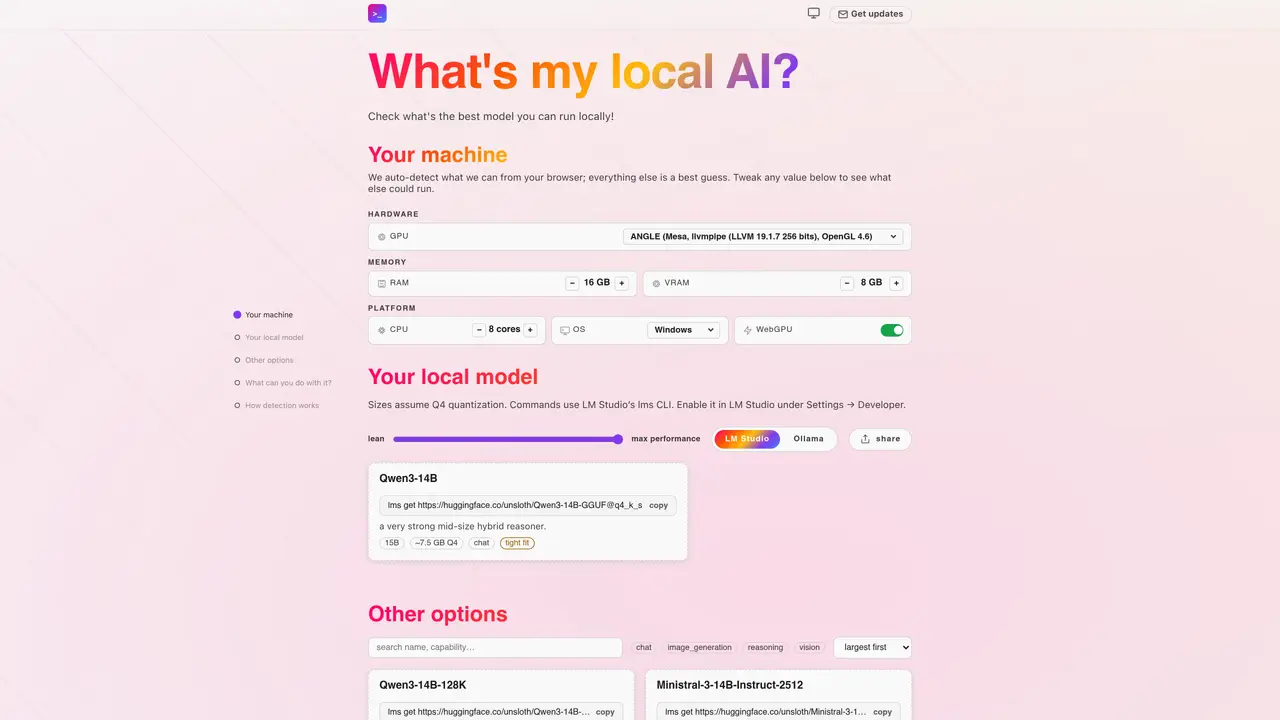
What’s my local AI? evaluates which local AI models can be run on a given machine by analyzing hardware specifications. The tool auto-detects GPU, RAM, VRAM, CPU cores, operating system, and WebGPU support from the browser, allowing users to manually adjust these values for hypothetical scenarios. It then lists compatible models, including options from LM Studio and Ollama, and indicates whether a model fits tightly or comfortably within the detected or adjusted hardware limits. The interface provides sorting and filtering options to refine model selection based on performance or size. The tool is designed for users interested in running AI models locally without relying on cloud services.
It evaluates which local AI models can run on a user's machine by analyzing hardware specifications such as GPU, RAM, VRAM, CPU cores, operating system, and WebGPU support. The tool provides a list of compatible models and indicates whether they fit tightly or comfortably within the detected or adjusted hardware limits.
It is designed for users interested in running AI models locally without relying on cloud services, including developers, researchers, and privacy-conscious individuals who want to experiment with open-weight models on their own hardware.
The tool auto-detects hardware specifications directly in the user's browser, including GPU, RAM, VRAM, CPU cores, operating system, and WebGPU support. Users can manually adjust these values to simulate different hardware configurations.
Yes, the detection runs entirely locally in the browser, so no data is uploaded or shared. The tool functions offline after the initial page load.
The tool lists compatible models from sources like LM Studio and Ollama, and provides options to filter and sort models based on performance or size.
Visit the website, allow JavaScript to run, and the tool will automatically detect your hardware specifications. Adjust values as needed and explore the list of compatible models to find the best fit for your system.
We use essential cookies to run aitoolnavio™, and optional cookies to analyze traffic and measure our marketing. You choose what we use — optional cookies stay off unless you turn them on. See our Privacy Policy.
One short email a week: fresh tools worth trying, honest takes and the updates that actually matter. No spam, unsubscribe any time.
Scales efficient language processing with open-source accessibility.
Collaboration and version control platform for software development and AI model hosting.
Tesla’s AI stack powers Full Self-Driving, Optimus humanoid robots, and real-world autonomy with neural networks, custom hardware, and Dojo-scale training.
Integrates AI into Airtable to analyze data, summarize insights, draft content, and automate workflows without prior AI experience.
AI-powered website builder that generates a professional site in under a minute and includes tools for content, SEO, and analytics.
Unified platform to access and switch between hundreds of AI models like ChatGPT, Claude, and Gemini via a single API.
xAI builds Grok frontier AI models for reasoning, coding, voice, images, video, enterprise workflows, and developer APIs.
Meta AI enhances machine learning, NLP, and computer vision capabilities.
Crowdsourced platform for blind, side-by-side AI model comparisons with a public leaderboard.
Customize, deploy, and control AI models securely.
Independent benchmarks comparing AI models on quality, speed, and cost across multiple capabilities.
Chat, build, and explore with open AI models.
Matched on what this tool does — grouped by the job you would be replacing.
matches Hardware auto-detection · Manual hardware specification adjustment · Model compatibility filtering
A browser-based tool that scans your hardware and checks which AI models you can run locally.
Check which local AI models your smartphone can run and estimate their inference speed in tokens per second.
Windows application for running private local AI models fully offline
Matches local large language models to hardware and use cases with step-by-step guides