AI-powered website builder that generates a professional site in under a minute and includes tools for content, SEO, and analytics.
52M visits/mo+0.7%#4 Coding & Development

Guided 15-stage framework for internal teams to practice responsible AI-assisted coding in VS Code or Cursor
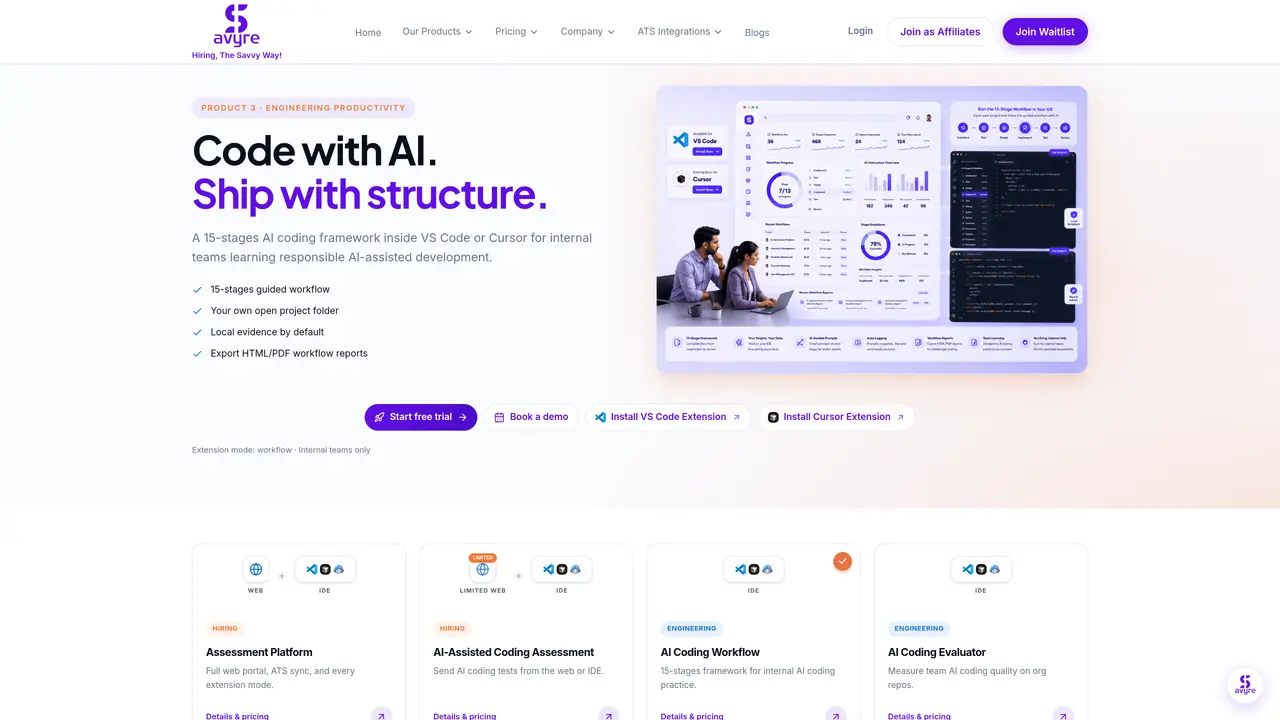
A 15-stage AI coding framework embedded in VS Code or Cursor designed for internal engineering teams to learn responsible AI-assisted development practices. The tool guides developers through structured stages—understand, plan, implement, test, and review—while logging AI interactions and maintaining local evidence by default. Workflow reports can be exported as HTML or PDF for coaching and auditing purposes. The framework operates within an open project folder, ensuring evidence remains local and consent-first. It does not include candidate assessments or hiring flows, focusing instead on internal practice and team improvement. The product is available as a VS Code or Cursor extension with a free tier offering basic access and paid tiers scaling by developer count.
This tool is designed exclusively for internal engineering teams to practice responsible AI-assisted development. It does not include candidate assessments, hiring flows, or sending tests to candidates.
The workflow operates as a VS Code or Cursor extension, guiding developers through 15 structured stages within their own open project folder. It logs AI interactions and maintains local evidence by default.
Yes, workflow reports can be exported as HTML or PDF summaries, which are useful for coaching, auditing, or reviewing team progress in AI-assisted development practices.
No, the tool does not require a web portal or full codebase upload. It operates locally within your IDE, ensuring privacy and consent-first workflows with no hidden monitoring.
The tool offers a free tier with basic access and paid tiers that scale by developer count, with volume discounts available. Pricing is transparent and per-developer based.
To get started, install the VS Code or Cursor extension, select the workflow mode, open your project folder, and follow the 15-stage guided framework. A free trial is available with no credit card required.
We use essential cookies to run aitoolnavio™, and optional cookies to analyze traffic and measure our marketing. You choose what we use — optional cookies stay off unless you turn them on. See our Privacy Policy.
One short email a week: fresh tools worth trying, honest takes and the updates that actually matter. No spam, unsubscribe any time.
AI-powered website builder that generates a professional site in under a minute and includes tools for content, SEO, and analytics.
AI-powered coding platform that uses agents to plan, write, and test software with real-time feedback and verifiable artifacts.
Automate code, research, and documents using agents.
AI-powered code assistant that generates, reviews, optimizes, and debugs code with natural language prompts and editor integrations.
AI assistant for safe, reliable productivity with code, collaboration, and integrations.
AI-powered IDE for autonomous coding tasks and agentic development workflows
Privacy-focused AI chatbot that generates uncensored text, code, images, and translations without storing conversations or requiring an account.
A free web-based AI chatbot and agent for writing, coding, research, and content creation with multilingual support.
Write & run code in 50+ languages, auto-complete with AI, and code faster with an intuitive interface.
An IDE that automates legacy-to-modern code migration using autonomous coding agents.
AI models that return typed decisions with calibrated confidence for software automation
Practice coding challenges, improve technical skills, get detailed explanations, compare performance with peers.
Matched on what this tool does — grouped by the job you would be replacing.
matches 15-stage AI coding framework with guided prompts · AI interaction logging within the IDE · Local evidence storage by default
AI-powered coding platform that uses agents to plan, write, and test software with real-time feedback and verifiable artifacts.
Centralized control plane for managing internal AI agents across teams
Team-wide analytics for coding agent sessions
BuilderStudio is a native macOS agentic coding platform from WunderCorp that helps builders and teams create, edit, preview, and deploy software with AI agents.
matches Local evidence storage by default · Policy-based controls for team management · VS Code and Cursor extension support
Parallel AI coding agent IDE that runs multiple agents side by side in isolated git worktrees for faster, comparative development.
Local-first desktop workspace for managing multiple AI agents with policy controls