
OpenAI builds and deploys advanced AI models like GPT-4o for autonomous agents and workflows.

ComputeArena
0Popularity
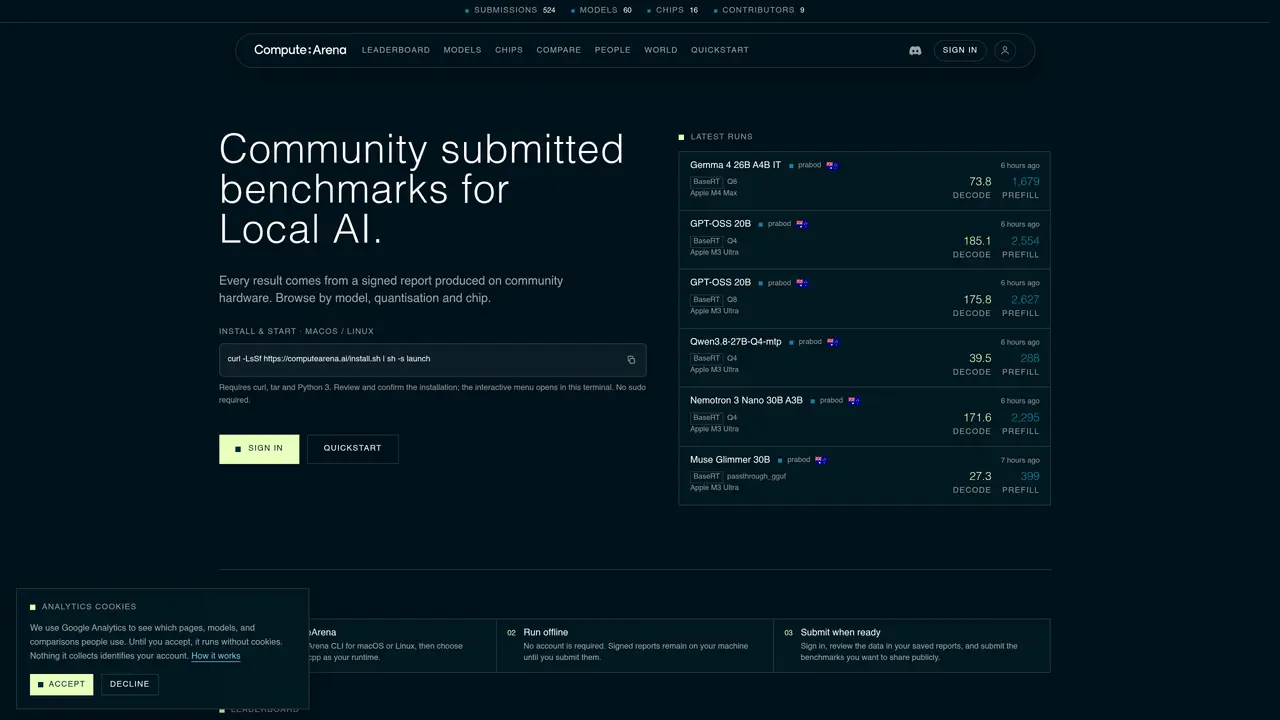
About ComputeArena
ComputeArena provides a public leaderboard for benchmarking local AI models on edge devices. Users install a command-line tool on macOS or Linux to run standardized tests offline. Benchmarks measure prefill and decode performance across different models, quantization levels, and hardware configurations. Results are generated as signed reports stored locally and can be submitted to the public leaderboard when ready. The platform supports multiple runtimes including BaseRT and llama.cpp, allowing comparison of performance metrics such as tokens per second for both prefill and decode operations. Users can filter results by model, quantization, chip type, and runtime to analyze compatibility and performance trade-offs. The leaderboard displays headline rankings and detailed workload measurements for each submitted benchmark.
Key features
- Install via CLI on macOS/Linux
- Choose between BaseRT and llama.cpp runtimes
- Measure prefill and decode performance
- Filter benchmarks by model, quantization, and chip
- Submit signed reports to public leaderboard
- Compare compatible PP512 prefill and TG128 decode workloads
- View detailed workload measurements per result
- Search and rank results by multiple criteria
Use cases
- Compare local AI model performance across different edge devices
- Evaluate quantization impact on model speed and efficiency
- Benchmark new hardware for local inference capabilities
Pros
- Public leaderboard for standardized benchmark comparisons
- Offline operation with signed local reports
- Supports multiple runtimes (BaseRT, llama.cpp)
- No sudo required for installation
- Community-submitted benchmarks across diverse hardware
Cons
- macOS and Linux only
- Command-line interface only
- Requires manual installation and setup
- No Windows support
Frequently asked questions about ComputeArena
What is ComputeArena and what does it do?
ComputeArena is a public leaderboard for benchmarking local AI models on edge devices. It allows users to run standardized offline tests on macOS or Linux, measuring performance across models, quantization levels, and hardware configurations.
Who should use ComputeArena?
ComputeArena is designed for developers, researchers, and enthusiasts working with local AI models on edge devices who want to compare performance metrics like tokens per second for prefill and decode operations.
How do I get started with ComputeArena?
To get started, install the ComputeArena CLI for macOS or Linux using the provided command. The tool runs offline without requiring an account, and signed reports are generated locally before optional submission to the public leaderboard.
What runtimes does ComputeArena support?
ComputeArena supports multiple runtimes, including BaseRT and llama.cpp, allowing users to compare performance metrics across different execution environments.
Can I submit benchmark results to the public leaderboard?
Yes, users can sign in, review their locally generated signed reports, and submit benchmarks to the public leaderboard when ready. Results are displayed with detailed workload measurements.
How are results filtered and displayed on the leaderboard?
The leaderboard allows filtering by model, quantization, chip type, and runtime. Results show headline rankings and detailed workload measurements, including prefill and decode performance metrics.