
AI-powered website builder that generates a professional site in under a minute and includes tools for content, SEO, and analytics.
52M visits/mo+0.7%#4 Coding & Development
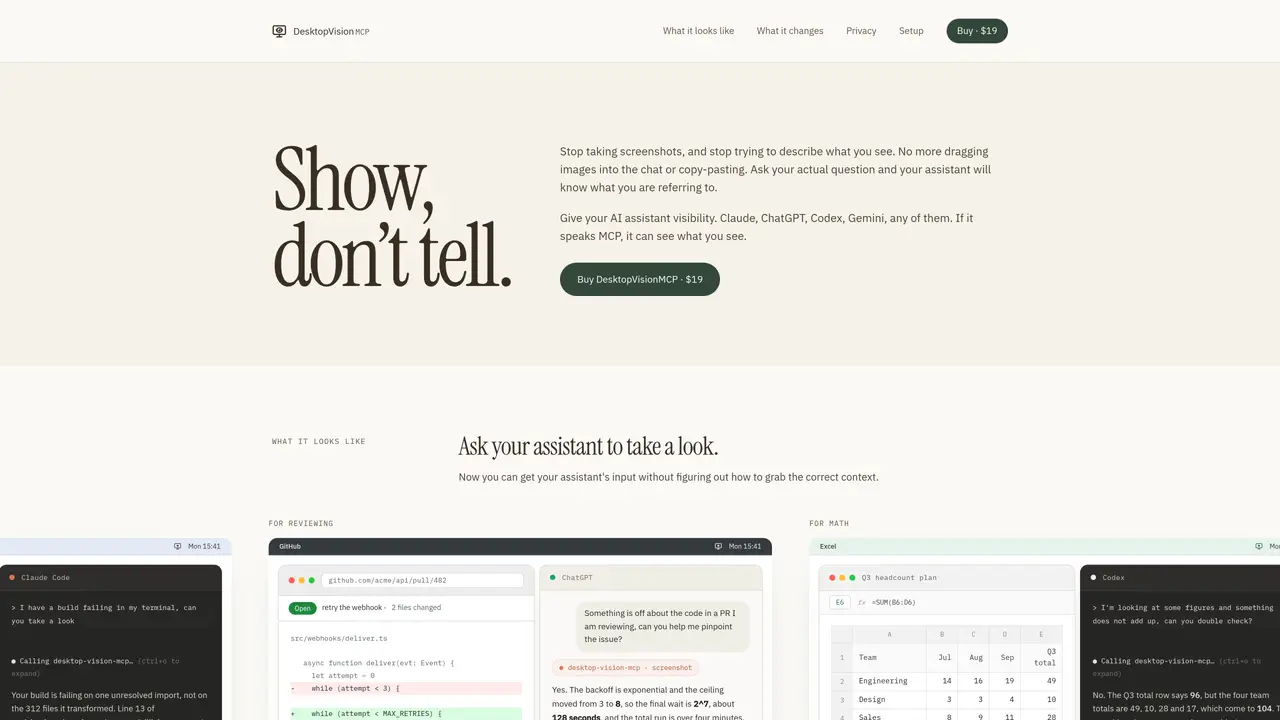
DesktopVisionMCP is an MCP server that provides AI assistants with direct access to the user’s screen. Instead of manually describing or capturing screenshots, users can ask their assistant to view the current screen and analyze it in context. The tool integrates with any AI assistant that supports the MCP protocol, including Claude, ChatGPT, Codex, and Gemini. It is designed to reduce errors caused by missing or misinterpreted context by allowing the assistant to see the actual error messages, code diffs, spreadsheets, or UI elements being referenced. The server captures the screen only when explicitly requested by the assistant and displays its operational state in the menu bar. It requires screen recording permissions but does not continuously monitor or record video, nor does it perform any actions like clicking or typing on the user’s behalf. The tool is intended for developers, reviewers, designers, and professionals who need to collaborate with AI assistants on tasks involving visual context, such as debugging code, reviewing documents, or analyzing data.
DesktopVisionMCP is an MCP server that enables AI assistants to view and analyze the user's screen directly, reducing the need for manual screenshots or descriptions. It integrates with any AI assistant supporting the MCP protocol, such as Claude, ChatGPT, Codex, or Gemini.
The tool is designed for developers, reviewers, designers, and professionals who collaborate with AI assistants on tasks requiring visual context, such as debugging code, reviewing documents, or analyzing data.
The tool captures the screen only when explicitly requested by the assistant and displays its operational state in the menu bar. It requires screen recording permissions but does not continuously monitor or record video, nor does it perform actions like clicking or typing.
Yes, it is a plain MCP server that works with any AI assistant supporting the MCP protocol, including Claude, ChatGPT, Codex, and Gemini, without requiring changes to your existing setup.
The tool only captures the screen when requested by the assistant and stops completely when not in use. It does not continuously monitor, record video, or perform any automated actions on the user's machine.
Users need to install the tool and grant screen recording permissions. The setup process involves copying install instructions from the app menu, and the tool integrates seamlessly with supported AI assistants.
We use essential cookies to run aitoolnavio™, and optional cookies to analyze traffic and measure our marketing. You choose what we use — optional cookies stay off unless you turn them on. See our Privacy Policy.
One short email a week: fresh tools worth trying, honest takes and the updates that actually matter. No spam, unsubscribe any time.
AI-powered website builder that generates a professional site in under a minute and includes tools for content, SEO, and analytics.
AI-powered coding platform that uses agents to plan, write, and test software with real-time feedback and verifiable artifacts.
Automate code, research, and documents using agents.
AI-powered code assistant that generates, reviews, optimizes, and debugs code with natural language prompts and editor integrations.
AI assistant for safe, reliable productivity with code, collaboration, and integrations.
AI-powered IDE for autonomous coding tasks and agentic development workflows
Privacy-focused AI chatbot that generates uncensored text, code, images, and translations without storing conversations or requiring an account.
A free web-based AI chatbot and agent for writing, coding, research, and content creation with multilingual support.
Write & run code in 50+ languages, auto-complete with AI, and code faster with an intuitive interface.
An IDE that automates legacy-to-modern code migration using autonomous coding agents.
AI models that return typed decisions with calibrated confidence for software automation
Practice coding challenges, improve technical skills, get detailed explanations, compare performance with peers.
Matched on what this tool does — grouped by the job you would be replacing.
matches Direct screen capture on assistant request · Menu bar state indicator · Works with any MCP-compatible AI assistant
Continuously captures screen, audio, and app data to provide AI agents with local work history
Free macOS menubar app that captures screenshots and queries GPT-4o/GPT-4 Vision for instant visual analysis and code help.
Extracts, translates, and analyzes text from any screen content on macOS