Generate content, correct spelling, suggest synonyms to enhance writing.
173M visits/mo+0.1%#1 Productivity & Office
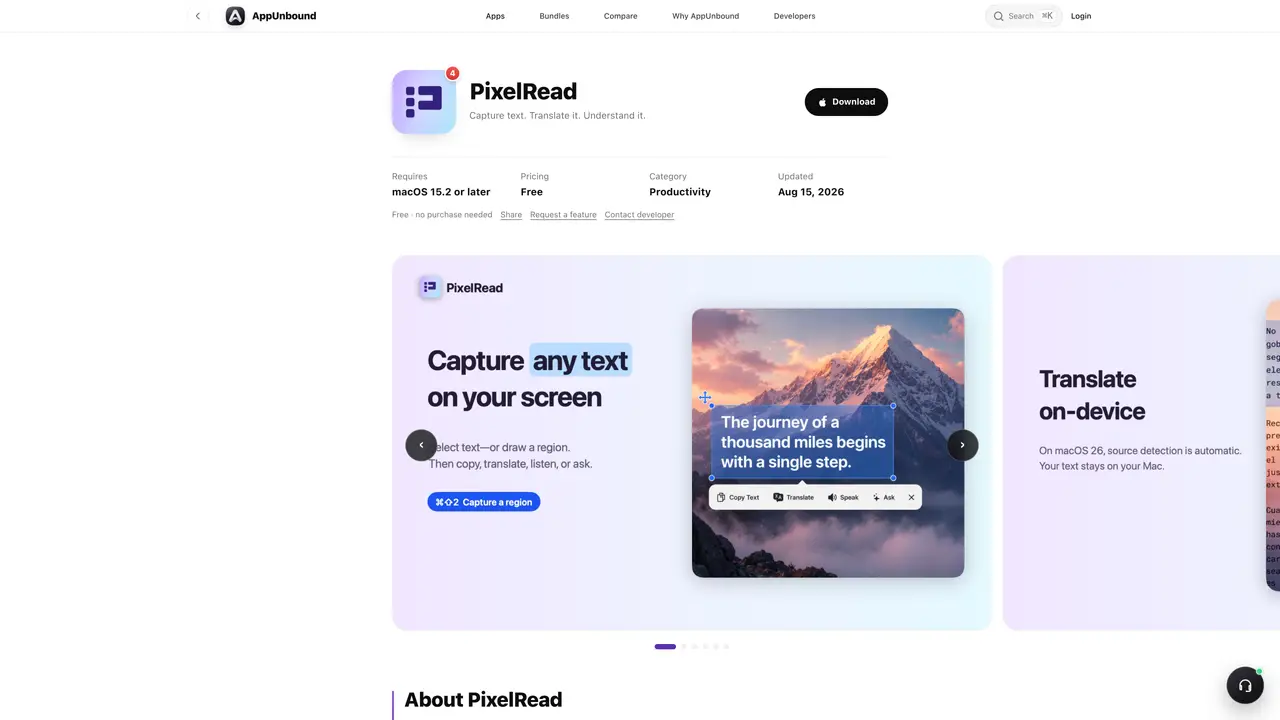
PixelRead is a macOS utility that captures text from images, videos, PDFs, websites, or app interfaces using on-device OCR. It recognizes the source language and can translate text locally without sending data to external servers. On supported Macs running macOS 26, it integrates with Apple Intelligence to summarize, rewrite, extract key details, or answer questions grounded in the captured text. The tool operates from the menu bar and activates with a keyboard shortcut, allowing users to copy, translate, summarize, or listen to the extracted content without leaving the current application. It supports both Apple Silicon and Intel Macs and requires macOS 15.2 or later. PixelRead is designed for users who need to quickly process text from visual sources without manual transcription or context switching.
PixelRead is a macOS utility that captures text from images, videos, PDFs, websites, or app interfaces using on-device OCR. It allows users to copy, translate, summarize, rewrite, extract key details, or ask questions about the captured text directly from the menu bar.
PixelRead is designed for users who need to quickly process text from visual sources without manual transcription or switching applications. It is particularly useful for professionals, researchers, or anyone working with multilingual content on macOS.
PixelRead performs translations and text processing on-device using Apple's frameworks, ensuring that data remains local and private. On supported Macs with Apple Intelligence, it can summarize, rewrite, extract details, or answer questions grounded in the captured text without sending data to external servers.
PixelRead requires macOS 15.2 or later and runs natively on both Apple Silicon and Intel Macs. It operates from the menu bar and can be activated with a keyboard shortcut.
Yes, PixelRead is free to download and use with no purchase required. Updates are provided automatically for as long as the app is listed.
To get started, download PixelRead from the official source, ensure your Mac meets the system requirements, and use the keyboard shortcut ⌘⇧2 to capture text from any screen region. The tool will then process the text locally for further actions.
We use essential cookies to run aitoolnavio™, and optional cookies to analyze traffic and measure our marketing. You choose what we use — optional cookies stay off unless you turn them on. See our Privacy Policy.
One short email a week: fresh tools worth trying, honest takes and the updates that actually matter. No spam, unsubscribe any time.
Generate content, correct spelling, suggest synonyms to enhance writing.
Turn messy team ideas into actionable plans with Miro's visual workspace.
Leverage analytics, automate tasks, share documents, and coordinate projects.
Integrates AI into Airtable to analyze data, summarize insights, draft content, and automate workflows without prior AI experience.
Cloud accounting software that automates bookkeeping, invoicing, and financial reporting for small and growing businesses.
Streamline teamwork, manage projects, automate tasks efficiently.
Automate code, research, and documents using agents.
AI assistant for safe, reliable productivity with code, collaboration, and integrations.
Create customizable tables, databases, and spreadsheets, share data securely with team members.
Easy-to-use CRM platform that automates lead capturing, prioritizes tasks, and provides sales pipeline analytics for businesses of all sizes.
Transforms thoughts into actions, enhancing productivity and efficiency.
Write & run code in 50+ languages, auto-complete with AI, and code faster with an intuitive interface.
Matched on what this tool does — grouped by the job you would be replacing.
Paid placement · similar tools from listings that support aitoolnavio™
Instant lead response for home-service pros: your phone rings on every new lead, plus 14 days of follow-up
matches Capture text from any screen region using ⌘⇧2 · Instant OCR conversion of images, videos, PDFs, and app interfaces
matches On-device translation with Apple’s framework · Read text aloud in original or translated form
Local spell checker and grammar corrector for macOS using Ollama models
Mac clipboard manager with history, screenshot OCR, and on-device AI
Menu-bar translator for macOS that translates text or images on screen
Desktop AI assistant triggered by keyboard shortcuts for instant queries, translations and summaries
A MacOS app that lets users control their computer with voice commands, dictate text, and automate workflows using GPT-4.
Real-time speech translation with live captions and voice for Mac audio, meetings and calls