

Generate content, correct spelling, suggest synonyms to enhance writing.
173M visits/mo+0.1%#1 Productivity & Office
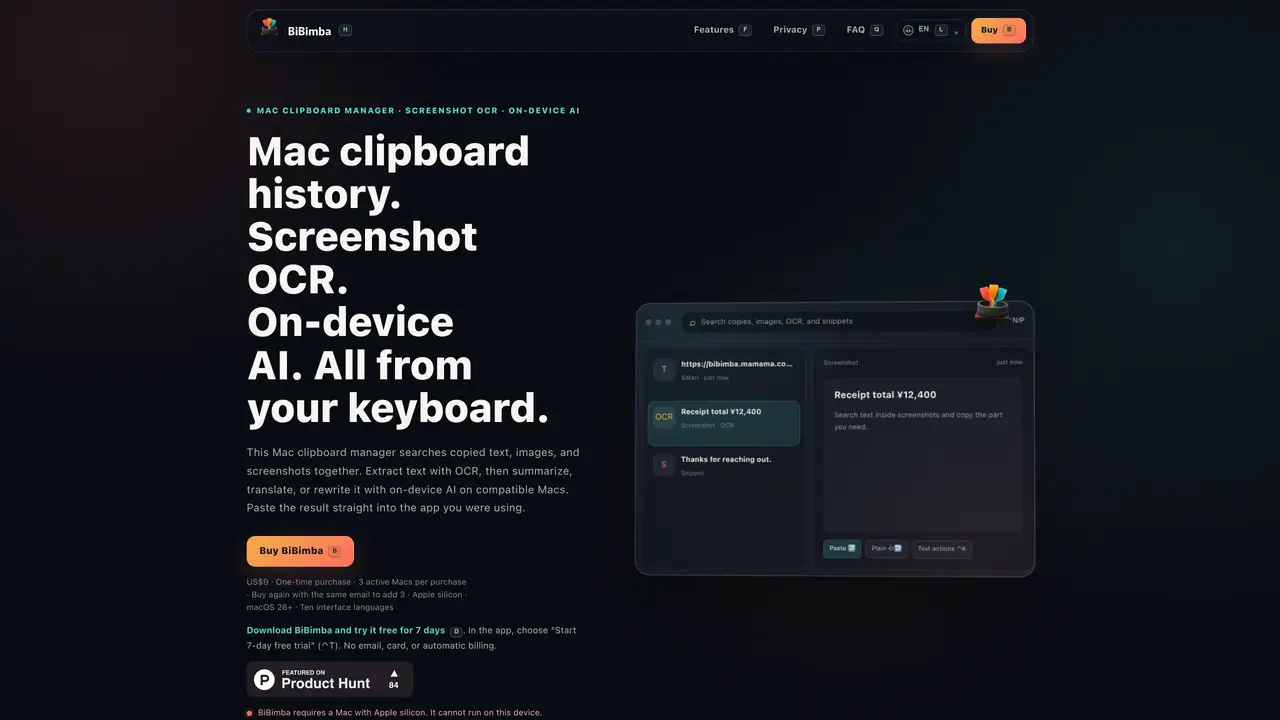
BiBimba is a Mac-exclusive clipboard manager that records and indexes copied text, images, and screenshots. It allows users to search across clipboard history, screenshots, and OCR-extracted text from images, then paste selected items back into any application. The tool includes built-in optical character recognition for screenshots and copied images, enabling text extraction and conversion into formats like Markdown, JSON, or HTML. On compatible Macs with Apple Intelligence, it supports on-device AI actions such as translation, summarization, and rewriting of selected text. Users can trigger these actions via keyboard shortcuts and paste results directly into their workflow. All data is stored locally on the user’s Mac, with configurable retention settings and manual deletion options. The interface supports multiple languages and operates without ads or analytics.
BiBimba is a Mac clipboard manager that records and indexes copied text, images, and screenshots. It enables users to search across clipboard history, screenshots, and OCR-extracted text from images, then paste selected items back into any application.
BiBimba is designed for Mac users who frequently copy and paste text, images, or screenshots and need to search, organize, or transform clipboard content efficiently. It is particularly useful for professionals handling receipts, documents, or multilingual content.
BiBimba is available as a one-time purchase that covers up to 3 active Macs per license, with all updates included. There are no recurring fees or subscriptions.
BiBimba operates independently as a standalone Mac application and does not require or integrate with third-party apps. It works directly within the macOS environment and any application you use.
BiBimba requires an Apple silicon Mac running macOS 26 or later. Some features, such as on-device AI actions like translation or summarization, require a compatible setup with Apple Intelligence enabled.
Download the DMG file from the official website, move BiBimba to your Applications folder, and open it. The app is distributed with Apple notarization for security. A 7-day free trial is available without requiring an email or payment.
We use essential cookies to run aitoolnavio™, and optional cookies to analyze traffic and measure our marketing. You choose what we use — optional cookies stay off unless you turn them on. See our Privacy Policy.
One short email a week: fresh tools worth trying, honest takes and the updates that actually matter. No spam, unsubscribe any time.
Generate content, correct spelling, suggest synonyms to enhance writing.
Turn messy team ideas into actionable plans with Miro's visual workspace.
Leverage analytics, automate tasks, share documents, and coordinate projects.
Integrates AI into Airtable to analyze data, summarize insights, draft content, and automate workflows without prior AI experience.
Cloud accounting software that automates bookkeeping, invoicing, and financial reporting for small and growing businesses.
Streamline teamwork, manage projects, automate tasks efficiently.
Automate code, research, and documents using agents.
AI assistant for safe, reliable productivity with code, collaboration, and integrations.
Create customizable tables, databases, and spreadsheets, share data securely with team members.
Easy-to-use CRM platform that automates lead capturing, prioritizes tasks, and provides sales pipeline analytics for businesses of all sizes.
Transforms thoughts into actions, enhancing productivity and efficiency.
Write & run code in 50+ languages, auto-complete with AI, and code faster with an intuitive interface.
Matched on what this tool does — grouped by the job you would be replacing.
Paid placement · similar tools from listings that support aitoolnavio™
Instant lead response for home-service pros: your phone rings on every new lead, plus 14 days of follow-up
matches Clipboard history search · On-device AI text actions (translate, summarize, rewrite) · Keyboard shortcuts for quick access
matches Screenshot OCR with text extraction · OCR for extracting text from screenshots · Screen region OCR and visual data analysis
matches On-device AI text actions (translate, summarize, rewrite) · Real-time translation in multiple languages · Instant text summarization for articles and PDFs
Mac command center with local AI, window management and clipboard history
Local-first AI assistant for Mac that captures notes, transcribes meetings, and provides context-aware chat
Mac clipboard manager with on-device AI actions for text and screenshots
Organizes and searches screenshots locally on Apple devices
Extracts, translates, and analyzes text from any screen content on macOS
Searches screenshots and images by text descriptions or OCR content
Desktop AI assistant triggered by keyboard shortcuts for instant queries, translations and summaries
A native macOS AI writing assistant that converts speech to text, rewrites text, and translates in 180+ languages across 300+ apps for Mac users.
Instant text translation, shortening, fixing and dictation right in any app