

AI-powered website builder that generates a professional site in under a minute and includes tools for content, SEO, and analytics.
52M visits/mo+0.7%#4 Coding & Development
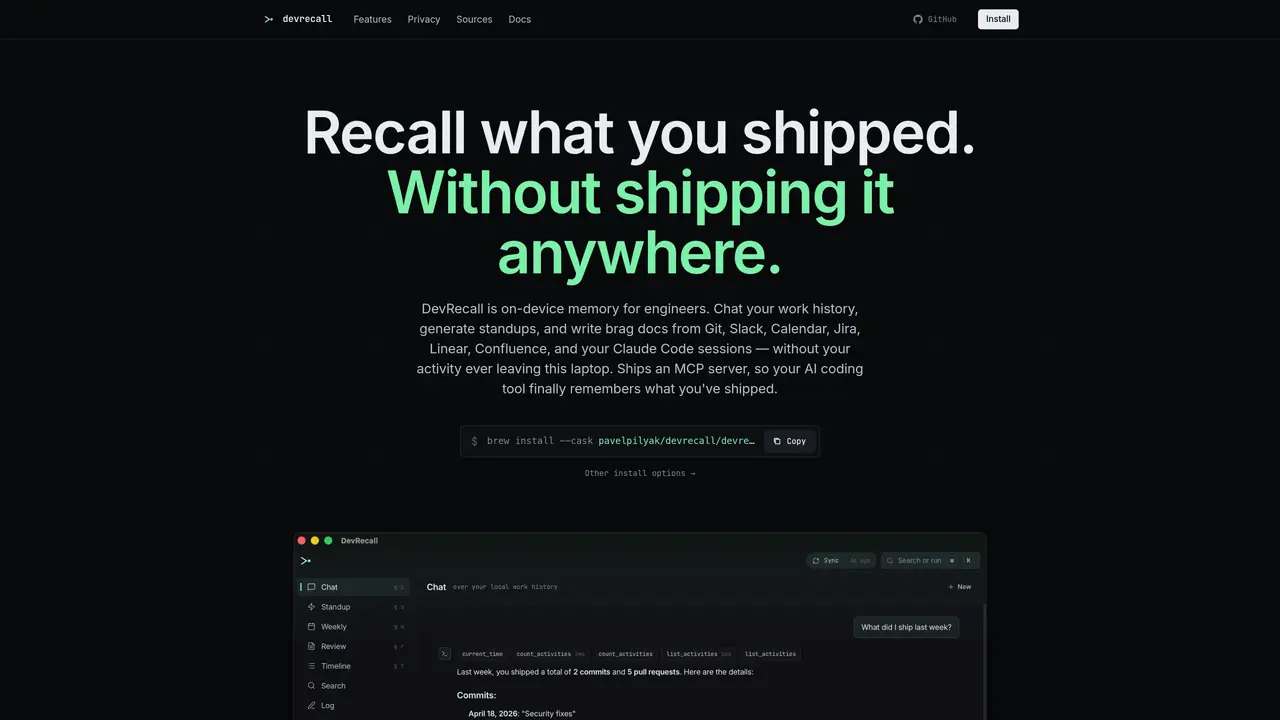
DevRecall builds an on-device index of a developer’s work history from Git, Slack, Calendar, Jira, Linear, Confluence, and Claude Code sessions. The index is stored locally in a SQLite database and supports both keyword and vector search, allowing users to ask questions about past work such as identifying specific bugs or changes. An MCP server is provided so that MCP-compatible coding tools like Claude Code or Cursor can query the index directly within the editor, returning cited commits, PRs, and tickets inline. The tool also generates routine documentation such as standups, weeklies, and brag docs from the indexed data without relying on memory. Identity merging consolidates multiple accounts (git email, GitHub handle, Slack ID, Jira account) into a single user profile across organizations. Embeddings are generated on-device using ONNX, and users can choose between a default local model or their own LLM. The entire system operates offline once sources are synced, with no backend storing raw activity data.
DevRecall is an on-device memory tool for engineers that indexes a developer’s work history from Git, Slack, Calendar, Jira, Linear, Confluence, and Claude Code sessions. It stores data locally in a SQLite database and supports both keyword and vector search, enabling users to query past work such as identifying specific bugs or changes.
DevRecall is designed for software engineers, developers, and technical teams who need to recall past work, generate routine documentation like standups or brag docs, and provide memory for AI coding tools. It is particularly useful for those who value privacy and prefer keeping their work data local.
DevRecall operates entirely offline once sources are synced, with no backend storing raw activity data. All data is stored locally in a SQLite database at ~/.devrecall/devrecall.db, and OAuth tokens are kept in ~/.devrecall/tokens/. Raw activity never leaves the user's machine.
Yes, DevRecall ships an MCP server that allows MCP-compatible coding tools such as Claude Code, Cursor, or Continue to query the local index directly within the editor. This provides cited commits, PRs, and tickets inline, enhancing the coding workflow with contextual memory.
DevRecall supports integrations with Git local repositories, GitHub, GitLab, Slack, Calendar (Google and iCal), Linear, Jira, Confluence, Bitbucket, and Claude Code sessions. Users authorize these tools via OAuth, and the data is indexed locally.
To get started, install DevRecall via Homebrew on macOS or download the CLI for Linux. After installation, connect your sources (e.g., GitHub, Slack) via OAuth, sync your data, and begin querying your work history or generating documentation like standups or brag docs.
We use essential cookies to run aitoolnavio™, and optional cookies to analyze traffic and measure our marketing. You choose what we use — optional cookies stay off unless you turn them on. See our Privacy Policy.
One short email a week: fresh tools worth trying, honest takes and the updates that actually matter. No spam, unsubscribe any time.
AI-powered website builder that generates a professional site in under a minute and includes tools for content, SEO, and analytics.
AI-powered coding platform that uses agents to plan, write, and test software with real-time feedback and verifiable artifacts.
Automate code, research, and documents using agents.
AI-powered code assistant that generates, reviews, optimizes, and debugs code with natural language prompts and editor integrations.
AI assistant for safe, reliable productivity with code, collaboration, and integrations.
AI-powered IDE for autonomous coding tasks and agentic development workflows
Privacy-focused AI chatbot that generates uncensored text, code, images, and translations without storing conversations or requiring an account.
A free web-based AI chatbot and agent for writing, coding, research, and content creation with multilingual support.
Write & run code in 50+ languages, auto-complete with AI, and code faster with an intuitive interface.
An IDE that automates legacy-to-modern code migration using autonomous coding agents.
AI models that return typed decisions with calibrated confidence for software automation
Practice coding challenges, improve technical skills, get detailed explanations, compare performance with peers.
Matched on what this tool does — grouped by the job you would be replacing.
matches On-device SQLite index of work history · Hybrid search (FTS5 keyword and vector search) · MCP server for MCP-compatible coding tools
Open-source memory layer for AI agents and IDEs with cloud sync
Stores coding assistants' project history locally.
Structured project memory for AI coding agents
Open-source Rust memory layer that captures agent events into git-versioned Markdown wikis for seamless context handoffs across coding tools.
matches On-device SQLite index of work history · Exact passage retrieval from project files · SQLite-based indexing
Open-source graph memory platform that turns documents and chats into a permissioned knowledge graph for AI agents to recall with citations and context.
Local evidence system that adds citations to agent answers by indexing project files