
AI-powered website builder that generates a professional site in under a minute and includes tools for content, SEO, and analytics.
52M visits/mo+0.7%#4 Coding & Development
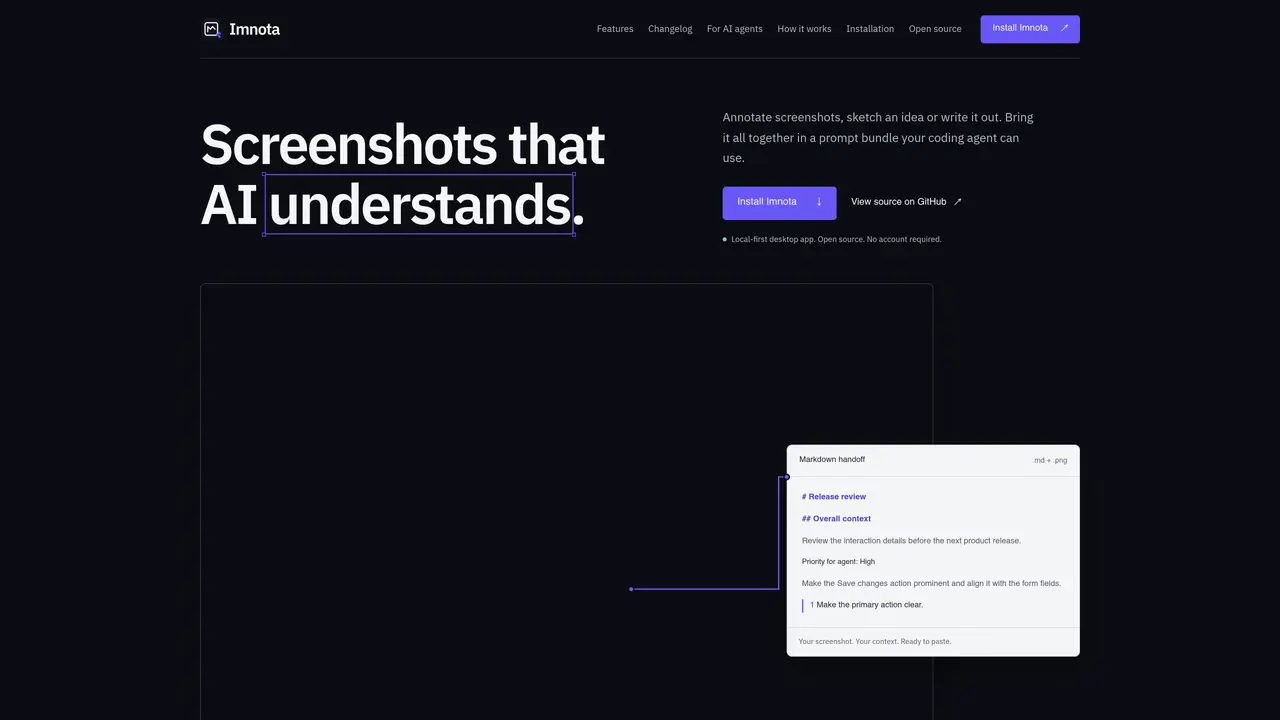
Imnota is a local-first application that creates annotated screenshots with embedded context for AI coding agents. It allows users to import, paste, or draw screenshots and then add arrows, highlights, text callouts, and steps to clarify issues or requirements. Each screenshot can be paired with a Markdown description that includes priority levels and collection context, forming a timestamped bundle ready for export. The tool supports PNG, JPEG, and WebP formats and exports both annotated images and corresponding Markdown files for seamless integration into coding workflows. Imnota operates offline by default but offers optional online sharing via expiring links for collaborative review. Workspaces are stored as local folders containing plain JSON, Markdown, and image files, enabling version control and easy backups. The application provides adaptive annotation tools, multiple appearance themes, and a choice of update channels without requiring an account or built-in AI provider connections.
Imnota is a local-first desktop application that creates annotated screenshots with embedded context for AI coding agents. It is designed for developers, designers, and teams who need to clearly communicate issues, requirements, or ideas to AI tools or collaborators through visual and textual context.
Imnota allows users to import, paste, or draw screenshots and add annotations like arrows, highlights, text callouts, and steps. Each screenshot can be paired with a Markdown description that includes priority levels and context, forming a timestamped bundle ready for export to AI coding agents.
No, Imnota operates offline by default and does not require an account. Users can work locally, store projects as plain files, and optionally share annotated bundles via expiring online links for collaborative review.
Imnota supports PNG, JPEG, and WebP formats for screenshots. It exports annotated images and corresponding Markdown files, which include collection context, descriptions, and priority levels, forming a portable prompt bundle.
Yes, Imnota allows users to share reviewed prompt bundles online via expiring links. Recipients can copy the Markdown and PNG or download a ZIP file from their browser, and links can be revoked at any time.
Users can install Imnota by downloading the stable release for Windows, macOS, or Linux from the official website or GitHub. The application is open-source, and no account or built-in AI provider connection is required to begin creating annotated screenshots.
We use essential cookies to run aitoolnavio™, and optional cookies to analyze traffic and measure our marketing. You choose what we use — optional cookies stay off unless you turn them on. See our Privacy Policy.
One short email a week: fresh tools worth trying, honest takes and the updates that actually matter. No spam, unsubscribe any time.
AI-powered website builder that generates a professional site in under a minute and includes tools for content, SEO, and analytics.
AI-powered coding platform that uses agents to plan, write, and test software with real-time feedback and verifiable artifacts.
Automate code, research, and documents using agents.
AI-powered code assistant that generates, reviews, optimizes, and debugs code with natural language prompts and editor integrations.
AI assistant for safe, reliable productivity with code, collaboration, and integrations.
AI-powered IDE for autonomous coding tasks and agentic development workflows
Privacy-focused AI chatbot that generates uncensored text, code, images, and translations without storing conversations or requiring an account.
A free web-based AI chatbot and agent for writing, coding, research, and content creation with multilingual support.
Write & run code in 50+ languages, auto-complete with AI, and code faster with an intuitive interface.
An IDE that automates legacy-to-modern code migration using autonomous coding agents.
AI models that return typed decisions with calibrated confidence for software automation
Practice coding challenges, improve technical skills, get detailed explanations, compare performance with peers.
Matched on what this tool does — grouped by the job you would be replacing.
matches Screenshot import, paste, or standalone drawing creation · Annotation tools including arrows, lines, shapes, highlights, and text callouts · Timestamped Markdown and PNG bundle exports
A macOS manager for organizing and syncing AI prompts and custom instructions across tools like Claude and Cursor with conflict control.
Desktop workspace for coding agents like Codex and Claude Code
Free browser-based PDF editor with AI text editing and manual annotation tools