AI-powered website builder that generates a professional site in under a minute and includes tools for content, SEO, and analytics.
52M visits/mo+0.7%#4 Coding & Development

A skill pack that adds frontend design commands and anti-pattern guidance for developers using AI coding tools like Cursor and Claude Code.
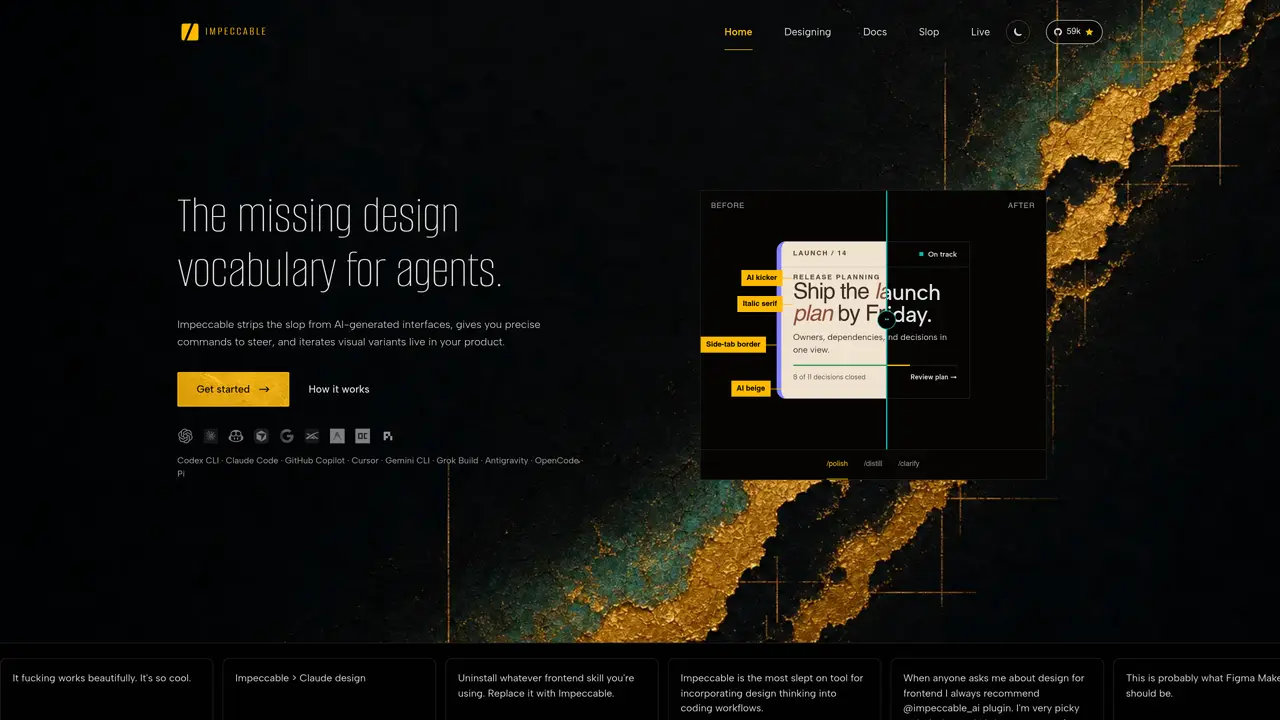
Impeccable is a cross-provider AI skill pack designed for developers and product teams who generate user interfaces with AI coding tools. It provides a set of repeatable commands and curated design patterns to improve the consistency and quality of AI-generated frontend output. The tool integrates with popular AI coding environments such as Cursor, Claude Code, Gemini CLI, and Codex CLI, offering structured guidance for tasks like typography, layout, motion, and UX writing. Users can apply consistent design decisions across projects by leveraging project-level context saved via the /teach-impeccable command. Installation and updates are handled through simple CLI commands, and the skill pack includes anti-pattern guidance to help avoid common design mistakes. By turning good design prompts into tool-compatible commands, Impeccable aims to streamline the development workflow and enhance the reliability of AI-assisted coding results.
Impeccable provides a design vocabulary and set of repeatable commands for AI coding agents to generate consistent, high-quality user interfaces. It acts as a cross-provider skill pack that integrates with tools like Cursor, Claude Code, and Gemini CLI to steer AI output toward better design decisions.
The tool is designed for developers and product teams who use AI coding tools to generate frontend interfaces. It suits those looking to reduce inconsistencies and improve the reliability of AI-generated UI output.
Impeccable integrates with popular AI coding environments such as Cursor, Claude Code, Gemini CLI, and others through CLI commands. Users can apply structured guidance for tasks like typography, layout, motion, and UX writing directly within their workflow.
Yes, Impeccable can iterate on and polish existing AI-generated interfaces by providing precise commands to refine design elements like spacing, typography, and layout without requiring manual adjustments in tools like Figma.
It offers curated design patterns, anti-pattern guidance to avoid common mistakes, and project-level context saved via commands like /teach-impeccable. This helps maintain consistency across multiple projects and iterations.
Users can get started by installing Impeccable through simple CLI commands in their preferred AI coding environment. The tool provides documentation and examples to help users apply its commands effectively in their workflows.
impeccable.style · third-party estimates from Similarweb
Last 4 months · grows by one month every month
Share of visits · estimated visits
Other countries: 54.3%
How people reach this site from other AI tools
3.4K a month · 0.3% of all visits
Coding & Development · Sep 2026
Traffic figures are third-party estimates, good for scale and trends; they can differ from a company's own numbers. Updated monthly.
We use essential cookies to run aitoolnavio™, and optional cookies to analyze traffic and measure our marketing. You choose what we use — optional cookies stay off unless you turn them on. See our Privacy Policy.
One short email a week: fresh tools worth trying, honest takes and the updates that actually matter. No spam, unsubscribe any time.
AI-powered website builder that generates a professional site in under a minute and includes tools for content, SEO, and analytics.
AI-powered coding platform that uses agents to plan, write, and test software with real-time feedback and verifiable artifacts.
Automate code, research, and documents using agents.
AI-powered code assistant that generates, reviews, optimizes, and debugs code with natural language prompts and editor integrations.
AI assistant for safe, reliable productivity with code, collaboration, and integrations.
AI-powered IDE for autonomous coding tasks and agentic development workflows
Privacy-focused AI chatbot that generates uncensored text, code, images, and translations without storing conversations or requiring an account.
A free web-based AI chatbot and agent for writing, coding, research, and content creation with multilingual support.
Write & run code in 50+ languages, auto-complete with AI, and code faster with an intuitive interface.
An IDE that automates legacy-to-modern code migration using autonomous coding agents.
AI models that return typed decisions with calibrated confidence for software automation
Practice coding challenges, improve technical skills, get detailed explanations, compare performance with peers.
Matched on what this tool does — grouped by the job you would be replacing.
matches 20 user-invocable commands for design and UX tasks · Curated library of design patterns and anti-patterns · Project-level design context via .impeccable.md files
Instantly generate UI components like buttons, navbars, and forms with AI from simple prompts.
Local-first AI design workspace that turns prompts into runnable prototypes, slides, dashboards, images, and HTML video without cloud lock-in.
Drag-and-drop website builder that generates content and design automatically without coding, enabling fast, professional site creation.
Create and manage website content faster with AI.
matches Multi-tool installation and updates with npx skills · Support for Cursor, Claude Code, Gemini CLI, and Codex CLI · CLI-based installation and management
matches Multi-tool installation and updates with npx skills · Support for Cursor, Claude Code, Gemini CLI, and Codex CLI
CLI tool for installing and managing reusable agent skills from a public skills pack
Open directory of 2,500+ reusable AI agent skills and MCP servers for IDEs like Claude Code and Cursor.
Add structured software development skills to AI coding agents for disciplined workflows like TDD, debugging, planning, subagents, and code review.
Open-source skill pack that equips AI coding agents with structured engineering workflows from spec to ship.
Centralizes and visualizes AI coding tool configurations, provider keys, and model routing for developers and teams.
Run and manage remote AI coding agents from any device with real-time sync and a clean UI.
A web-based task manager for developers that keeps persistent project memory for AI coding agents, turning docs into contextual tasks.