
AI-powered website builder that generates a professional site in under a minute and includes tools for content, SEO, and analytics.
52M visits/mo+0.7%#4 Coding & Development
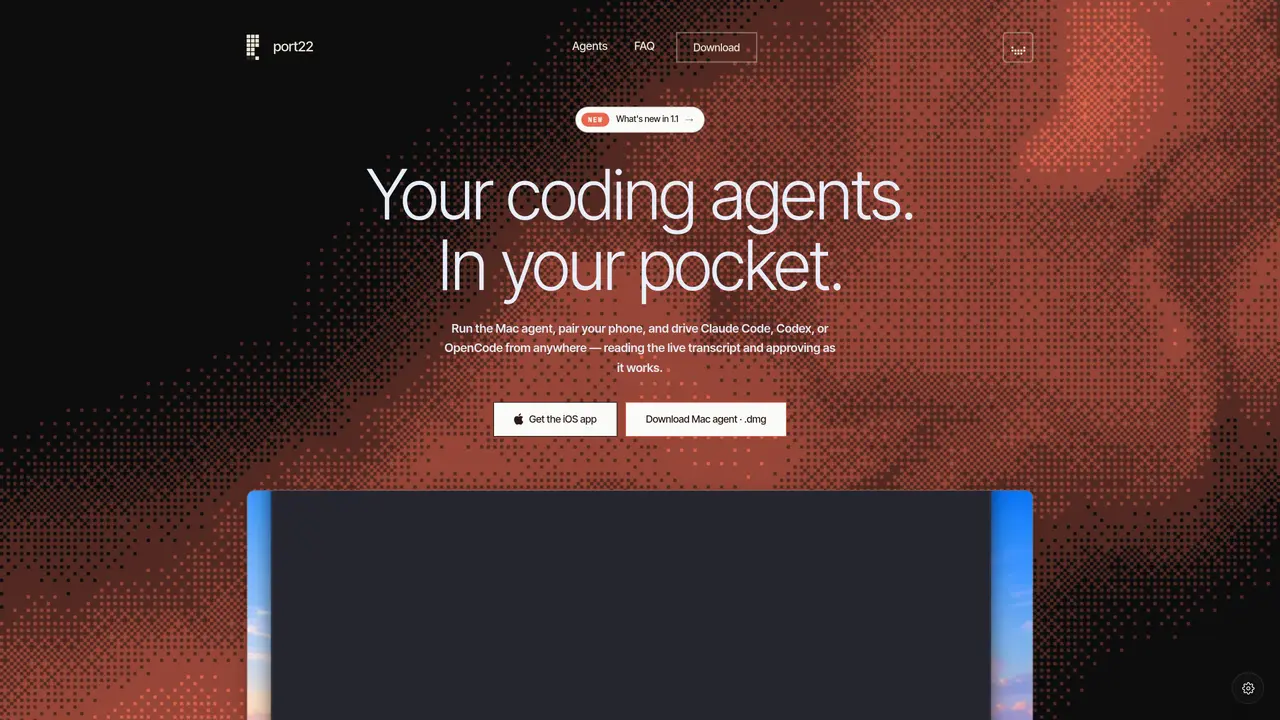
port22 connects an iPhone to an existing terminal session running a coding agent such as Claude Code, Codex, or OpenCode on a Mac. The Mac agent streams the agent’s transcript, edits, and outputs to the paired iPhone in real time, allowing users to monitor progress and approve actions remotely. Notifications are pushed when the agent finishes a task or requests input. The tool attaches to an already-running session without forking it, preserving the original environment. Sessions remain synchronized whether the devices are on the same LAN or connected via an end-to-end encrypted relay when off-network. The pairing process uses the user’s Apple ID, eliminating the need for separate logins or QR codes. The Mac agent is a single binary that watches designated terminal sessions, while the iOS app provides a live transcript view, approval controls, and session management.
No. port22 attaches to an existing agent session such as Claude Code, Codex, or OpenCode already running in your terminal without forking or modifying it.
It works in any open-source terminal like Ghostty, kitty, Alacritty, WezTerm, tmux, or Terminal.app. It does not support Warp or IDE-integrated terminals.
Yes. It uses a LAN connection at your desk and automatically switches to an end-to-end encrypted relay when off-network, maintaining the same live session.
No. The relay forwards end-to-end encrypted payloads and never holds the decryption keys, ensuring your code remains private.
No. Pairing is done via the same Apple ID on both devices, eliminating the need for a separate port22 login or account.
A Mac running the port22 agent, an iPhone, and a supported coding agent CLI like Claude Code or Codex are required. No additional software is needed.
We use essential cookies to run aitoolnavio™, and optional cookies to analyze traffic and measure our marketing. You choose what we use — optional cookies stay off unless you turn them on. See our Privacy Policy.
One short email a week: fresh tools worth trying, honest takes and the updates that actually matter. No spam, unsubscribe any time.
AI-powered website builder that generates a professional site in under a minute and includes tools for content, SEO, and analytics.
AI-powered coding platform that uses agents to plan, write, and test software with real-time feedback and verifiable artifacts.
Automate code, research, and documents using agents.
AI-powered code assistant that generates, reviews, optimizes, and debugs code with natural language prompts and editor integrations.
AI assistant for safe, reliable productivity with code, collaboration, and integrations.
AI-powered IDE for autonomous coding tasks and agentic development workflows
Privacy-focused AI chatbot that generates uncensored text, code, images, and translations without storing conversations or requiring an account.
A free web-based AI chatbot and agent for writing, coding, research, and content creation with multilingual support.
Write & run code in 50+ languages, auto-complete with AI, and code faster with an intuitive interface.
An IDE that automates legacy-to-modern code migration using autonomous coding agents.
AI models that return typed decisions with calibrated confidence for software automation
Practice coding challenges, improve technical skills, get detailed explanations, compare performance with peers.
Matched on what this tool does — grouped by the job you would be replacing.
matches Live transcript streaming of coding agent activity · Push notifications for agent completion or requests · Dynamic Island and lock screen session indicators
Run and manage remote AI coding agents from any device with real-time sync and a clean UI.
Mobile interface for monitoring and controlling local AI coding agents on a Mac
Native macOS application for managing and coordinating coding agents
Professional workspace for managing multiple agent CLIs in one interface
matches Live transcript streaming of coding agent activity · Session history and naming per project
Browser interface for terminal coding agents like Claude Code and OpenCode
Local workspace for running and supervising AI agents with private control