

AI-powered website builder that generates a professional site in under a minute and includes tools for content, SEO, and analytics.
52M visits/mo+0.7%#4 Coding & Development
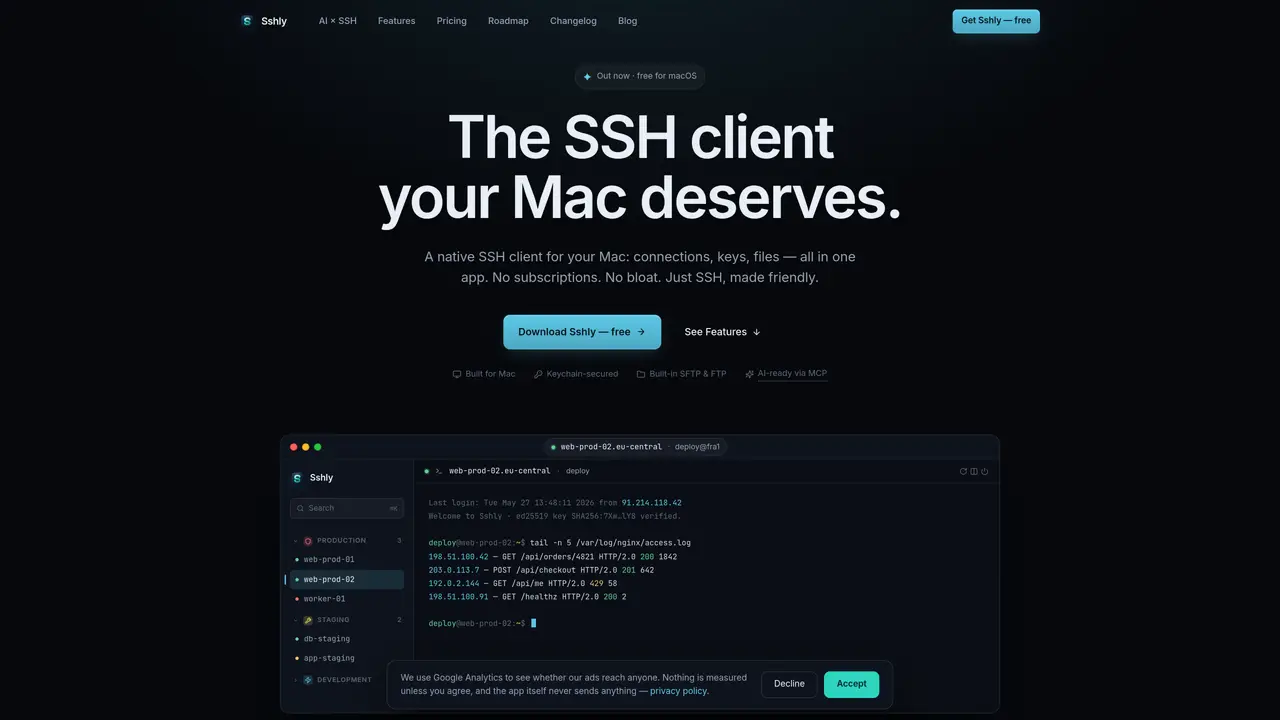
Sshly is a native SSH client for macOS that consolidates connections, keys, and file transfers into a single application. It provides a Keychain-secured environment for managing SSH credentials, including passwords and key passphrases, which remain stored locally and never leave the user’s device. The tool supports SFTP, FTP, and FTPS file transfers through drag-and-drop operations and includes a built-in editor for remote files. Sshly functions as an MCP server, enabling AI tools like Claude Code to execute commands on remote servers while maintaining full control over credential access and command permissions. The application organizes servers into smart groups by project or environment and offers Spotlight-style search for quick access. Additional features include port forwarding, multi-tab sessions, SSH key management, and customizable themes. The client prioritizes keyboard shortcuts and smart reconnection for efficient workflows.
Yes, Sshly is currently available for macOS. Users can download a free version with up to 3 connections and upgrade to a lifetime license at any time.
Sshly operates on a one-time purchase model to provide software users own outright, ensuring fair pricing and lifetime updates without recurring fees.
Currently, Sshly focuses exclusively on macOS to deliver a polished Mac experience. Future support for other platforms is not confirmed.
All data, including connection details, passwords, and key passphrases, are stored locally on the user’s Mac. Sshly does not transmit this information to external servers.
Yes, Sshly functions as an MCP server, allowing AI tools to execute commands on remote servers while keeping credentials secure and stored locally.
Yes, Sshly includes built-in support for SFTP, FTP, and FTPS file transfers, enabling drag-and-drop operations and remote file editing.
We use essential cookies to run aitoolnavio™, and optional cookies to analyze traffic and measure our marketing. You choose what we use — optional cookies stay off unless you turn them on. See our Privacy Policy.
One short email a week: fresh tools worth trying, honest takes and the updates that actually matter. No spam, unsubscribe any time.
AI-powered website builder that generates a professional site in under a minute and includes tools for content, SEO, and analytics.
AI-powered coding platform that uses agents to plan, write, and test software with real-time feedback and verifiable artifacts.
Automate code, research, and documents using agents.
AI-powered code assistant that generates, reviews, optimizes, and debugs code with natural language prompts and editor integrations.
AI assistant for safe, reliable productivity with code, collaboration, and integrations.
AI-powered IDE for autonomous coding tasks and agentic development workflows
Privacy-focused AI chatbot that generates uncensored text, code, images, and translations without storing conversations or requiring an account.
A free web-based AI chatbot and agent for writing, coding, research, and content creation with multilingual support.
Write & run code in 50+ languages, auto-complete with AI, and code faster with an intuitive interface.
An IDE that automates legacy-to-modern code migration using autonomous coding agents.
AI models that return typed decisions with calibrated confidence for software automation
Practice coding challenges, improve technical skills, get detailed explanations, compare performance with peers.
Matched on what this tool does — grouped by the job you would be replacing.
matches Organize servers by project or environment · Spotlight-style search for connections · Import SSH keys from ~/.ssh/config
Centralized interface for running commands on local and remote servers over SSH
Unified terminal client for SSH, SFTP, Telnet and RDP with an AI agent