AI-powered website builder that generates a professional site in under a minute and includes tools for content, SEO, and analytics.
52M visits/mo+0.7%#4 Coding & Development
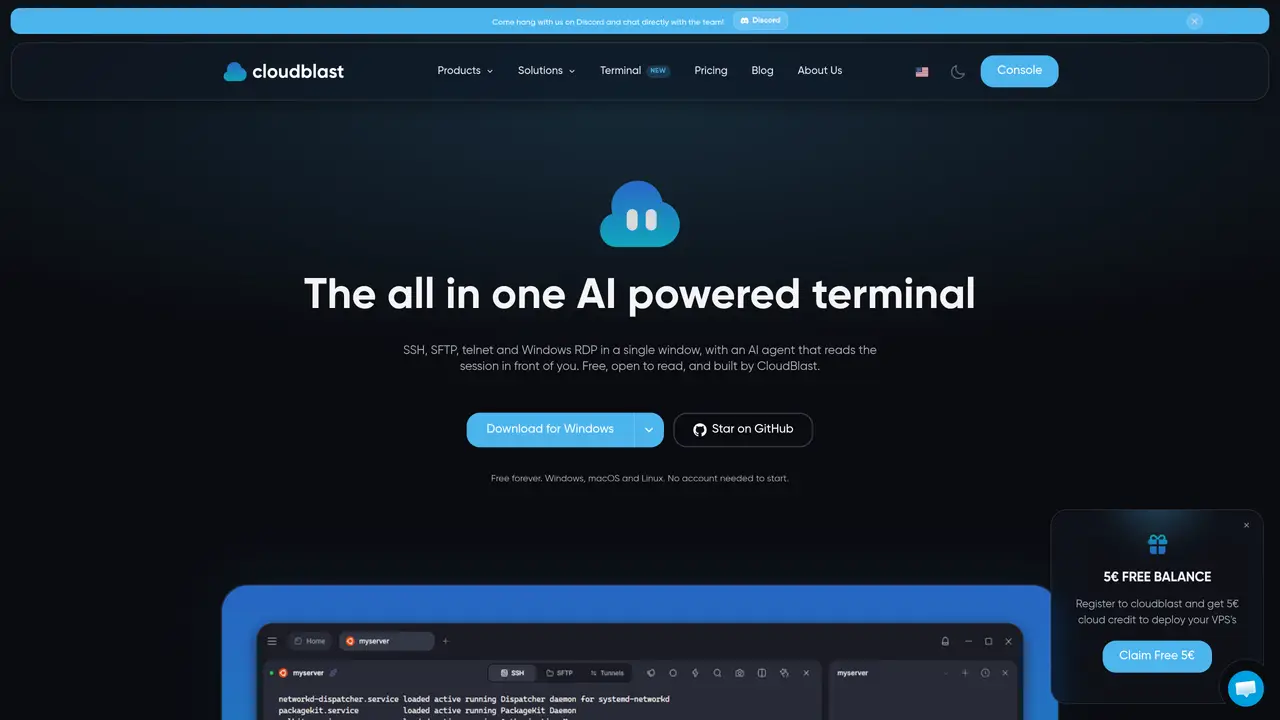
CloudTerm is a desktop application that consolidates SSH, SFTP, Telnet, serial consoles, RDP and VNC into a single window. It provides a unified interface for managing remote servers, transferring files, forwarding ports and viewing remote desktops without switching between multiple tools. The application supports split panes, named tabs, session recording and screenshots, with GPU-accelerated rendering for terminal sessions. A built-in AI agent can read the active session and execute commands after confirmation, integrating with existing AI providers such as Claude Code, Codex or OpenCode. Connections are organized with folders, tags and an encrypted credential vault, and settings can be synced across devices via encrypted cloud storage. The software runs on Windows, macOS and Linux without requiring an account to start, and supports importing existing SSH configurations.
CloudTerm is a desktop application that consolidates SSH, SFTP, Telnet, serial consoles, RDP and VNC into a single window for managing remote servers and desktops.
It is designed for developers, system administrators, and IT professionals who need to manage multiple remote connections efficiently in a unified interface.
Yes, CloudTerm includes a built-in AI agent that can read active sessions and execute commands after user confirmation, integrating with providers like Claude Code or Codex.
Connections can be organized using folders, tags, and an encrypted credential vault, with settings synced across devices via encrypted cloud storage.
CloudTerm is available for Windows, macOS, and Linux without requiring an account to start using the application.
Yes, it supports importing existing SSH configurations, making it easier to transition from other terminal tools.
We use essential cookies to run aitoolnavio™, and optional cookies to analyze traffic and measure our marketing. You choose what we use — optional cookies stay off unless you turn them on. See our Privacy Policy.
One short email a week: fresh tools worth trying, honest takes and the updates that actually matter. No spam, unsubscribe any time.
AI-powered website builder that generates a professional site in under a minute and includes tools for content, SEO, and analytics.
AI-powered coding platform that uses agents to plan, write, and test software with real-time feedback and verifiable artifacts.
Automate code, research, and documents using agents.
AI-powered code assistant that generates, reviews, optimizes, and debugs code with natural language prompts and editor integrations.
AI assistant for safe, reliable productivity with code, collaboration, and integrations.
AI-powered IDE for autonomous coding tasks and agentic development workflows
Privacy-focused AI chatbot that generates uncensored text, code, images, and translations without storing conversations or requiring an account.
A free web-based AI chatbot and agent for writing, coding, research, and content creation with multilingual support.
Write & run code in 50+ languages, auto-complete with AI, and code faster with an intuitive interface.
An IDE that automates legacy-to-modern code migration using autonomous coding agents.
AI models that return typed decisions with calibrated confidence for software automation
Practice coding challenges, improve technical skills, get detailed explanations, compare performance with peers.
Matched on what this tool does — grouped by the job you would be replacing.
matches SSH, Telnet, serial consoles with tabs and split panes · SFTP client with recursive transfers and drag-and-drop · RDP and VNC viewers tunneled through SSH
Native macOS SSH client with built-in file transfer and AI integration
Centralized interface for running commands on local and remote servers over SSH
matches Code generation, editing, and visualization
matches Parallel agent panes with status tinting · GPU-accelerated rendering via libghostty
Terminal-based AI agent for coding, data tasks and workflow automation
Terminal-based AI coding agent that reads, edits and runs code with user-controlled permissions
Local AI coding agent manager that turns tickets into isolated worktrees and pull requests
Local desktop app that consolidates multiple coding agents into one window
A terminal client that displays and interacts with multiple AI agents in parallel panes